Python Sequential Number Triangle Pattern (Narrowing)
Beginner
5 min read
Updated: Sep 2026
3 programs
Live preview
Definition
What Is This Pattern?
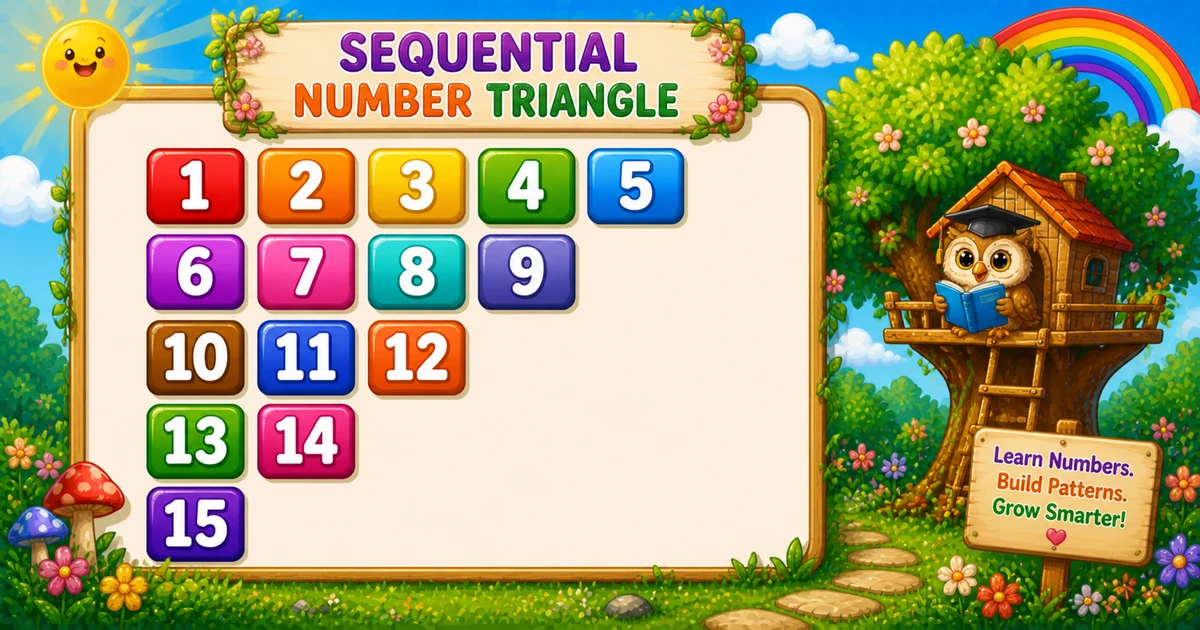
A decreasing continuous number triangle prints values from a shared counter k that never resets, while each row prints one fewer number than the row above.
Remember
Rule: row i prints (rows - i + 1) values of k++

  1  2  3  4  5
  6  7  8  9
 10 11 12
 13 14
 15   ← 5 rows
Follows the palindrome triangle in Program 37; next is the rotating number pattern in Program 39.
Approach
How to Solve It
One nested-loop idea with a shared counter and f"{k:3d}" width — left-aligned, shrinking each row.
Method
Idea
Best for
Counter + shrink
Print k then k += 1 while row length shrinks
Learning, interviews, exams
User-input rows
Same logic with a variable height
Practice / demos
Pseudocode
Pseudocode
k = 1
for i from 1 to rows:
    for j from rows down to i:
        print k (width 3), then k = k + 1
    print newline
Cheat sheet
Goal
Pattern
Shrink each row
for i in range(1, rows + 1):
Row length
for j in range(rows, i - 1, -1):
Next number
print(f"{k:3d}", end=""); k += 1
End the row
print()
Printing Numbers vs Starting a New Line
API
Effect
Use for
print(f"{k:3d}", end="")
Stays on the same line
Each formatted number
print()
Ends the current line
After the inner loop
Print numbers without a newline, then end the row once.
Try it
Live Preview
Change the row count and the shrinking continuous triangle updates instantly — capped at 8 for readable demos.
Whole numbers from 1 to 8 (width-3 columns stay readable). Tap a chip or type a value — the preview redraws as you go.
Live result5 rows · 15 values
  1  2  3  4  5
  6  7  8  9
 10 11 12
 13 14
 15
Trace
Worked Walkthrough — rows = 4
Trace how many values each row takes from counter k.
i
Count / values
Printed row
1
4 / 1..4
1 2 3 4
2
3 / 5..7
5 6 7
3
2 / 8 9
8 9
4
1 / 10
10
Row length is rows - i + 1. Counter k ends at n(n+1)/2.
Code
Python Programs
Three complete programs: fixed rows = 5, input() variant, and a compact rows = 3 demo. Use View Output to reveal sample results.
Example 1 — Fixed rows = 5
Shrinking inner loop prints continuous k values with width-3 formatting.
Python
rows = 5
k = 1

for i in range(1, rows + 1):
    for j in range(rows, i - 1, -1):
        print(f"{k:3d}", end="")
        k += 1
    print()
Output
  1  2  3  4  5
  6  7  8  9
 10 11 12
 13 14
 15
How It Works
1. Outer loop.i grows from 1 to 5 — each pass shortens the row by one.
2. Inner loop.j runs from rows down to i, so row 1 prints 5 values and row 5 prints 1.
3. Continuous k.k lives outside the loops and climbs from 1 to 15 without resetting.
Example 2 — User Input Rows
Read rows with input(), validate, then use the same shrinking counter logic.
Python
try:
    rows = int(input("Enter rows: "))
except ValueError:
    print("Please enter a positive whole number.")
    raise SystemExit(1)

if rows < 1:
    print("Please enter a positive whole number.")
    raise SystemExit(1)

k = 1

for i in range(1, rows + 1):
    for j in range(rows, i - 1, -1):
        print(f"{k:3d}", end="")
        k += 1
    print()
Output (when user enters 3)
Enter rows: 3
  1  2  3
  4  5
  6
How It Works
1. Prompt and validate. Catch ValueError; require rows >= 1 before printing.
2. Same core.f"{k:3d}" matches Example 1 — only rows comes from the user.
3. Safer input tip. Cap demos for readable output:
Safer input tip
if rows < 1 or rows > 8:
    print("Enter a whole number from 1 to 8.")
    raise SystemExit(1)
Example 3 — Compact rows = 3
Same structure with only three rows — easy to confirm k never resets while width shrinks.
Python
rows = 3
k = 1

for i in range(1, rows + 1):
    for j in range(rows, i - 1, -1):
        print(f"{k:3d}", end="")
        k += 1
    print()
Output
  1  2  3
  4  5
  6
How It Works
1. Same rules. Inner loop length is rows - i + 1; each cell prints the next k.
2. Quick check. The last row is a single formatted 6.
3. Scale up next. Once the small demo is clear, use Examples 1–2 for five rows or user input.
Edge Cases & Pitfalls
Check these before calling the solution done.
reset k
Reset k = 1 each row
That restarts the sequence every line. Keep k outside both loops.
wrong bound
Loop j down to 1 instead of i
Every row would print the same length. Stop at range(rows, i - 1, -1).
no :3d
Print k without width
Columns drift once values hit 10+. Prefer f"{k:3d}".
print() inside
Broken rows
If bare print() sits inside the inner loop, you get one number per line. Call it only after the loop.
rows = 1
Single value
Output is just the formatted 1. A good sanity check.
input()
Catch ValueError
Bare int(input()) crashes on non-numeric text — wrap it in try/except ValueError.
Analysis
Time and Space Complexity
Program
Time
Extra space
Fixed / input (Examples 1–2)
O(n²)
O(1)
Compact rows = 3 (Example 3)
O(n²)
O(1)
Row lengths are n + (n−1) + … + 1 = n(n+1)/2 → O(n²) time. Only a few loop variables are needed.
Remember
Key Takeaways
Rule: print continuous k; row i has length rows - i + 1.
Inner bound:range(rows, i - 1, -1) shrinks the row each time.
end="" vs print(): numbers stay on the line; bare print() advances after each row.
Complexity:O(n²) time; O(1) extra space.
One line: for each row i, print the next rows - i + 1 values of continuous k with width 3.
Frequently Asked Questions
Continuous numbers starting from 1 with shrinking rows: for rows=5 you get 1..5 / 6..9 / 10..12 / 13 14 / 15 — totaling 15 numbers.
Counter k starts at 1 before the loops and increments with k += 1 each time a number prints — it is never reset inside the outer loop.
Row i prints rows - i + 1 numbers — the inner loop runs from j = rows down to i.
The format specifier reserves 3 columns per number, keeping columns aligned when values become two digits.
Program 35 is right-aligned with leading spaces. Program 38 is left-aligned with decreasing row width and the same continuous counter.
Program 37 builds a palindrome on each row. Program 38 prints one continuous ascending sequence with shrinking row widths.
Use try/except ValueError around int(input()) and require rows >= 1 — see Example 2.
O(n²) for n rows because total prints are 1 + 2 + … + n = n(n+1)/2.
🤔
Did you know?
A counter k starts at 1 and increments every time a number prints. Row i prints rows - i + 1 numbers with print(f"{k:3d}", end="") — total prints = n(n+1)/2.