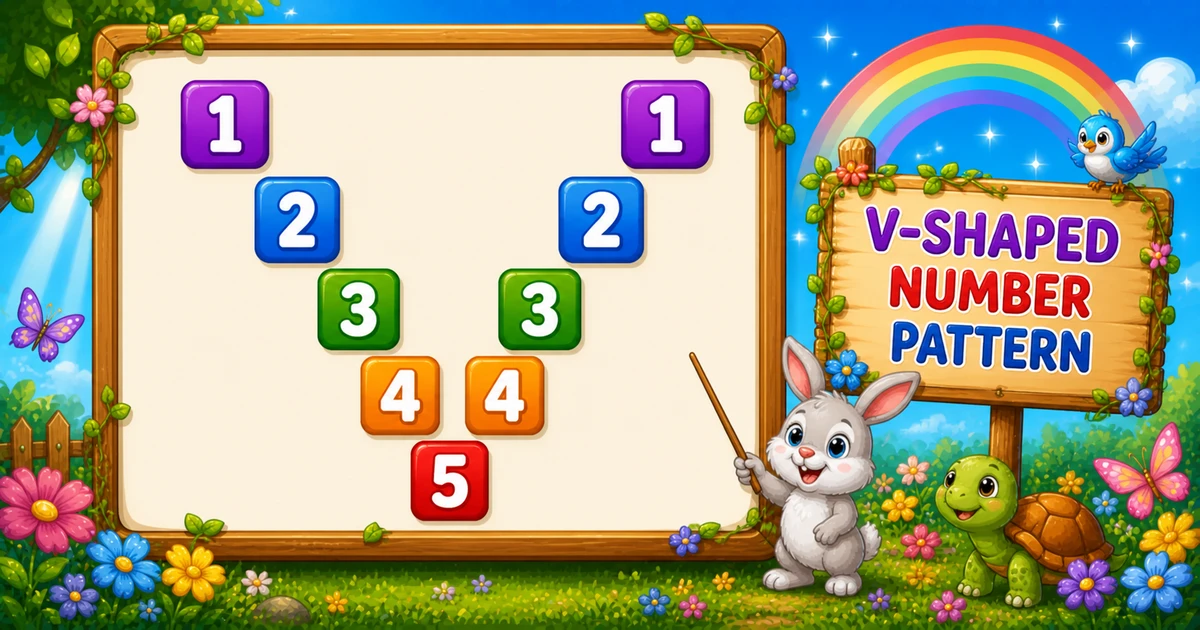
A mirror diagonal number pattern prints digit i on the main diagonal and again on a mirrored diagonal — spaces fill the gaps to form a V-shape.
Remember
Rule: digit when i === j (left) or i === k (right)

1       1
 2     2
  3   3
   4 4
    5     ← rows = 5
Unlike Program 52 (palindromic digit rows), this uses conditional placement — about 2n - 1 characters per row.
Approach
How to Solve It
Left loop places the main diagonal; right loop (counting down from rows - 1) places the mirror.
Method
Idea
Best for
Two-half diagonals
i === j left, i === k right (skip center)
Classic V-shape demos
Compact
Same logic with fewer rows (e.g. 3)
Quick dry-runs
Pseudocode
Pseudocode
for i from 1 to rows:
    line = ""
    for j from 1 to rows:          // left half
        append i if i === j else " "
    for k from rows-1 down to 1:   // right half
        append i if i === k else " "
    print line
Cheat sheet
Goal
Pattern
Outer (rows)
for (let i = 1; i <= rows; i++)
Left diagonal
for (let j = 1; j <= rows; j++) line += (i === j ? i : " ");
Right diagonal
for (let k = rows - 1; k >= 1; k--) line += (i === k ? i : " ");
End the row
console.log(line);
Chars per row
2 * rows - 1
Total chars
rows * (2 * rows - 1)
Printing Numbers vs Starting a New Line
API
Effect
Use for
line += …
Stays on the same row
Each digit or space
console.log(line)
Ends the current row
After both halves finish
Append without a newline, then end the row once.
Try it
Live Preview
Change the row count and the V-shaped mirror diagonals update instantly.
Whole numbers from 1 to 9. Tap a chip or type a value — the preview redraws as you go.
Live resultrows = 5 · 45 chars
1       1
 2     2
  3   3
   4 4
    5
Trace
Worked Walkthrough
Trace three rows when rows = 5 — watch where i === j and i === k fire.
Row i
Left digit at j
Right digit at k
Printed row
1
j = 1
k = 1
1 1
3
j = 3
k = 3
3 3
5
j = 5
(none)
5
The right loop starts at rows - 1, so the bottom tip has only the left-half digit.
Code
JavaScript Programs
Three complete programs: fixed rows = 5, prompt input, and a compact rows = 3 demo. Use View Output for samples, or Try It Yourself to edit and run live.
Example 1 — Fixed rows = 5
Append the digit when i === j or i === k; otherwise append a space.
JavaScript
const rows = 5;

for (let i = 1; i <= rows; i++) {
  let line = "";

  for (let j = 1; j <= rows; j++) {
    line += (i === j ? i : " ");
  }

  for (let k = rows - 1; k >= 1; k--) {
    line += (i === k ? i : " ");
  }

  console.log(line);
}
1. Left half places the main diagonal. When j equals i, append the digit; otherwise append a space.
2. Right half mirrors it.k counts down from rows - 1 so the center column is not printed twice.
3. Bottom tip merges. On the last row, only the left digit remains — both diagonals meet at the V tip.
Example 2 — User Input Rows
Read rows with prompt and validate before drawing.
JavaScript
const rows = parseInt(prompt("Enter number of rows:"), 10);

if (!Number.isFinite(rows) || rows < 1) {
  console.log("Please enter a positive integer.");
} else {
  for (let i = 1; i <= rows; i++) {
    let line = "";

    for (let j = 1; j <= rows; j++) {
      line += (i === j ? i : " ");
    }

    for (let k = rows - 1; k >= 1; k--) {
      line += (i === k ? i : " ");
    }

    console.log(line);
  }
}
1. Prompt and validate. Use parseInt and require rows >= 1.
2. Same two-half core. Only the source of rows changes — left and right diagonal loops match Example 1.
3. Entering 4. Each row has 7 characters (2×4 - 1), tip digit is 4.
Example 3 — Compact rows = 3
Same diagonal logic with fewer rows for a quick visual check.
JavaScript
const rows = 3;

for (let i = 1; i <= rows; i++) {
  let line = "";

  for (let j = 1; j <= rows; j++) {
    line += (i === j ? i : " ");
  }

  for (let k = rows - 1; k >= 1; k--) {
    line += (i === k ? i : " ");
  }

  console.log(line);
}
1. Shrink the size. Only rows changes — still i === j / i === k.
2. Easier to trace. Five characters per row — useful while learning the mirrored halves.
3. Same tip rule. The last row still shows a single digit.
Edge Cases & Pitfalls
Check these before calling the solution done.
Center skip
Start the right loop at rows - 1
Including k = rows duplicates the center column on every row.
Spaces
Append a space on non-diagonal columns
Skipping spaces collapses the V into a compact digit string.
rows = 1
Single-row case
Output is just 1 — the right loop never runs.
Bad input
Validate parseInt
Check Number.isFinite(rows) and require rows >= 1 before the loops.
Analysis
Time and Space Complexity
Program
Time
Extra space
Fixed / compact (Examples 1, 3)
O(n²)
O(n) per row string
User input (Example 2)
O(n²)
O(n) per row string
Each of n rows appends about 2n - 1 characters — total work is quadratic.
Remember
Key Takeaways
Rule: digit on i === j (left) and i === k (right); spaces elsewhere.
Skip center: start the right loop at rows - 1.
Break the row: call console.log(line) only after both halves finish.
Complexity:O(n²) — n rows × ~2n characters.
One line: place digit i on both diagonals with spaces between, then log each row.
Frequently Asked Questions
The right half logs rows-1 positions to avoid duplicating the center. On the final row both diagonals meet, so only one digit appears.
The first loop builds the left half (rows columns). The second builds the right mirrored half (rows-1 columns, counting down).
Skipping the center column prevents printing the middle digit twice.
line += appends on the same row. console.log(line) ends the row after both halves finish.
Program 52 builds palindromic digit rows with m++/m--. Program 53 uses spaces and i === j / i === k to place digits on mirrored diagonals.
O(n²) for n rows because each row appends about 2n-1 characters.
Yes — append when i === j or i + j === rows + 1 in a single column loop.
One row prints a single 1 — the left loop appends at j = 1 and the right loop does not run.
🤔
Did you know?
Each row logs the row number on the main diagonal (left) and on a mirrored diagonal (right) using i === j and i === k. About 2n-1 characters per row — total work O(n²).