Home JavaScript Number Patterns Program 47 JavaScript Concentric Number Diamond Pattern Definition
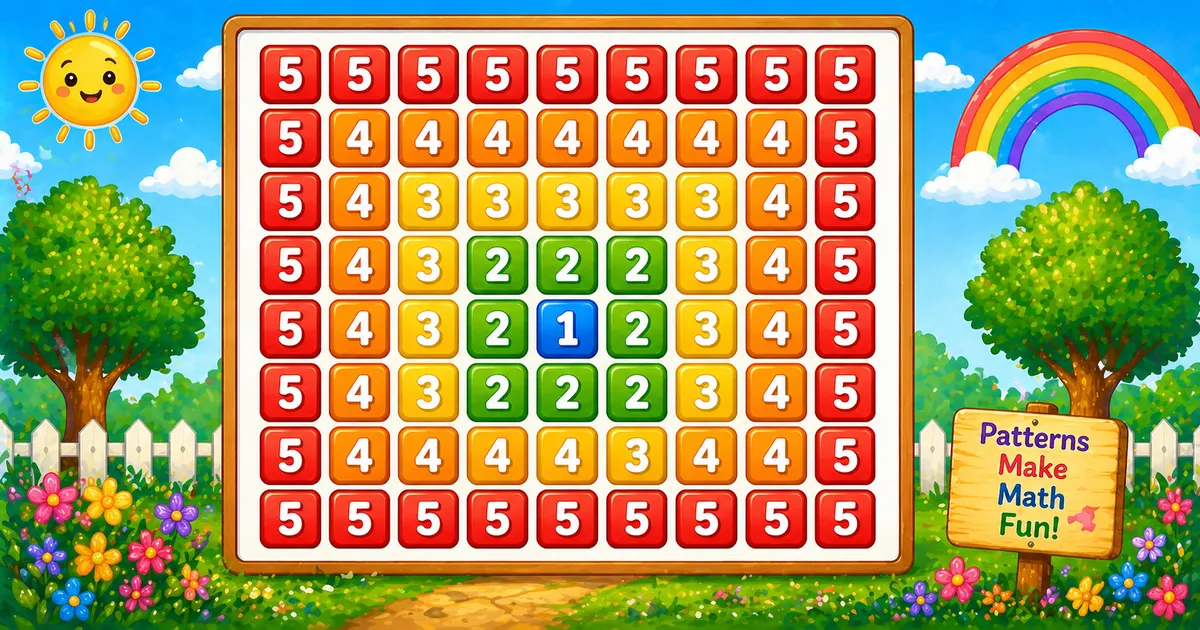
What Is This Pattern? A concentric number diamond is Program 46 ’s square mirrored top-to-bottom: layers from k down to 1, then back out to k.
Rule: top i=k..1, bottom i=2..k; cell = (j > i ? j : i)

5 5 5 5 5 5 5 5 5
5 4 4 4 4 4 4 4 5
5 4 3 3 3 3 3 4 5
5 4 3 2 2 2 3 4 5
5 4 3 2 1 2 3 4 5
5 4 3 2 2 2 3 4 5
5 4 3 3 3 3 3 4 5
5 4 4 4 4 4 4 4 5
5 5 5 5 5 5 5 5 5   ← k = 5
Same row logic as Program 46 (left k..1, right 2..k). Add a second outer loop i = 2..k to complete the diamond — size (2k-1)×(2k-1).
Approach
How to Solve It Reuse the square’s row builder twice — once going in, once going out. End each row with console.log.
Method Idea Best for Two-half diamond Top k..1, bottom 2..k, same cell rule Classic full-diamond demos Compact Same logic with a smaller k (e.g. 3) Quick dry-runs
Pseudocode function buildRow(k, i):
line = ""
for j from k down to 1: append (j if j > i else i) + " "
for j from 2 to k: append (j if j > i else i) + " "
return line
for i from k down to 1: print buildRow(k, i)
for i from 2 to k: print buildRow(k, i) Cheat sheet Goal Pattern Top half for (let i = k; i >= 1; i--)Bottom half for (let i = 2; i <= k; i++)Left / right j = k..1 then j = 2..kCell value line += (j > i ? j : i) + " ";End the row console.log(line);Grid size 2*k - 1 rows × 2*k - 1 columns
Printing Numbers vs Starting a New Line API Effect Use for line += …Stays on the same row Each cell value + space console.log(line)Ends the current row After both halves finish
Append without a newline, then end the row once.
Try it
Live Preview Change k and the full concentric diamond updates instantly.
Trace
Worked Walkthrough Trace k = 3 — top half down to the center, then bottom half back out.
Half iPrinted row Top 3 3 3 3 3 3Top 2 3 2 2 2 3Top (center) 1 3 2 1 2 3Bottom 2 3 2 2 2 3Bottom 3 3 3 3 3 3
Total lines = 2k - 1. Cells for k = 5 = 9 × 9 = 81.
Code
JavaScript Programs Three complete programs: fixed k = 5, prompt input, and a compact k = 3 demo. Use View Output for samples, or Try It Yourself to edit and run live.
1. Fixed k 2. User input 3. Compact demo Example 1 — Fixed k = 5 Top half shrinks to the center; bottom half mirrors back out.
const k = 5;

function buildRow(k, i) {
  let line = "";
  for (let j = k; j >= 1; j--) {
    line += (j > i ? j : i) + " ";
  }
  for (let j = 2; j <= k; j++) {
    line += (j > i ? j : i) + " ";
  }
  return line;
}

for (let i = k; i >= 1; i--) {
  console.log(buildRow(k, i));
}
for (let i = 2; i <= k; i++) {
  console.log(buildRow(k, i));
} 5 5 5 5 5 5 5 5 5
5 4 4 4 4 4 4 4 5
5 4 3 3 3 3 3 4 5
5 4 3 2 2 2 3 4 5
5 4 3 2 1 2 3 4 5
5 4 3 2 2 2 3 4 5
5 4 3 3 3 3 3 4 5
5 4 4 4 4 4 4 4 5
5 5 5 5 5 5 5 5 5 How It Works 1. Build one row. buildRow uses the same left/right halves and j > i ? j : i rule as Program 46.
2. Print the top. Outer loop i = k..1 shrinks toward the center row.
3. Mirror the bottom. Second loop starts at i = 2 so the center row is not duplicated.
Example 2 — User Input k Read the peak with prompt and validate before drawing.
const k = parseInt(prompt("Enter k (peak number):"), 10);

function buildRow(k, i) {
  let line = "";
  for (let j = k; j >= 1; j--) {
    line += (j > i ? j : i) + " ";
  }
  for (let j = 2; j <= k; j++) {
    line += (j > i ? j : i) + " ";
  }
  return line;
}

if (!Number.isFinite(k) || k < 1) {
  console.log("Please enter a positive integer.");
} else {
  for (let i = k; i >= 1; i--) {
    console.log(buildRow(k, i));
  }
  for (let i = 2; i <= k; i++) {
    console.log(buildRow(k, i));
  }
} How It Works 1. Prompt and validate. Use parseInt and require k >= 1.
2. Same diamond core. Only the source of k changes — both halves match Example 1.
3. Entering 3. Five lines and five columns (2*3 - 1), center is 1.
Example 3 — Compact k = 3 Same two-half diamond with a smaller peak for a quick visual check.
const k = 3;

function buildRow(k, i) {
  let line = "";
  for (let j = k; j >= 1; j--) {
    line += (j > i ? j : i) + " ";
  }
  for (let j = 2; j <= k; j++) {
    line += (j > i ? j : i) + " ";
  }
  return line;
}

for (let i = k; i >= 1; i--) {
  console.log(buildRow(k, i));
}
for (let i = 2; i <= k; i++) {
  console.log(buildRow(k, i));
} 3 3 3 3 3
3 2 2 2 3
3 2 1 2 3
3 2 2 2 3
3 3 3 3 3 How It Works 1. Shrink the peak. Only k changes — still top k..1 and bottom 2..k.
2. Easier to trace. Five lines instead of nine — useful while learning the mirror.
3. Same center rule. Middle row still has 1 in the center.
Edge Cases & Pitfalls Check these before calling the solution done.
Missing bottom Add the second outer loop
Without for (i = 2; i <= k; i++) you get Program 46’s square only.
i = 1 twice Start the bottom at i = 2
Starting at 1 duplicates the center row and breaks the 2k - 1 height.
k = 1 Single-layer case
Output is just 1 — the bottom loop never runs.
Bad input Validate parseInt
Check Number.isFinite(k) and require k >= 1 before the loops.
Analysis
Time and Space Complexity Program Time Extra space Fixed / compact (Examples 1, 3) O(k²)O(k) per row stringUser input (Example 2) O(k²)O(k) per row string
The grid is about (2k - 1)² cells — quadratic in k. Each row builds a temporary string of width O(k).
Remember
Key Takeaways Rule: Program 46’s row, printed for i = k..1 then i = 2..k.
Cell: append j > i ? j : i on left k..1 and right 2..k.
No duplicate center: start the bottom half at i = 2.
Complexity: O(k²) — about (2k-1)² cells.
One line: print concentric rows inward to 1, then outward again — same cell rule as Program 46.
Frequently Asked Questions What does this pattern print? A full concentric number diamond: outer layer k, values decrease to 1 at the center, then increase back to k — a (2k-1)×(2k-1) grid.
Why are there two outer loops? The first prints the top half (i = k down to 1). The second prints the bottom half (i = 2 up to k) to mirror the shape.
How is this different from Program 46? Program 46 prints only the top half (k rows). Program 47 adds the bottom half loop to form a complete diamond.
What does j > i mean? When column j is still outside the current row layer i, append j. Otherwise append i (the current layer value).
What is the difference between line += and console.log? line += appends on the same row. console.log(line) ends the row after both halves finish.
Why start the bottom at i = 2? Row i = 1 is already printed by the top half. Starting at 2 avoids duplicating the center row.
What is the time complexity? O(k²) because the grid has about (2k-1)² cells and each is printed once.
What does the center cell print? The center prints 1 — the deepest layer of the concentric pattern.
🤔
Did you know? Top half: for (let i = k; i >= 1; i--). Bottom half: for (let i = 2; i <= k; i++). Each cell: j > i ? j : i. Grid size = 2k - 1 rows and columns.
Next: Powers of 11 Pattern Continue with the next pattern in the JavaScript number-pattern series.
Program 48 tutorial → About the author Developer, cloud engineer, and technical writer
I write practical tutorials so students and working developers can learn by doing—from databases and APIs to deployment on AWS.
12 people found this page helpful