JavaScript Binary Number Triangle Pattern (Alternating)
Beginner
5 min read
Updated: Sep 2026
3 programs
Live preview
Definition
What Is This Pattern?
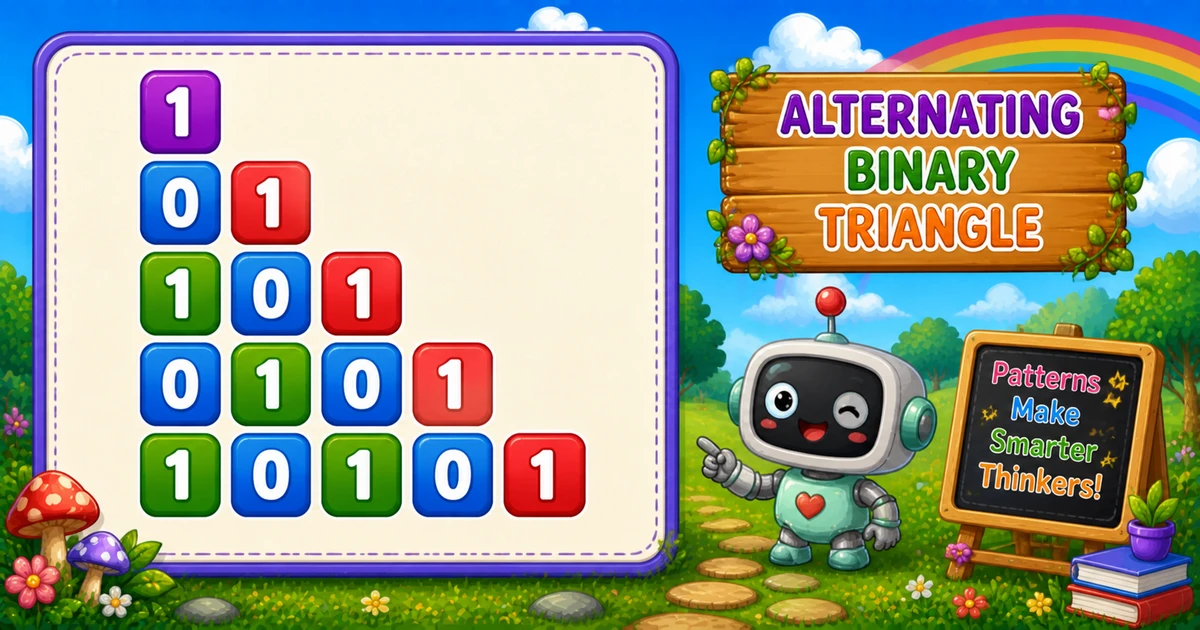
An alternating binary triangle grows one digit per row while printing 0 and 1 from j % 2 — 1, 01, 101, 0101, …
Remember
Rule: for i = 1 to n
        for j = i down to 1
          print j % 2

1
01
101
0101
10101     ← n = 5
The descending inner loop sets the starting bit of each row — Program 16 counts up instead and gets a different first bit on even rows.
Approach
How to Solve It
Grow row length from 1 to n; on each row, count j down and append j % 2.
Method
Idea
Best for
Nested loops
Outer grows; inner j % 2 descending
Learning, interviews
Flip parity
1 - (j % 2) starts with 0
Variant practice
prompt input
Same loops; read n at runtime
Interactive practice
Pseudocode
Pseudocode
for i from 1 to n:
    line = ""
    for j from i down to 1:
        line += (j % 2)
    print line (with newline)
Cheat sheet
Goal
Pattern
Set size
const n = 5;
Outer loop
for (let i = 1; i <= n; i++)
Inner loop
for (let j = i; j >= 1; j--) line += j % 2;
End row
console.log(line);
Binary digit
j % 2 → 0 or 1
Flip bits
line += 1 - (j % 2);
Printing Numbers vs Starting a New Line
API
Effect
Use for
line += j % 2
Stays on the same row
Each binary digit
console.log(line)
Ends the line
After the inner loop
Build the row with +=, then break once with console.log. Putting console.log inside the inner loop prints one digit per line.
Try it
Live Preview
Change n and the alternating binary triangle updates instantly.
Whole numbers from 1 to 9. Tap a chip or type a value — the preview redraws as you go.
Live resultn = 5 · digits = 15
1
01
101
0101
10101
Trace
Worked Walkthrough — n = 3
Trace each outer value of i, the descending j values, and j % 2.
i
j values
j % 2
Printed row
1
1
1
1
2
2, 1
0, 1
01
3
3, 2, 1
1, 0, 1
101
As i grows, more descending parities are appended — the row gets longer.
Code
JavaScript Programs
Three complete programs: fixed n = 5, a flipped-parity variant, and prompt input. Use View Output for sample results, or Try It Yourself to edit and run in the playground.
1. Same loops. Outer and inner bounds match Example 1.
2. Flip the bit.1 - (j % 2) turns 1 into 0 and 0 into 1.
3. Mirrored start. Row 1 becomes 0; even rows now start with 1.
Example 3 — prompt Input
Read n at runtime with prompt and parseInt.
JavaScript
const n = parseInt(prompt("Enter the number of rows:"), 10);

if (!Number.isFinite(n) || n < 1) {
  console.log("Please enter a positive integer.");
} else {
  for (let i = 1; i <= n; i++) {
    let line = "";
    for (let j = i; j >= 1; j--) {
      line += j % 2;
    }
    console.log(line);
  }
}
Vs Program 16: descending j flips the starting bit on even rows.
Write vs log:line += j % 2 builds; console.log(line) breaks.
Complexity:O(n²) for n rows.
One line: grow the row from 1 to n, and append each descending index modulo 2.
Frequently Asked Questions
Modulo 2 returns the remainder after dividing by 2. Any integer is either even (remainder 0) or odd (remainder 1).
On row 2, the inner loop prints j = 2 then j = 1. That becomes 2 % 2 = 0 then 1 % 2 = 1, so the row is 01.
line += j % 2 stays on the same row while building binary digits. console.log(line) prints the completed row and adds a newline.
Program 15 counts the inner loop down (j = i..1) producing 1, 01, 101, 0101. Program 16 counts up (j = 1..i) producing 1, 10, 101, 1010.
Yes. Use 1 - (j % 2) instead of j % 2 to flip every digit — first row becomes 0 instead of 1.
O(n²) where n is the number of rows. Total digit appends equal 1+2+…+n = n(n+1)/2.
Use parseInt(prompt(...), 10) and check Number.isFinite(n) && n >= 1 so bad input does not produce NaN.
The outer loop never runs, so nothing is printed. Validate and prompt again if you want a clear user message.
🤔
Did you know?
Each row prints alternating 0 and 1 using j % 2. The inner loop counts down with for (let j = i; j >= 1; j--), so row length grows each line — still O(n²) total prints.