JavaScript Descending Number Triangle Pattern (Odd Length)
Beginner
5 min read
Updated: Sep 2026
3 programs
Live preview
Definition
What Is This Pattern?
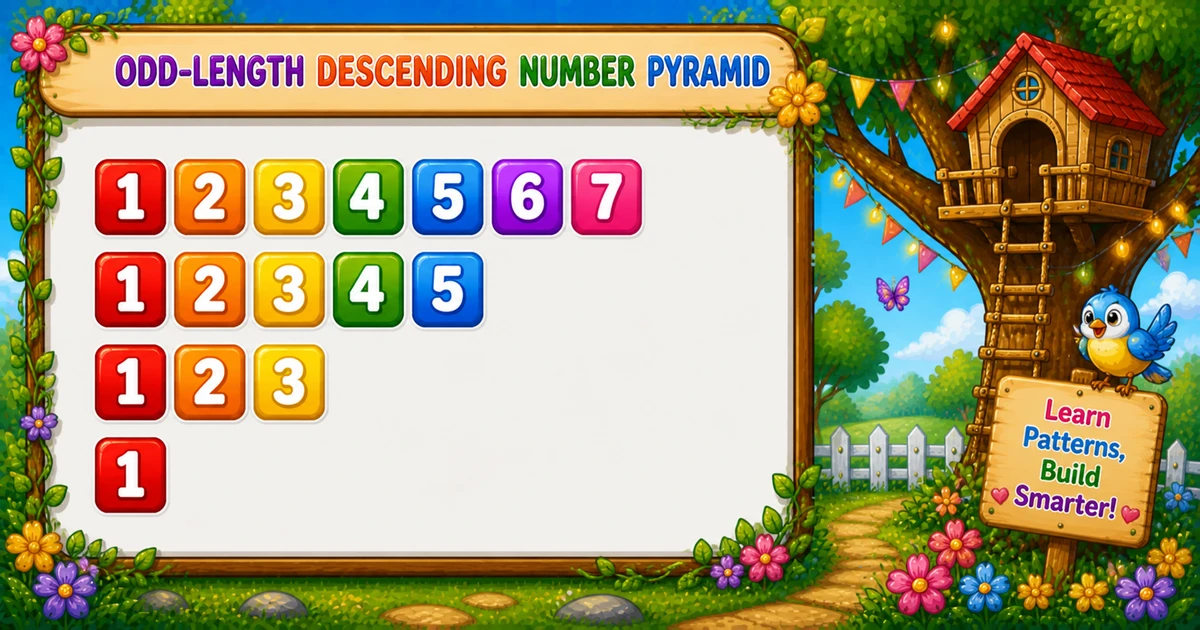
An odd-length descending triangle prints ascending digits 1..i only for odd row widths — 1234567, 12345, 123, 1.
Remember
Rule: for i = n down to 1 step −2
        print 1..i

1234567
12345
123
1         ← n = 7 (odd only)
The outer step of −2 skips even widths like 6 and 4 — unlike Program 13, which uses every length and flips direction.
Approach
How to Solve It
Walk odd widths from n down; on each row, print digits 1 through i.
Method
Idea
Best for
Step −2
Outer i -= 2; inner prints 1..i
Learning, interviews
prompt input
Same loops; force odd n if needed
Interactive practice
Step −1
Outer i-- includes every width
Contrast / full triangle
Pseudocode
Pseudocode
for i from n down to 1 step −2:
    line = ""
    for j from 1 to i:
        line += j
    print line (with newline)
Cheat sheet
Goal
Pattern
Set max width
const n = 7; (prefer odd)
Outer loop
for (let i = n; i >= 1; i -= 2)
Inner loop
for (let j = 1; j <= i; j++) line += j;
End row
console.log(line);
Force odd
if (n % 2 === 0) n -= 1;
All widths
for (let i = n; i >= 1; i--)
Printing Numbers vs Starting a New Line
API
Effect
Use for
line += j
Stays on the same row
Each sequential digit
console.log(line)
Ends the line
After the inner loop
Build the row with +=, then break once with console.log. Putting console.log inside the inner loop prints one digit per line.
Try it
Live Preview
Change max width n — even values are forced odd so only odd-length rows appear.
Whole numbers from 1 to 9. Even n becomes n − 1 so the top row stays odd-length.
Live resultn = 7 · digits = 16
1234567
12345
123
1
Trace
Worked Walkthrough — n = 5
Trace each odd outer value of i and the ascending digits printed.
i
Digits 1..i
Printed row
5
1 2 3 4 5
12345
3
1 2 3
123
1
1
1
i -= 2 jumps from 5 → 3 → 1, so even widths never appear.
Code
JavaScript Programs
Three complete programs: fixed n = 7, prompt with odd enforcement, and a step-by-1 contrast. Use View Output for sample results, or Try It Yourself to edit and run in the playground.
Example 1 — Fixed n = 7
Hard-coded max width — outer steps by −2; inner prints 1..i.
JavaScript
const n = 7;

for (let i = n; i >= 1; i -= 2) {
  let line = "";
  for (let j = 1; j <= i; j++) {
    line += j;
  }
  console.log(line);
}
1. Outer loop.i visits 7, 5, 3, 1 because of i -= 2.
2. Inner loop.j runs from 1 to i, appending each digit with line += j.
3. Newline.console.log(line) after the inner loop prints the row and starts the next one.
Example 2 — prompt Input
Read max width at runtime; force it odd if the user enters an even number.
JavaScript
let n = parseInt(prompt("Enter an odd maximum (e.g., 9):"), 10);

if (!Number.isFinite(n) || n < 1) {
  console.log("Please enter a positive integer.");
} else {
  if (n % 2 === 0) {
    n -= 1;
  }
  for (let i = n; i >= 1; i -= 2) {
    let line = "";
    for (let j = 1; j <= i; j++) {
      line += j;
    }
    console.log(line);
  }
}
1. Change the step. Using i-- instead of i -= 2 visits every width from n to 1.
2. Same inner loop. Each row still prints ascending digits 1..i.
3. Compare shapes. Even rows like 123456 now appear — showing why the step of −2 mattered.
Edge Cases & Pitfalls
Check these before calling the solution done.
log inside
Vertical digits
If console.log is inside the inner loop, each digit lands on its own line. Append with +=; log only after the inner loop.
i--
Even rows appear
Using i-- instead of i -= 2 prints every width — that is Example 3, not the odd-only pattern.
even n
Force odd
Starting at even n with i -= 2 still works but begins on an even width. Subtract 1 first for a clean odd-only triangle.
n = 1
Single digit
Output is just 1 on one line.
n ≤ 0
Empty output
The outer loop never runs. Guard prompt input with n >= 1.
NaN input
Validate parseInt
Letters or empty prompt yield NaN — check Number.isFinite(n) && n >= 1.
Analysis
Time and Space Complexity
Program
Time
Extra space
Examples 1–2 (step −2)
O(n²)
O(n) for the current line string
Step by 1 (Example 3)
O(n²)
O(n) for the current line string
Odd-only digits: 1 + 3 + … + n ≈ n²/4 → still O(n²). Full step-by-1 is n(n+1)/2.
Remember
Key Takeaways
Rule: outer i = n..1 step −2; print 1..i on each row.
Vs Program 13: always ascending digits; skip even widths instead of flipping direction.
Write vs log:line += j builds; console.log(line) breaks.
Complexity:O(n²) for max width n.
One line: step the row width down by 2, and print ascending digits up to that width.
Frequently Asked Questions
The outer loop uses for (let i = n; i >= 1; i -= 2), so it visits only odd widths: 7, 5, 3, 1. Even lengths like 6, 4, 2 are skipped.
Because the step of −2 skips even row lengths. After 1234567 (7 digits), the next row is 5 digits (12345), not 6.
line += j stays on the same row while building digits. console.log(line) prints the completed row and adds a newline.
Program 13 alternates ascending/descending direction with i % 2. Program 14 always prints 1..i but only for odd row lengths using a step of −2.
O(n²) where n is the maximum row width. You print about 1+3+5+…+n odd-width digits, which is still O(n²).
Subtract 1 to make it odd (if (n % 2 === 0) n -= 1) so the first row stays odd-length.
Use parseInt(prompt(...), 10) and check Number.isFinite(n) && n >= 1 so bad input does not produce NaN.
The outer loop never runs, so nothing is printed. Validate and prompt again if you want a clear user message.
🤔
Did you know?
Only odd-length rows print. The outer loop uses i -= 2 (7, 5, 3, 1) and the inner loop prints 1..i — still O(n²) total digit prints for maximum width n.