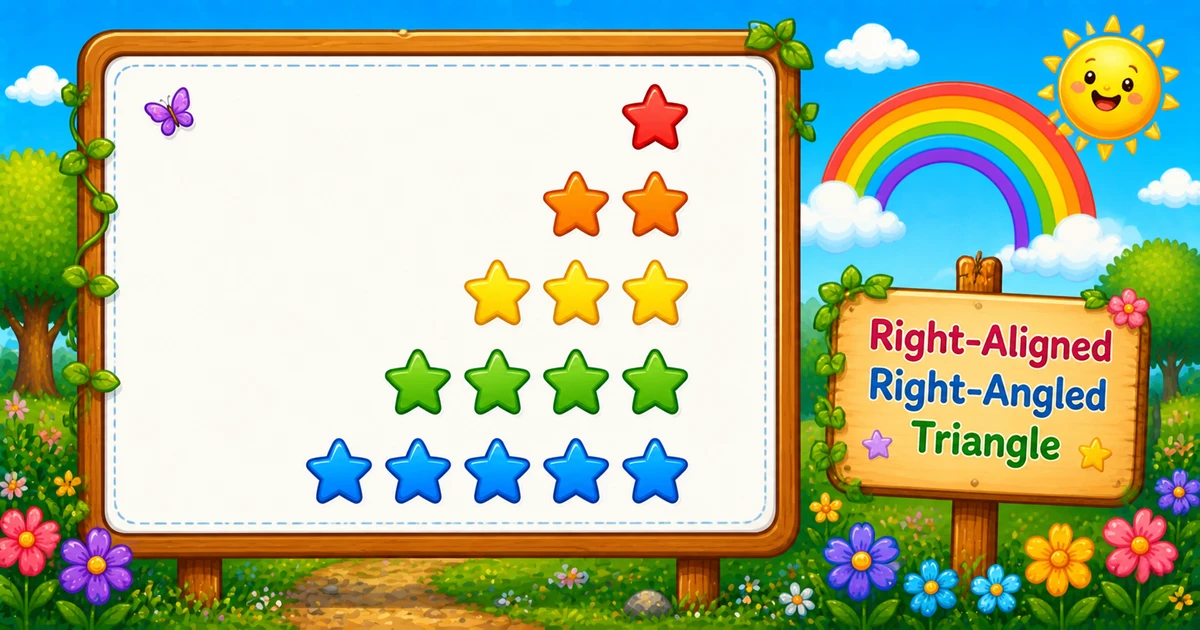
A right-aligned right-angled triangle keeps the same star counts as Program 1, but adds leading spaces so the right edge stays flush: row i prints rows - i spaces, then i stars.
Remember
Rule: on row i, print (rows - i) spaces, then i stars

    *     ← 4 spaces + 1 star
   **
  ***
 ****
*****     ← 0 spaces + 5 stars (5 rows)
In Python you use one outer loop for the row and two inner loops: one for spaces, one for stars, then bare print() to move down. Every line is exactly rows characters wide. That space loop is the usual step toward centered pyramids.
Approach
How to Solve It
Two ways to emit the same shape — start with nested loops, then optionally shorten with string multiplication.
Method
Idea
Best for
Two inner loops
Spaces via print(" ", end=""), then stars via print("*", end="")
Learning, interviews, exams
String multiply
Build padding and stars as strings
Shorter demos once formulas click
Pseudocode
Pseudocode
for i from 1 to rows:
    for j from 1 to (rows - i):
        print " " (no newline)
    for k from 1 to i:
        print "*" (no newline)
    print newline
Print characters without a newline, then end the row once.
Try it
Live Preview
Change the row count and the right-aligned triangle updates instantly — including star total and line width.
Whole numbers from 1 to 20. Tap a chip or type a value — each line is that many characters wide.
Live result5 rows · 15 stars · width 5
    *
   **
  ***
 ****
*****
Trace
Worked Walkthrough — rows = 4
Trace spaces, stars, and total width for each outer-loop value of i.
i
Spaces rows - i
Stars
Width
Printed row
1
3
1
4
*
2
2
2
4
**
3
1
3
4
***
4
0
4
4
****
Every row has width 4. Star total: 1 + 2 + 3 + 4 = 10 = 4×5/2. Character prints are still O(n²).
Code
Python Programs
Three complete programs: fixed rows, input(), and a string-multiply shortcut. Use View Output to reveal sample results.
Example 1 — Fixed rows = 5
Hard-coded height — space loop first, then star loop.
Python
rows = 5

for i in range(1, rows + 1):
    for j in range(rows - i):
        print(" ", end="")
    for k in range(1, i + 1):
        print("*", end="")
    print()
Output
    *
   **
  ***
 ****
*****
How It Works
1. Set height.rows = 5 means five lines, each five characters wide.
2. Outer loop picks the row.i runs from 1 to rows via range(1, rows + 1).
3. First inner loop prints spaces.j runs rows - i times, so row i gets rows - i leading spaces.
4. Second inner loop prints stars.k runs from 1 to i — same star counts as Program 1.
5. Break the line. Bare print() after both inner loops starts the next row.
When i = 1 you get 4 spaces and *; when i = 5 you get 0 spaces and five stars.
Example 2 — User Input Version
Read the row count at runtime. Prefer a try / except in real apps (shown in the tip below).
Python
rows = int(input("Enter the number of rows: "))

for i in range(1, rows + 1):
    for j in range(rows - i):
        print(" ", end="")
    for k in range(1, i + 1):
        print("*", end="")
    print()
Output (when user enters 4)
Enter the number of rows: 4
   *
  **
 ***
****
How It Works
1. Prompt and read.input() returns a string; int(...) converts it to a whole number.
2. Same space/star core. Only the source of rows changes — the print logic matches Example 1.
3. Safer input tip.int(input()) raises ValueError on letters. Prefer:
Safer input
raw = input("Enter the number of rows: ").strip()
try:
    rows = int(raw)
except ValueError:
    print("Enter a positive whole number.")
    raise SystemExit
if rows < 1:
    print("Enter a positive whole number.")
    raise SystemExit
Example 3 — String Multiply for Spaces and Stars
Build each row’s padding and star run in one call — same shape, no explicit character loops.
Python
rows = 5

for i in range(1, rows + 1):
    print(" " * (rows - i) + "*" * i)
Output
    *
   **
  ***
 ****
*****
How It Works
1. One outer loop. Still walk i from 1 to rows.
2. Build the padding." " * (rows - i) creates the leading spaces (empty when i == rows).
3. Build and print stars."*" * i adds i stars; print(...) ends the line.
Learn the two-loop version first (Examples 1–2) so you can explain both bounds in an interview; treat this as a polish shortcut afterward.
Edge Cases & Pitfalls
Check these before calling the solution done.
No spaces
Looks like Program 1
Skipping the space loop reprints the left-aligned triangle. Print rows - i spaces before the stars.
Swapped bounds
Broken right edge
Spaces must be rows - i and stars i. Swapping them loses the flush right edge.
range off-by-one
Wrong padding
Use range(rows - i) for spaces (that many iterations). Dropping one space breaks the flush edge.
Tabs
Use real spaces
Print " ", not tabs — tabs break alignment across fonts and editors.
rows = 1
Single star
0 spaces + 1 star — same as Program 1 for n = 1.
rows ≤ 0
Empty output
Outer loop never runs. Validate and re-prompt for interactive programs.
Bad input
Catch ValueError
int(input()) throws on letters — prefer try / except ValueError.
Analysis
Time and Space Complexity
Program
Time
Extra space
Nested space/star loops (Examples 1–2)
O(rows²)
O(1)
String multiply (Example 3)
O(rows²)
O(rows) per temporary row string
Each of n rows prints Θ(n) characters (spaces + stars). Star count alone is still n(n+1)/2.
Remember
Key Takeaways
Rule: row i prints rows - i spaces, then i stars.
Two inner loops: padding first, then stars with print(..., end="").
Width check: every row has length rows before bare print().
Complexity:O(n²) time; O(1) extra space for nested loops.
One line: for each row i, print rows - i spaces, then i stars, then call print().
Frequently Asked Questions
The outer loop runs i from 1 to rows. For each row i, print (rows - i) spaces, then i stars. Row 1 has the most padding and one star; the last row has no spaces and rows stars.
Spaces and stars follow different formulas. One loop prints spaces from 1 to rows minus i; another prints stars from 1 to i. Without the space loop, output stays left-aligned like Program 1.
print(" ", end="") or print("*", end="") stays on the same line. print() ends the current line. Spaces and stars use end=""; the row break uses print() after both inner loops.
Program 1 prints only i stars per row. Program 3 prints (rows - i) spaces first, then i stars, so the same star counts sit flush on the right.
O(n²) where n is the number of rows. Each of n rows prints about n characters (spaces plus stars).
Yes. print(" " * (rows - i) + "*" * i) builds each row without explicit inner character loops.
Wrap int(input()) in try/except ValueError and require rows >= 1 so bad input does not crash the script.
The right edge no longer stays flush. Keep spaces = rows - i and stars = i.
🤔
Did you know?
Right-aligned and left-aligned triangles use the same star counts per row; only leading spaces change. Each row prints exactly rows characters before the newline: (rows - i) + i = rows.