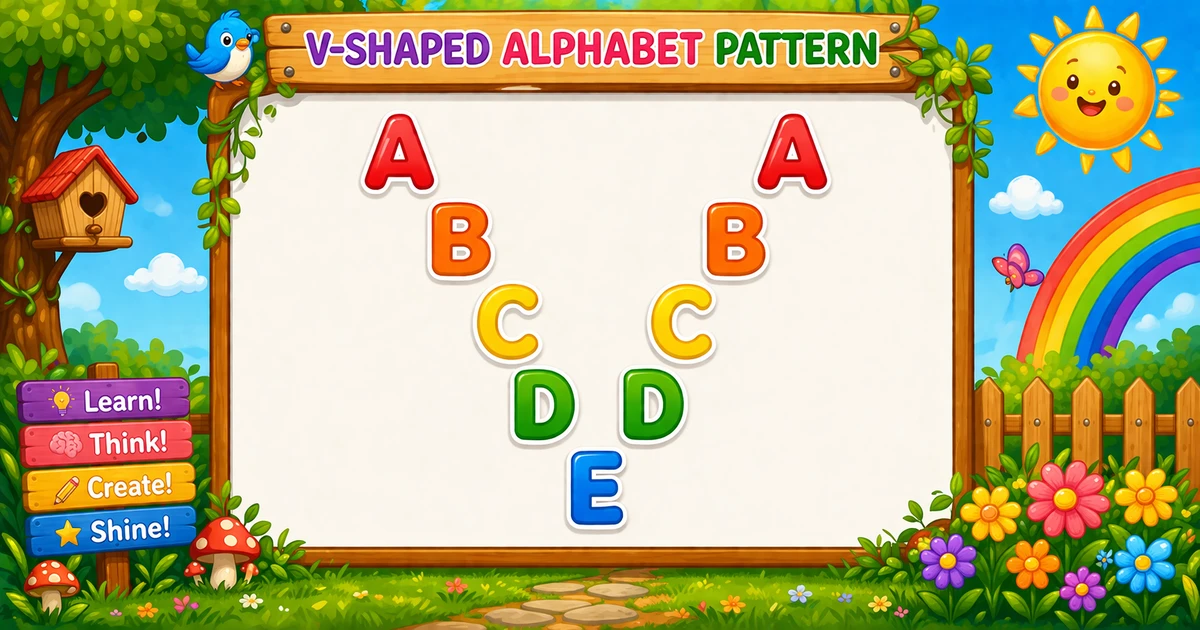
A V-shaped alphabet pattern prints letters only on two diagonals that meet at a single tip, with spaces everywhere else so the shape reads as a V in a monospace console.
Remember
Rule: left 0..n when i==j; right n−1..0 when i==k

A       A
 B     B
  C   C
   D D
    E         ← tip once (end = 'E')
The right scan starts at n − 1 (not n) so the tip letter prints once. Compare with Program 33 (inverted V) and Program 32 (solid palindrome pyramid).
Approach
How to Solve It
Two ways to emit the same V — inline diagonal checks, or a shared cell helper.
Method
Idea
Best for
Two scans inline
Left 0..n, right n−1..0, append when row == col
Learning, interviews, exams
cell helper
One function owns the diagonal rule for both legs
Cleaner demos once the tip skip clicks
Pseudocode
Pseudocode
n = end - 'A'
for i from 0 to n:
    line = ""
    for j from 0 to n:
        append (i == j ? alpha[j] : ' ')
    for k from n - 1 down to 0:
        append (i == k ? alpha[k] : ' ')
    print line
Cheat sheet
Goal
Pattern
End index
const n = end.charCodeAt(0) - 65; (4 for E)
Rows
for (let i = 0; i <= n; i++)
Left leg
for (let j = 0; j <= n; j++) line += i === j ? alpha[j] : " ";
Right leg
for (let k = n - 1; k >= 0; k--) line += i === k ? alpha[k] : " ";
Single tip
Right scan starts at n − 1, not n
Width
(n + 1) + n = 2n + 1
Spaces matter
Non-hits append " " to keep columns aligned
Printing Letters vs Starting a New Line
API
Effect
Use for
line += ch
Stays on the same row
Each letter or space cell
console.log(line)
Ends the current row
After both scans finish a row
Append cells without a newline, then end the row once.
Try it
Live Preview
Change the end letter and the V updates instantly — width is always 2n + 1, with a single tip on the last row.
One letter from A to F. Tap a chip or type a letter — use a monospace view for alignment.
Live resultEnd E · 5 rows · width 9
A       A
 B     B
  C   C
   D D
    E
Trace
Worked Walkthrough — End = E (n = 4)
Trace each row’s diagonal hits and the resulting 9-column line.
i
Left hit
Right hit
Printed row
0
A at j=0
A at k=0
A A
1
B at j=1
B at k=1
B B
2
C at j=2
C at k=2
C C
3
D at j=3
D at k=3
D D
4
E at j=4
(none)
E
Width is always 2×4 + 1 = 9. The tip row has no right-leg match because k never equals 4.
Code
JavaScript Programs
Three complete programs: fixed A–E, end-letter prompt, and a helper-function rewrite. Use View Output for sample results, or Try It Yourself to edit and run in the playground.
Example 1 — Fixed A–E
Two scans per row: left-to-right (A..E) and right-to-left (D..A). Letters append only when the row matches the column.
JavaScript
const alpha = "ABCDEFGHIJKLMNOPQRSTUVWXYZ";

for (let i = 0; i <= 4; i++) {
  let line = "";
  for (let j = 0; j <= 4; j++) {
    line += i === j ? alpha[j] : " ";
  }
  for (let k = 3; k >= 0; k--) {
    line += i === k ? alpha[k] : " ";
  }
  console.log(line);
}
1. Outer loop picks the row.i runs from 0 to 4 (letters A…E).
2. Left leg — main diagonal. Scan j = 0..4; append the letter only when i === j, else a space.
3. Right leg — mirrored diagonal. Scan k = 3..0; append when i === k. Starting at 3 skips a second tip.
4. Tip row. When i = 4, only the left scan can append E.
Example 2 — End Letter Input
The right scan starts at n − 1 so the vertex prints once. Validate a single A–Z character from prompt.
JavaScript
const raw = (prompt("Enter end letter (like E):") || "").trim().toUpperCase();
const alpha = "ABCDEFGHIJKLMNOPQRSTUVWXYZ";

if (!/^[A-Z]$/.test(raw)) {
  console.log("Enter one letter from A to Z.");
} else {
  const n = raw.charCodeAt(0) - 65;

  for (let i = 0; i <= n; i++) {
    let line = "";
    for (let j = 0; j <= n; j++) {
      line += i === j ? alpha[j] : " ";
    }
    for (let k = n - 1; k >= 0; k--) {
      line += i === k ? alpha[k] : " ";
    }
    console.log(line);
  }
}
1. Scale with n.n = endCode − 65 drives both scans. For end = C, width is 2×2 + 1 = 5.
2. Same tip rule. Right loop still starts at n − 1 so the tip is a single letter.
3. Safer input tip. Trim, uppercase, and require /^[A-Z]$/ — reject empty or multi-character prompts.
Example 3 — Helper Function
Often clearer: one function applies the diagonal rule so left and right loops stay thin.
JavaScript
function cell(alpha, row, col) {
  return row === col ? alpha[col] : " ";
}

const n = 4;
const alpha = "ABCDEFGHIJKLMNOPQRSTUVWXYZ";

for (let i = 0; i <= n; i++) {
  let line = "";
  for (let j = 0; j <= n; j++) {
    line += cell(alpha, i, j);
  }
  for (let k = n - 1; k >= 0; k--) {
    line += cell(alpha, i, k);
  }
  console.log(line);
}
1. cell owns the rule.row === col lives in one place for both legs.
2. Tip still skipped on the right. The right loop starts at n − 1 even with the helper.
Edge Cases & Pitfalls
Check these before calling the solution done.
k = n
Double tip
If the right scan includes index n, the last row prints the tip twice. Keep for (k = n - 1; k >= 0; k--).
No spaces
Collapsed V
Appending only letters (no spaces) packs both legs together. Non-hits must append " ".
log inside
Column of cells
If console.log is inside either scan, each cell lands on its own line. Append with +=; log only after both scans.
end = A
Single A
When n = 0, left appends A and the right loop never runs. A good sanity check.
Wrong compare
Off-diagonal letters
Always compare the row index to the current column (i === j / i === k), not to a fixed letter.
Bad prompt
Validate one letter
Trim, uppercase, and require length 1 in A–Z — reject empty or multi-character prompts.
Analysis
Time and Space Complexity
Program
Time
Extra space
Two scans inline (Examples 1–2)
O(n²)
O(n) for the current line string
Helper function (Example 3)
O(n²)
O(n) for the current line string
For letters A..end there are n + 1 rows and each row scans 2n + 1 cells — quadratic in n.
Remember
Key Takeaways
Rule: append a letter only when row index equals column index.
Single tip: right scan starts at n − 1, not n.
Spaces keep the V: non-hits append " "; call console.log only after both scans.
Complexity:O(n²) time from scanning 2n + 1 cells per row.
One line: for each row, scan left 0..n and right n−1..0, appending a letter only on the diagonal.
Frequently Asked Questions
If the right scan included E, the last row would print E twice (one on each side), breaking the single vertex at the bottom tip of the V.
For n = end − 'A', the left block is n+1 columns and the right block is n columns, so total width is 2n+1 (9 for A..E).
Usually two (one per leg), except the bottom row prints one letter because the right loop cannot match the tip index.
O(n²) because there are n+1 rows and each row scans O(n) positions across both blocks.
Spaces keep column alignment so the two diagonals form a visible V in a monospace console.
Trim and uppercase the prompt result, require a single A–Z character, and reject empty or multi-character input.
Yes. Set n = end.charCodeAt(0) − 65, scan j from 0 to n on the left, and scan k from n−1 down to 0 on the right.
Program 20 also practices diagonal alignment with letters; this page focuses on a V made from two opposing diagonal scans that meet at one vertex.
🤔
Did you know?
Outer i is the row index (A..E). Left scan prints only when i == j (main diagonal). Right scan runs from D down to A so the bottom vertex letter (E) appears once.