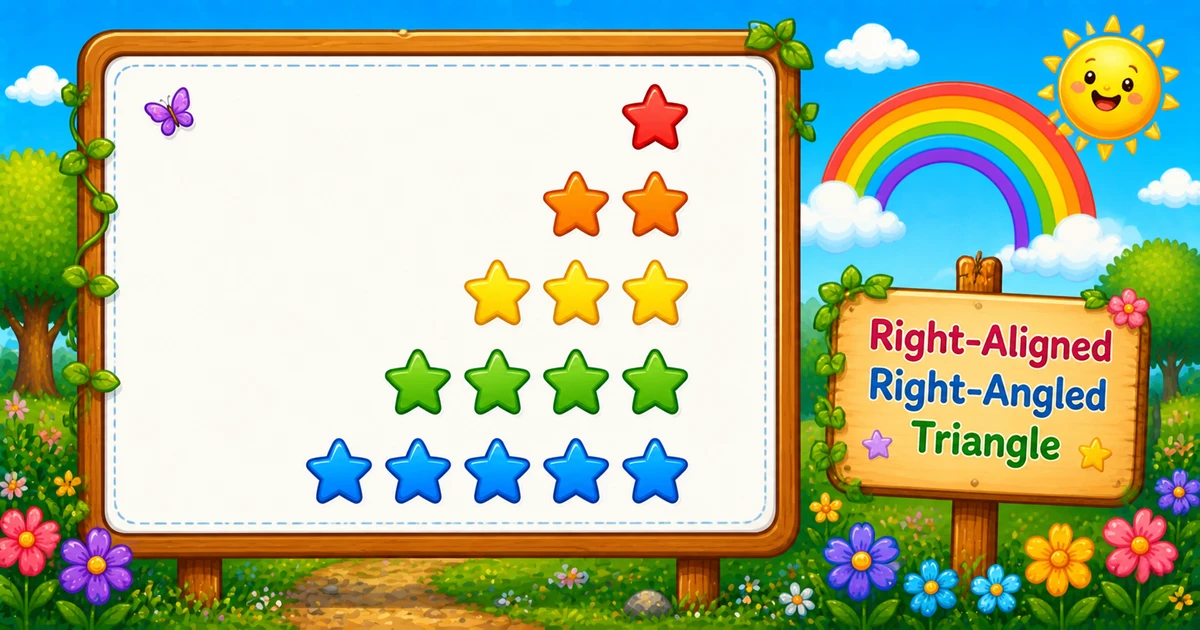
A right-aligned right-angled triangle grows by one star per row, but the right edge stays flush — you get there by printing leading spaces before the stars.
Remember
Rule: on row i, print (rows - i) spaces, then i stars

    *
   **
  ***
 ****
*****     ← 5 rows (right edge straight)
Compared with Program 1, you keep the same i star counts and add a second inner loop for (rows - i) spaces. That is the usual stepping stone toward centered pyramids.
Approach
How to Solve It
Two ways to emit the same shape — start with nested space/star loops, then optionally shorten with String.repeat.
Method
Idea
Best for
Nested loops
Outer = rows; first inner = spaces, second = stars
Learning, interviews, exams
String.repeat
Build padding and star run in one call each
Shorter demos once formulas click (Java 11+)
Pseudocode
Pseudocode
for i from 1 to rows:
    print (rows - i) spaces (no newline)
    print i stars (no newline)
    print newline
Change the row count and the right-aligned triangle updates instantly — including the star total.
Whole numbers from 1 to 20. Each row is exactly rows characters wide.
Live result5 rows · 15 stars
    *
   **
  ***
 ****
*****
Trace
Worked Walkthrough — rows = 4
Trace spaces, stars, and total width for each outer-loop value of i.
i
Spaces rows - i
Stars i
Width
Printed row
1
3
1
4
*
2
2
2
4
**
3
1
3
4
***
4
0
4
4
****
Star total: 1 + 2 + 3 + 4 = 10 = 4×5/2 — same as Program 1. Every row width is 4, which keeps the right edge flush. That is why time is O(n²).
Code
Java Programs
Three complete programs: nested space/star loops, Scanner input, and a String.repeat shortcut. Use View Output to reveal sample results.
Example 1 — Fixed rows = 5
Hard-coded height — space loop first, then star loop.
Java
public class RightAlignedTriangle {
    public static void main(String[] args) {
        int rows = 5;

        for (int i = 1; i <= rows; i++) {
            for (int j = 1; j <= rows - i; j++) {
                System.out.print(" ");
            }
            for (int k = 1; k <= i; k++) {
                System.out.print("*");
            }
            System.out.println();
        }
    }
}
Output
    *
   **
  ***
 ****
*****
How It Works
1. Set height.rows = 5 means five lines; every line is 5 characters wide.
2. Outer loop picks the row.i runs from 1 to rows.
3. Spaces, then stars. Print rows - i spaces, then i stars with System.out.print.
4. Break the line.System.out.println() after both inner loops starts the next row.
When i = 1 you get 4 spaces and 1 star; when i = 5 you get 0 spaces and 5 stars.
Example 2 — User Input Version
Read the height at runtime with Scanner. Prefer hasNextInt() in real apps (shown in the tip below).
Java
import java.util.Scanner;

public class RightAlignedTriangleInput {
    public static void main(String[] args) {
        Scanner sc = new Scanner(System.in);

        System.out.print("Enter the number of rows: ");
        int rows = sc.nextInt();

        for (int i = 1; i <= rows; i++) {
            for (int j = 1; j <= rows - i; j++) {
                System.out.print(" ");
            }
            for (int k = 1; k <= i; k++) {
                System.out.print("*");
            }
            System.out.println();
        }
    }
}
Output (when user enters 4)
Enter the number of rows: 4
   *
  **
 ***
****
How It Works
1. Prompt and read. Ask for a row count, then store it with sc.nextInt().
2. Same space/star core. Only the source of rows changes — the print logic matches Example 1.
if (!sc.hasNextInt()) {
    System.out.println("Enter a positive whole number.");
    return;
}
int rows = sc.nextInt();
if (rows < 1) {
    System.out.println("Enter a positive whole number.");
    return;
}
Example 3 — "*".repeat() for Spaces and Stars
Build each row’s padding and star run in one call each — same shape, no explicit character loops (Java 11+).
Java
public class RightAlignedTriangleRepeat {
    public static void main(String[] args) {
        int rows = 5;

        for (int i = 1; i <= rows; i++) {
            System.out.print(" ".repeat(rows - i));
            System.out.println("*".repeat(i));
        }
    }
}
Output
    *
   **
  ***
 ****
*****
How It Works
1. Same outer loop. Still walk i from 1 to rows.
2. Build each segment." ".repeat(rows - i) is the margin; "*".repeat(i) is the star run.
3. Print and advance. Use print for spaces and println for stars so the row ends correctly.
Learn the two-loop version first (Examples 1–2) so you can explain both bounds in an interview; treat this as a polish shortcut afterward.
Edge Cases & Pitfalls
Check these before calling the solution done.
No space loop
Left-aligned again
Skipping the space loop reprints Program 1. Print rows - i spaces before the stars.
Swapped counts
Broken right edge
Using i spaces and rows - i stars no longer flush-aligns on the right. Keep spaces = rows - i and stars = i.
Tabs
Uneven columns
Always print the space character " ", not tabs — tab width varies and skews the edge.
rows = 1
Single star
0 spaces + 1 star — same as Program 1 for n = 1. A good sanity check.
rows ≤ 0
Empty output
Outer loop never runs. Validate and re-prompt for interactive programs.
Bad input
Use hasNextInt()
nextInt() throws on letters — prefer sc.hasNextInt() and require rows >= 1.
Analysis
Time and Space Complexity
Program
Time
Extra space
Nested space/star loops (Examples 1–2)
O(rows²)
O(1)
String.repeat (Example 3)
O(rows²)
O(rows) temporary per row string
Each of n rows prints exactly n characters (spaces + stars). Star total is still n(n+1)/2 — quadratic in n.
Remember
Key Takeaways
Rule: print rows - i spaces, then i stars.
Same stars as Program 1: only the leading spaces change the picture.
Break the row: call println only after both inner loops.
Complexity:O(n²) time; O(1) extra space for nested loops.
One line: for each row i, print rows - i spaces and i stars, then println.
Frequently Asked Questions
After choosing row i, print (rows - i) space characters, then print i stars. Row 1 has rows minus 1 spaces and one star; row rows has no spaces and rows stars. Stars line up along the right edge.
Spaces and stars change with different formulas each row. One inner loop prints spaces from 1 to rows minus i, and a second prints stars from 1 to i. Without the space loop, output stays left-aligned like Program 1.
Program 1 prints only i stars per row. Program 3 prints (rows - i) spaces first, then i stars, so the same star counts appear shifted to the right.
System.out.print stays on the same line. System.out.println ends the current line. Spaces and stars use print; the row break uses println after both inner loops.
Every row prints exactly rows characters before the newline: (rows - i) spaces plus i stars.
O(n²) for n rows. Each row prints on the order of n characters (spaces plus stars), for n rows.
Yes. System.out.print(" ".repeat(rows - i)); System.out.println("*".repeat(i)); builds each row without explicit inner character loops (Java 11+).
Check sc.hasNextInt() before sc.nextInt() so bad input does not throw InputMismatchException.
🤔
Did you know?
Right-aligned and left-aligned triangles use the same star counts per row; only leading spaces change. Each row prints exactly rows characters before the newline: (rows - i) + i = rows.