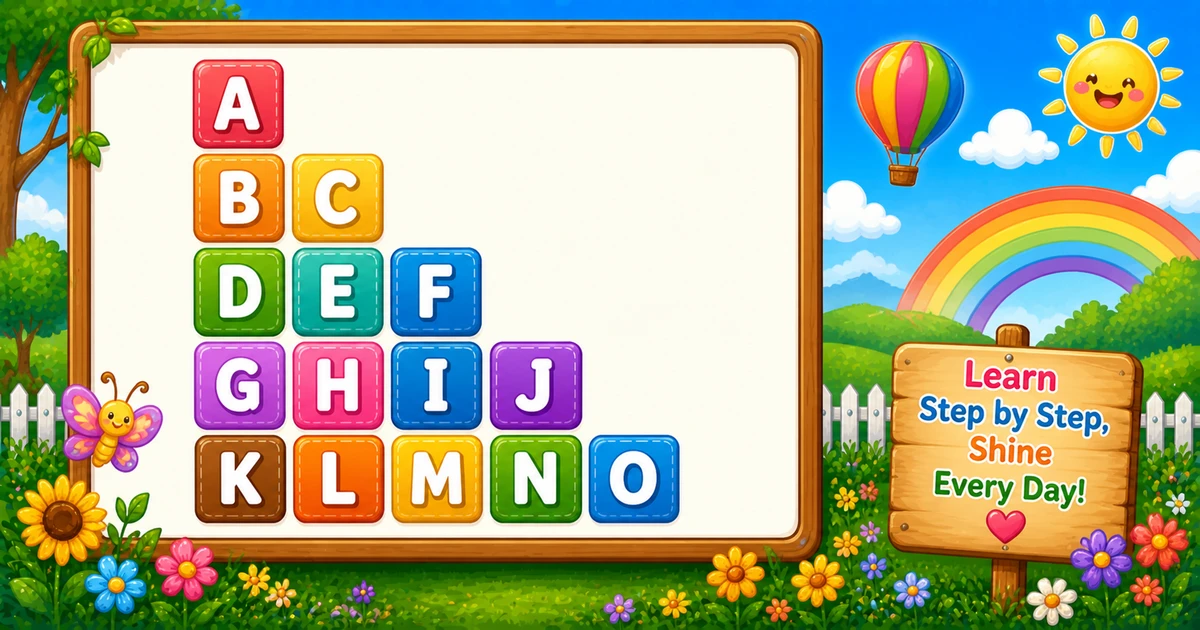
A sequential alphabet triangle grows like a right-angled star triangle, but letters keep advancing across the whole figure — they do not reset to A on each row.
Remember
Rule: one running char k; print then k++
      Row i prints i letters

A
B C
D E F
G H I J
K L M N O     ← 5 rows (15 letters, A–O)
Contrast with Program 1, where every row starts over at A. Here a single k lives outside the outer loop and only moves forward.
Approach
How to Solve It
Keep one letter cursor, print it on each cell, then advance — optionally separate letters with spaces.
Method
Idea
Best for
Spaced rows
Print k, optional space, then k++ per cell
Readable demos, interviews
Compact rows
Same k++ logic without spaces
Denser output once the idea clicks
Pseudocode
Pseudocode
k = 'A'
for i from 1 to rows:
    for j from 1 to i:
        print k (no newline)
        if j < i: print " " (no newline)
        k = next letter
    print newline
Cheat sheet
Goal
Pattern
Start the cursor
char k = 'A'; before the outer loop
Walk each row
for (int i = 1; i <= rows; i++)
Print i letters
for (int j = 1; j <= i; j++)
Advance forever
cout << k; k++; (optional space before k++)
End the row
cout << "\n";
A–Z-safe height
rows(rows+1)/2 ≤ 26 → max 6 rows
Printing Letters vs Starting a New Line
API
Effect
Use for
cout << k
Stays on the same line
Each letter (and optional space)
cout << "\n"
Ends the current line
After the inner loop
Print characters without a newline, then end the row once.
Try it
Live Preview
Change the row count and the sequential triangle updates instantly — including letter totals and the last letter used.
Whole numbers from 1 to 7. Six rows stay in A–Z (21 letters); seven needs 28 and continues past Z.
Live result5 rows · A–O · 15 letters
A
B C
D E F
G H I J
K L M N O
Trace
Worked Walkthrough — rows = 4
Trace each outer value of i and watch k keep advancing — never reset.
i
Letters printed
Printed row
k after row
1
A
A
B
2
B, C
B C
D
3
D, E, F
D E F
G
4
G…J
G H I J
K
Total letters: 1 + 2 + 3 + 4 = 10 = 4×5/2. That triangular sum is why time is O(n²).
Code
C++ Programs
Three complete programs: fixed height with spaces, cin input, and a compact no-space variant. Use View Output to reveal sample results.
Example 1 — Fixed rows = 5
Hard-coded height with spaces between letters — ideal for first demos.
C++
#include <iostream>
using namespace std;

int main() {
    char k = 'A';
    int i, j;

    for (i = 1; i <= 5; i++) {
        for (j = 1; j <= i; j++) {
            cout << k;
            if (j < i) cout << " ";
            k++;
        }
        cout << "\n";
    }

    return 0;
}
Output
A
B C
D E F
G H I J
K L M N O
How It Works
1. Start the cursor.k = 'A' before any loop — it must outlive each row.
2. Outer loop picks the row width. Row i prints exactly i letters.
3. Inner loop prints and advances. Print k, optional space, then k++ so the next cell gets the next letter.
4. Break the line.cout << "\n" after the inner loop; k keeps its value for the next row.
Example 2 — User Input Version
Read the height at runtime. Check cin and clamp for A–Z (shown in the tip below).
C++
#include <iostream>
using namespace std;

int main() {
    int rows, i, j;
    char k = 'A';

    cout << "Enter the number of rows: ";
    cin >> rows;

    for (i = 1; i <= rows; i++) {
        for (j = 1; j <= i; j++) {
            cout << k;
            if (j < i) cout << " ";
            k++;
        }
        cout << "\n";
    }

    return 0;
}
Output (when user enters 4)
Enter the number of rows: 4
A
B C
D E F
G H I J
How It Works
1. Prompt and read. Ask for a row count with cin >> rows.
2. Same running-k core. Only the outer bound changes — the print and advance logic matches Example 1.
3. Safer input tip. Check cin and keep the letter count in A–Z when you want that limit:
Same sequence without spaces between letters — denser formatting only.
C++
#include <iostream>
using namespace std;

int main() {
    char k = 'A';
    int i, j;

    for (i = 1; i <= 5; i++) {
        for (j = 1; j <= i; j++) {
            cout << k;
            k++;
        }
        cout << "\n";
    }

    return 0;
}
Output
A
BC
DEF
GHIJ
KLMNO
How It Works
1. Same cursor.k still starts at 'A' and advances after every letter.
2. Drop the spacer. Use cout << k; k++; only — the sequence is unchanged.
3. Same row break.cout << "\n" still ends each row after the inner loop.
Edge Cases & Pitfalls
Check these before calling the solution done.
Reset k each row
Program 1 by mistake
If you set k = 'A' inside the outer loop, every row restarts at A. Keep k outside.
k++ once per row
Repeated letters
Increment inside the inner loop after each print. Advancing only once per row repeats the same letter across wide rows.
\n inside
Column of letters
If cout << "\n" sits inside the inner loop, each letter lands on its own line. Call it only after the inner loop.
Past Z
Cap the height
Seven rows need 28 letters. Cap so n(n+1)/2 ≤ 26, or stop when k > 'Z'.
rows = 1
Single A
Output is just A — a good sanity check.
cin fail
Check the stream
If cin fails, rows may be unset — always test if (!(cin >> rows)) and clamp the triangular letter count for A–Z demos.
Analysis
Time and Space Complexity
Program
Time
Extra space
Spaced / compact loops
O(rows²)
O(1)
Total letters printed = 1 + 2 + … + n = n(n+1)/2, which is still quadratic in n. Spaces add only a linear factor of the same order.
Remember
Key Takeaways
One cursor: declare k before the outer loop and never reset it per row.
Print then advance: print k, then k++ on every inner-loop step.
Break the row:cout for letters/spaces; cout << "\n" after the inner loop.
Complexity:O(n²) time from the triangular letter count; O(1) extra space.
One line: for each row i, print the next i letters from a shared cursor k, then print a newline.
Frequently Asked Questions
Because k is updated after every printed character and is not reset inside the outer loop. That is what makes the sequence continuous across the triangle.
A single running character starts at A and increments after every print. Row 1 prints 1 character, row 2 prints 2, row 3 prints 3, so you see consecutive letters across the whole triangle.
Because each cell must print a new next letter. If you incremented only once per row, the wider rows would repeat the same letter.
cout << k stays on the same line. cout << "\n" ends the current line. Letters (and optional spaces) use cout; the row break uses cout << "\n" after the inner loop.
1+2+…+n = n(n+1)/2. For 5 rows that is 15 letters (A through O).
O(n²) where n is the number of rows. Total letter prints equal n(n+1)/2.
Plain char++ continues past Z into the next ASCII values. Cap rows so n(n+1)/2 ≤ 26, or stop when k > 'Z', if you want A–Z only.
After cin >> rows, check failure: if (!(cin >> rows)) handle bad input. Clamp so the triangular letter count stays in A–Z when you want that limit (max 6 rows).
🤔
Did you know?
Unlike Program 1 (letters reset to A each row), this pattern uses one running character that increments after every print. Letters stay consecutive across the whole triangle: A, then B C, then D E F, and so on.