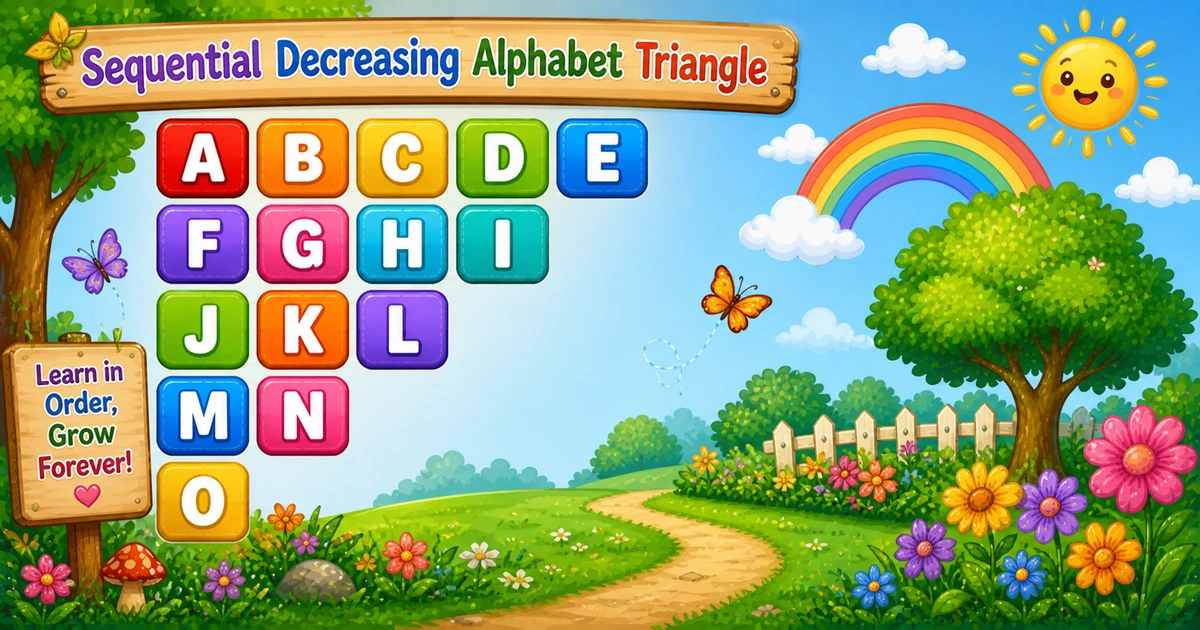
Change the height and the shrinking stream updates instantly — including the letter total.
Whole numbers from 1 to 6 so the stream stays in A–Z (n(n+1)/2 ≤ 21 for n = 6).
Live result5 rows · 15 letters
A B C D E
F G H I
J K L
M N
O
Trace
Worked Walkthrough — 5 rows
Trace each row’s length and the letters taken from the running counter.
i
Letters
Count
Printed row
1
A..E
5
A B C D E
2
F..I
4
F G H I
3
J..L
3
J K L
4
M..N
2
M N
5
O
1
O
Total letters: 5 + 4 + 3 + 2 + 1 = 15 = 5×6/2 (A through O). That triangular sum is why time is O(n²).
Code
C# Programs
Three complete programs: fixed 5 rows, console input, and an explicit count-per-row rewrite. Use View Output to reveal sample results.
Example 1 — Fixed 5 Rows
One counter k supplies letters; the inner loop decides how many times to print it in each row.
C#
using System;

class Program
{
    static void Main()
    {
        char k = 'A';

        for (int i = 1; i <= 5; i++)
        {
            for (int j = 5; j >= i; j--)
                Console.Write("{0,2} ", k++);

            Console.WriteLine();
        }
    }
}
Output
 A  B  C  D  E
 F  G  H  I
 J  K  L
 M  N
 O
How It Works
1. Start the stream.k = 'A' lives outside the outer loop so it never resets.
2. Outer loop picks the row.i runs from 1 to 5.
3. Inner loop shrinks.j runs from 5 down to i — five letters, then four, then three, …
4. Print and advance.Console.Write("{0,2} ", k++) prints the next letter in a width-2 cell, then increments k.
When i = 3, the inner loop runs three times and prints J K L; the next row continues at M.
Example 2 — Row Count Input
If rows are large, letters go past Z unless you wrap or cap. Prefer int.TryParse and a letter-budget check.
C#
using System;

class Program
{
    static void Main()
    {
        Console.Write("Enter number of rows (like 5): ");
        int n = int.Parse(Console.ReadLine());
        if (n < 1) return;

        char k = 'A';
        for (int i = 1; i <= n; i++)
        {
            for (int j = n; j >= i; j--)
                Console.Write("{0,2} ", k++);

            Console.WriteLine();
        }
    }
}
Output (when user enters 3)
Enter number of rows (like 5): 3
 A  B  C
 D  E
 F
How It Works
1. Prompt and read. Ask for a row count, then convert the line to an int.
2. Same stream and shrink. Only the shared width follows n — letter count is n(n+1)/2.
3. Safer input tip. Prefer:
Safer input
if (!int.TryParse(Console.ReadLine(), out int n) || n < 1)
{
    Console.WriteLine("Enter a positive whole number.");
    return;
}
if (n * (n + 1) / 2 > 26)
{
    Console.WriteLine("Too many letters for A–Z. Use a smaller n.");
    return;
}
Example 3 — Explicit Count Per Row
Often clearer to read: print n - i + 1 letters from the shared stream.
C#
using System;

class Program
{
    static void Main()
    {
        int n = 5;
        char k = 'A';

        for (int i = 1; i <= n; i++)
        {
            int count = n - i + 1;
            for (int t = 0; t < count; t++)
                Console.Write(k++ + " ");

            Console.WriteLine();
        }
    }
}
Output
A B C D E
F G H I
J K L
M N
O
How It Works
1. Same continuous stream.k still starts at 'A' outside the outer loop.
2. Name the width.count = n - i + 1 makes the shrink rule obvious — row 1 prints 5 letters; row 5 prints 1.
3. Simple spacing.k++ + " " skips {0,2} and adds a plain space after each letter.
Edge Cases & Pitfalls
Check these before calling the solution done.
Reset k
Every row starts at A
If you put k = 'A' inside the outer loop, you lose the continuous stream. Keep k outside.
j = 1..i
Growing triangle by mistake
An ascending inner bound reprints a growing shape. Use j from n down to i (or count = n - i + 1).
WriteLine inside
Column of letters
If WriteLine is inside the inner loop, each letter lands on its own line. Use Write for letters; WriteLine only after the inner loop.
n = 1
Single A
Output is just A. A good sanity check.
Past Z
Letter budget
Total letters = n(n+1)/2. For A–Z only, keep that ≤ 26 (so n ≤ 6 without wrapping).
Bad input
Use TryParse
int.Parse throws on letters — prefer int.TryParse and require n ≥ 1.
Analysis
Time and Space Complexity
Program
Time
Extra space
Countdown inner (Examples 1–2)
O(n²)
O(1)
Explicit count (Example 3)
O(n²)
O(1)
Total letters = n + (n - 1) + … + 1 = n(n + 1)/2 — still quadratic in n. Same totals as an inverted triangle of stars; only the printed symbols differ.
Remember
Key Takeaways
Rule: keep k outside; row i prints n - i + 1 letters from k++.
Never reset: putting k = 'A' inside the outer loop restarts every row.
Break the row: call WriteLine only after the inner loop.
Complexity:O(n²) time from the triangular letter count; O(1) extra space.
One line: for each row i, print n - i + 1 letters from the shared k++ stream, then call WriteLine().
Frequently Asked Questions
Because the pattern is one continuous alphabet stream A through O. Resetting k would restart each row from A.
So the sequence continues across rows (A, B, C, ...). If you reset k each row, every row would start at A again.
For the fixed 5-row example, the row lengths are 5, 4, 3, 2, 1. Each new row prints one fewer letter.
The width-2 formatting aligns the columns (best in a monospace terminal). Adding a trailing space makes the output match the sample with spaces between letters.
Build a row string and trim it, or print a space only between letters (not after the last letter in the row).
Both use a continuous k++ stream. Program 22 grows rows and right-aligns with pad cells; this pattern shrinks row length each time and stays left-aligned.
O(n²) for n rows because total prints are 1+2+...+n = n(n+1)/2.
Prefer int.TryParse, require n ≥ 1, and cap so n(n+1)/2 ≤ 26 if you want only A–Z letters.
🤔
Did you know?
One counter k starts at A and never resets. The outer loop controls row count; the inner loop length decreases each row (5, 4, 3, 2, 1). Using {0,2} (and a trailing space) keeps a clean column layout in monospace output.