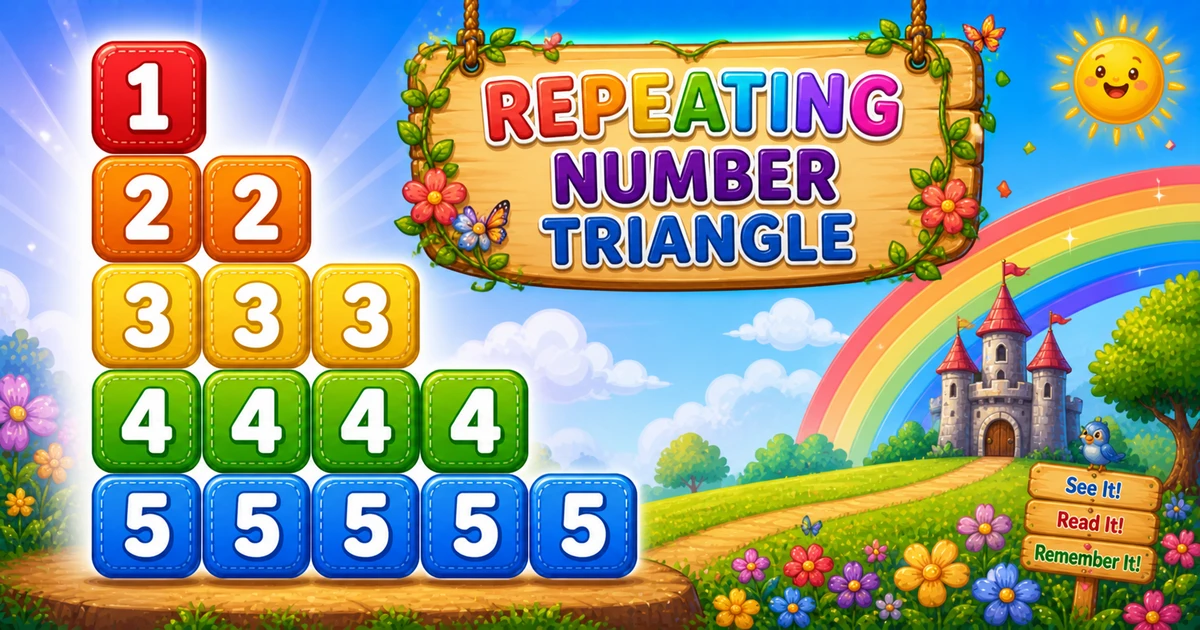
A repeating number triangle prints the row index i exactly i times on each row — 1, 22, 333, 4444, and so on.
Remember
Rule: for i from 1 to rows
        for j from 1 to i: print i (no space)

1
22
333
4444
55555     ← rows = 5
Follows the reverse left-growing triangle in Program 8; next is the descending repeating triangle in Program 10.
Approach
How to Solve It
Outer loop picks the digit i. Inner loop runs i times and prints i each time — not j.
Method
Idea
Best for
Print i in the inner loop
Outer i = 1..rows; inner j = 1..i; print i
Learning, interviews, exams
Spaced digits
print(str(i) + " ", end="") instead of print(i, end="")
Easier reading on each row
Pseudocode
Pseudocode
for i from 1 to rows:
    for j from 1 to i:
        print i
    print newline
Cheat sheet
Goal
Pattern
Pick each row
for i in range(1, rows + 1):
Repeat digit
for j in range(1, i + 1): print(i, end="")
End of row
print()
Spaced form
print(str(i) + " ", end="")
vs Program 5
5 prints j; 9 prints i — same loop bounds
Printing Numbers vs Starting a New Line
API
Effect
Use for
print(i, end="")
Stays on the same line
Each repeated digit on the row
print()
Ends the current line
After the inner loop finishes
Digits use end=""; a bare print() ends the row once.
Try it
Live Preview
Change the row count and the repeating triangle updates instantly — capped at 9 for readable single-digit demos.
Whole numbers from 1 to 9. Tap a chip or type a value — the preview redraws as you go.
Live resultrows = 5 · 15 digits
1
22
333
4444
55555
Trace
Worked Walkthrough — rows = 5
Trace how the inner loop count equals the digit being printed.
i
Inner runs
Prints
1
1 time
1
2
2 times
22
3
3 times
333
5
5 times
55555
Total digits = n(n+1)/2 → O(n²). The key mistake to avoid: printing j instead of i.
Code
Python Programs
Three complete programs: fixed rows = 5, user-input rows, and a compact rows = 3 demo. Use View Output to reveal sample results.
Example 1 — Fixed rows = 5
Hard-coded height — print i inside the inner loop, not j.
Python
rows = 5

for i in range(1, rows + 1):
    for j in range(1, i + 1):
        print(i, end="")
    print()
Output
1
22
333
4444
55555
How It Works
1. Outer picks the digit.i is both the row index and the value to repeat.
2. Inner repeats it.j only controls how many times — it is never printed.
3. Newline. Call bare print() only after the inner loop finishes the row.
Example 2 — User Input Rows
Read rows safely, validate, then run the same nested loops.
Python
try:
    rows = int(input("Enter the number of rows: "))
except ValueError:
    print("Please enter a positive integer.")
    raise SystemExit

if rows <= 0:
    print("Please enter a positive integer.")
    raise SystemExit

for i in range(1, rows + 1):
    for j in range(1, i + 1):
        print(i, end="")
    print()
Output (when user enters 4)
Enter the number of rows: 4
1
22
333
4444
How It Works
1. Prompt and validate. Catch ValueError; reject non-positive values before looping.
2. Same core. Outer i / inner print-i matches Example 1 — only rows comes from the user.
3. Safer input tip. Cap demos for readable single-digit output:
Safer input
try:
    rows = int(input("Enter the number of rows: "))
except ValueError:
    print("Enter a whole number from 1 to 9.")
    raise SystemExit

if rows < 1 or rows > 9:
    print("Enter a whole number from 1 to 9.")
    raise SystemExit
Example 3 — Compact rows = 3
Same structure with only three rows — easy to confirm you print i, not j.
Python
rows = 3

for i in range(1, rows + 1):
    for j in range(1, i + 1):
        print(i, end="")
    print()
Output
1
22
333
How It Works
1. Three rows.i = 1 → 1; i = 2 → 22; i = 3 → 333.
2. Trace on paper. If you accidentally print j, row 3 becomes 123 (Program 5) — not 333.
3. Scale up next. Once the small demo is clear, use Examples 1–2 for five rows or user input.
Edge Cases & Pitfalls
Check these before calling the solution done.
print(j)
Got Program 5 instead
If you print j instead of i, you get 1, 12, 123… Always print the outer variable.
i = rows..1
Descending repeats
Counting the outer loop down gives Program 10’s shape (5, 44, 333…). Keep outer 1..rows here.
print inside
Broken rows
If bare print() sits inside the inner loop, each digit lands on its own line. Call it only after the row finishes.
rows = 1
Single digit
Output is just 1 — a good sanity check for input validation.
rows > 9
Multi-digit width
Digits 10+ make tight rows hard to read. Cap demos at 9 or switch to spaced print(str(i) + " ", end="").
ValueError
Validate input
Use try/except ValueError and require rows > 0 before looping — bad input should not crash.
Analysis
Time and Space Complexity
Program
Time
Extra space
Fixed / input (Examples 1–2)
O(n²)
O(1)
Compact rows = 3 (Example 3)
O(n²)
O(1)
Total digits printed = 1 + 2 + … + n = n(n+1)/2 → O(n²) time. Only a few loop variables are needed.
Remember
Key Takeaways
Print i, not j: outer picks the digit; inner only counts repeats.
Same bound as Program 5:j = 1..i, but the printed value is i.
Break the row:print(i, end="") in the inner loop; bare print() after it.
Complexity:O(n²) time from n(n+1)/2 digits; O(1) extra space.
One line: for each i, print i exactly i times, then newline.
Frequently Asked Questions
A repeating number triangle: row 1 shows 1, row 2 shows 22, row 3 shows 333, and so on until row n shows the digit n repeated n times.
The inner loop prints the current row number i each time. It runs i times, so i is repeated i times on that row.
When i = 4, the inner loop runs 4 times and prints 4 each time.
Program 8 prints descending digits rows..i (5, 54, 543). Program 9 repeats the row digit i times (1, 22, 333).
Program 5 prints 1..i ascending per row. Program 9 prints i repeated i times — same inner bound, different print value.
print(i, end="") stays on the same line. print() ends the row after the inner loop.
Change rows or read it from user input with int(input()) inside try/except — see Example 2.
O(n²) for n rows because total prints are 1 + 2 + ... + n = n(n+1)/2.
🤔
Did you know?
Each row repeats the row number i exactly i times — outer i runs 1..rows, inner j prints i on every iteration — producing 1, 22, 333, and so on. Total prints grow as O(n²).