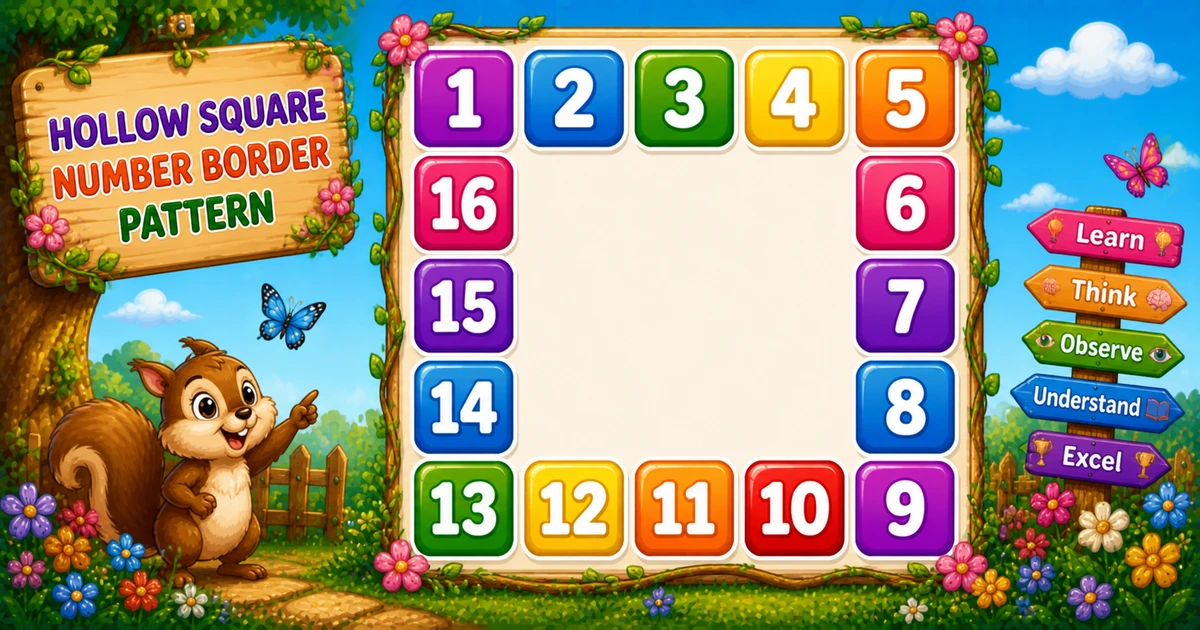
A hollow square border number pattern fills only the boundary of an n×n grid with consecutive numbers clockwise — the interior stays blank, aligned with fixed-width spaces.
Remember
Rule: top j, right k++, bottom l--, left m--  (else three spaces)
      k = n+1,  l = 3n−2,  m = 4(n−1)

  1  2  3  4  5
 16           6
 15           7
 14           8
 13 12 11 10  9     ← n = 5 (numbers 1..16)
In Python print each cell with print(f"{v:3d}", end="") or print(" ", end=""), then a bare print() after each row.
Approach
How to Solve It
Visit every cell. Branch by side (top → right → bottom → left). Use three counters for right, bottom, and left; print " " inside.
Method
Idea
Best for
Side-priority if
Top, then right, then bottom, then left
Learning, interviews, exams
General formulas
k = n+1, l = 3n-2, m = 4(n-1)
Any size n >= 2
Pseudocode
Pseudocode
k = n + 1
l = 3 * n - 2
m = 4 * (n - 1)
for i from 1 to n:
    for j from 1 to n:
        if i == 1: print j (width 3)
        else if j == n: print k; k = k + 1
        else if i == n: print l; l = l - 1
        else if j == 1: print m; m = m - 1
        else: print three spaces
    print newline
Cheat sheet
Goal
Pattern
Top row
if i == 1: print(f"{j:3d}", end="")
Right column
elif j == n: print(f"{k:3d}", end=""); k += 1
Bottom row
elif i == n: print(f"{l:3d}", end=""); l -= 1
Left column
elif j == 1: print(f"{m:3d}", end=""); m -= 1
Inner blank
else: print(" ", end="")
Border count
4 * (n - 1) for n >= 2
Printing Numbers vs Starting a New Line
API
Effect
Use for
print(f"{v:3d}", end="") / print(" ", end="")
Stays on the same line
Each cell (number or blank)
print()
Ends the current line
After every row of n cells
Cells use end=""; a bare print() ends the row once.
Try it
Live Preview
Change the square size and the clockwise hollow border updates instantly — capped at 7 so width-3 stays readable.
Whole numbers from 2 to 7. Tap a chip or type a value — the preview redraws as you go.
Live resultn = 5 · 16 border cells
  1  2  3  4  5
 16           6
 15           7
 14           8
 13 12 11 10  9
Trace
Worked Walkthrough — n = 5
Trace how side priority and the three counters produce numbers 1–16 clockwise.
Side
Condition
Values
Top
i == 1
1 2 3 4 5
Right
j == 5 (not top)
6 7 8 9 via k++
Bottom
i == 5 (not right)
13 12 11 10 via l-- (+ 9 at corner from k)
Left
j == 1 (middle rows)
16 15 14 via m--
Corners follow the first matching branch: top-right is top (5), bottom-right is right (9), bottom-left is bottom (13).
Code
Python Programs
Three complete programs: fixed 5×5, user-input size, and a compact 3×3 demo. Use View Output to reveal sample results.
Example 1 — Fixed 5×5 Border
Hard-coded size — counters start at 6, 13, and 16 for numbers 1–16.
Python
k, l, m = 6, 13, 16

for i in range(1, 6):
    for j in range(1, 6):
        if i == 1:
            print(f"{j:3d}", end="")
        elif j == 5:
            print(f"{k:3d}", end="")
            k += 1
        elif i == 5:
            print(f"{l:3d}", end="")
            l -= 1
        elif j == 1:
            print(f"{m:3d}", end="")
            m -= 1
        else:
            print("   ", end="")
    print()
Output
  1  2  3  4  5
 16           6
 15           7
 14           8
 13 12 11 10  9
How It Works
1. Top first. When i == 1, print column index j — including both top corners.
2. Right, bottom, left. Otherwise use k += 1, l -= 1, or m -= 1 on the matching side.
3. Align.:3d and three spaces keep every column three characters wide.
Example 2 — User Input Size
Read n safely, set counter starts from formulas, then run the same side logic.
Python
try:
    n = int(input("Enter square size (n): "))
except ValueError:
    print("Please enter an integer >= 2.")
    raise SystemExit

if n < 2:
    print("Please enter an integer >= 2.")
    raise SystemExit

k = n + 1
l = 3 * n - 2
m = 4 * (n - 1)

for i in range(1, n + 1):
    for j in range(1, n + 1):
        if i == 1:
            print(f"{j:3d}", end="")
        elif j == n:
            print(f"{k:3d}", end="")
            k += 1
        elif i == n:
            print(f"{l:3d}", end="")
            l -= 1
        elif j == 1:
            print(f"{m:3d}", end="")
            m -= 1
        else:
            print("   ", end="")
    print()
1. Prompt and validate. Catch ValueError; require n >= 2 so a border exists.
2. Scale counters.k = n+1, l = 3n-2, m = 4(n-1) generalize the 5×5 starts.
3. Safer input tip. Cap demos for readable console output:
Safer input
try:
    n = int(input("Enter square size (n): "))
except ValueError:
    print("Enter a whole number from 2 to 9.")
    raise SystemExit

if n < 2 or n > 9:
    print("Enter a whole number from 2 to 9.")
    raise SystemExit
Example 3 — Compact 3×3 Border
Eight border numbers (1–8) and one inner blank — easy to trace on paper.
Python
n = 3
k = n + 1
l = 3 * n - 2
m = 4 * (n - 1)

for i in range(1, n + 1):
    for j in range(1, n + 1):
        if i == 1:
            print(f"{j:3d}", end="")
        elif j == n:
            print(f"{k:3d}", end="")
            k += 1
        elif i == n:
            print(f"{l:3d}", end="")
            l -= 1
        elif j == 1:
            print(f"{m:3d}", end="")
            m -= 1
        else:
            print("   ", end="")
    print()
Output
  1  2  3
  8     4
  7  6  5
How It Works
1. Eight cells. Border count = 4×(3−1) = 8; center is three spaces.
2. Trace on paper. Confirm bottom-right is 5 from k += 1 (right branch wins over bottom).
3. Scale up next. Once the small demo is clear, use Examples 1–2 for 5×5 or user input.
Edge Cases & Pitfalls
Check these before calling the solution done.
branch order
Wrong corner values
Keep the order top → right → bottom → left. Swapping branches changes which counter owns each corner.
no width
Crooked columns
Without :3d, single-digit and double-digit numbers misalign. Inner blanks must also be three spaces.
bare print()
Broken rows
If bare print() sits inside the column loop, each cell lands on its own line. Call it only after the row finishes.
n = 2
No inner cells
Every position is on the border — a good sanity check for the side branches.
wrong l / m
Broken clockwise sequence
Use l = 3n-2 and m = 4(n-1). Hand-tuned starts that ignore n fail when size changes.
Bad input
int(input()) throws
Wrap with try/except ValueError and require n >= 2 before looping.
Analysis
Time and Space Complexity
Program
Time
Extra space
Fixed / input (Examples 1–2)
O(n²)
O(1)
Compact 3×3 (Example 3)
O(n²)
O(1)
Every cell of the n×n grid is visited once → O(n²) time. Only a few counters and loop variables are needed.
Remember
Key Takeaways
Four sides: top j, right k += 1, bottom l -= 1, left m -= 1.
Branch order matters: corners follow the first matching if.
Align with width 3::3d for numbers, " " for inner cells.
Next step: Program 60 shrinks a number by removing the last digit each row.
One line: walk the grid, print clockwise border numbers with width 3, leave the inside blank.
Frequently Asked Questions
Check sides in order: top (i == 1), right (j == n), bottom (i == n), left (j == 1). Everything else is an inner blank.
Fixed width 3 keeps every column aligned when border numbers have 1 or 2 digits.
An n×n grid where only the boundary shows consecutive numbers clockwise; the inside stays blank.
Program 58 prints a diagonal mirror diamond. Program 59 prints a rectangular hollow border with separate counters per side.
k tracks the right column, l the bottom row (descending), m the left column (descending).
Read n with int(input()) inside try/except and set k = n+1, l = 3*n-2, m = 4*(n-1) — see Example 2.
O(n²) for an n×n grid because every cell is visited once.
A 2×2 grid has no inner cells — every position is on the border.
🤔
Did you know?
A hollow n×n border has 4(n-1) numbers (for n >= 2). For n = 5 that is 16 cells — top 1..5, right 6..9, bottom 13..9, left 16..13 — with width-3 blanks inside.