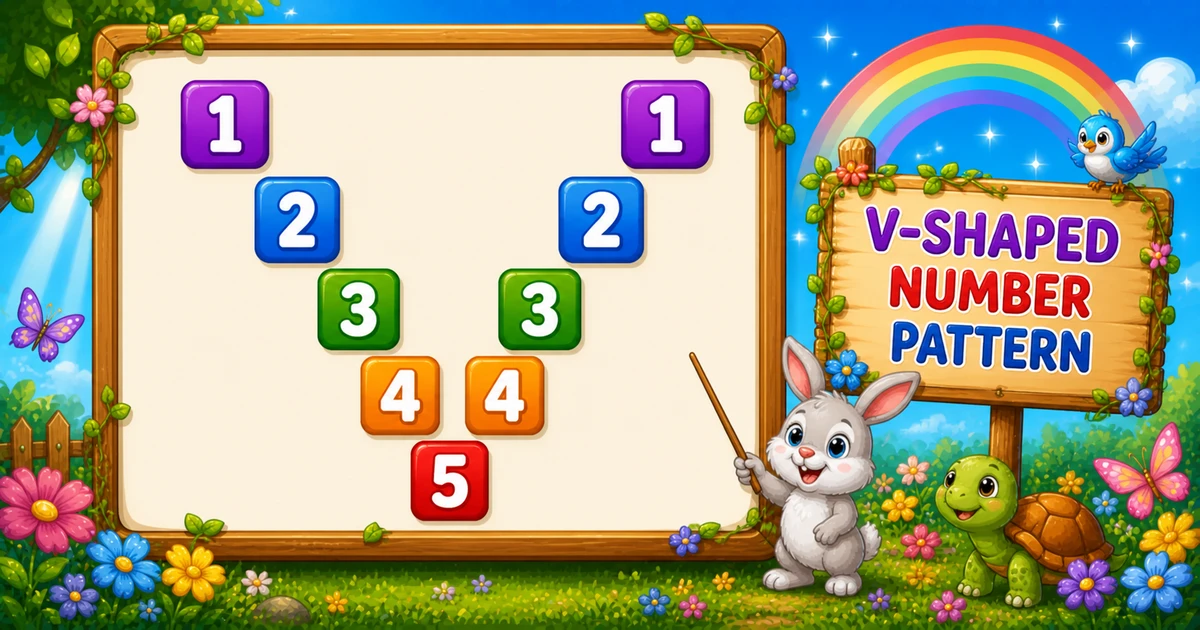
A mirror diagonal pattern prints digit i on the main diagonal and again on a mirrored diagonal. Spaces fill every other column, forming a V-shape that meets at the bottom tip.
Remember
Rule: left  j = 1..rows   → print i if i == j else space
      right k = rows-1..1 → print i if i == k else space

1       1
 2     2
  3   3
   4 4
    5     ← rows = 5
In Python use two inner loops: left half with print(j if i == j else " ", end=""), right half with i == k while k counts down from rows - 1, then a bare print().
Approach
How to Solve It
Use one outer loop and two inner loops. Left half tests i == j; right half tests i == k while counting k down from rows - 1 (skip the center column).
Method
Idea
Best for
Two halves + conditions
Left i == j, right i == k, else space
Learning, interviews, exams
Rows input
Same logic with a user-chosen height
Practice / demos
Pseudocode
Pseudocode
for i from 1 to rows:
    for j from 1 to rows:
        print i if i == j else a space
    for k from (rows - 1) down to 1:
        print i if i == k else a space
    print newline
Cheat sheet
Goal
Pattern
Pick each row
for i in range(1, rows + 1):
Left diagonal
print(j if i == j else " ", end="")
Right diagonal
for k in range(rows - 1, 0, -1): print(k if i == k else " ", end="")
Skip center twice
Right loop starts at rows - 1, not rows
Chars per row
2 * rows - 1
Printing Numbers vs Starting a New Line
API
Effect
Use for
print(..., end="")
Stays on the same line
Each column (digit or space) in both halves
print()
Ends the current line
After both inner loops finish a row
Columns use end=""; a bare print() ends the row once.
Try it
Live Preview
Change the row count and the V-shape updates instantly — capped at 9 so every digit stays a single character.
Whole numbers from 1 to 9. Tap a chip or type a value — the preview redraws as you go.
Live resultrows = 5 · 5×9 cells
1       1
 2     2
  3   3
   4 4
    5
Trace
Worked Walkthrough — Row i = 3, rows = 5
Trace where digit 3 lands on both diagonals.
Half
Loop
When digit prints
Left
j = 1..5
At j = 3 → 3 (spaces elsewhere)
Right
k = 4..1
At k = 3 → 3 (spaces elsewhere)
Full row: 3 3 (9 characters). Each of n rows prints 2n - 1 chars → O(n²).
Code
Python Programs
Three complete programs: fixed rows = 5, user-input rows, and a compact rows = 3 demo. Use View Output for sample results.
Example 1 — Fixed rows = 5
Hard-coded height — print digit when i == j or i == k, otherwise a space.
Python
rows = 5

for i in range(1, rows + 1):
    for j in range(1, rows + 1):
        print(j if i == j else " ", end="")

    for k in range(rows - 1, 0, -1):
        print(k if i == k else " ", end="")

    print()
Output
1       1
 2     2
  3   3
   4 4
    5
How It Works
1. Left half. Scan j = 1..rows; print the digit only when i == j (main diagonal).
2. Right half. Scan k = rows-1..1; print when i == k — starting at rows - 1 skips the center column.
3. Bottom tip. On the last row, both diagonals meet — only one digit appears in the middle.
Example 2 — User Input (rows)
Read the row count and draw the same V-shaped mirror diagonals.
Python
try:
    rows = int(input("Enter the number of rows: "))
except ValueError:
    print("Please enter a positive whole number.")
    raise SystemExit(1)

if rows < 1:
    print("Please enter a positive whole number.")
    raise SystemExit(1)

for i in range(1, rows + 1):
    for j in range(1, rows + 1):
        print(j if i == j else " ", end="")

    for k in range(rows - 1, 0, -1):
        print(k if i == k else " ", end="")

    print()
2. Same core. Only the loop limits change — both diagonal conditions stay identical.
3. Single-digit tip. Cap demos at rows ≤ 9 so every digit stays one character wide.
Example 3 — Compact rows = 3
Same two-loop structure with a smaller height for quick paper tracing.
Python
rows = 3

for i in range(1, rows + 1):
    for j in range(1, rows + 1):
        print(j if i == j else " ", end="")

    for k in range(rows - 1, 0, -1):
        print(k if i == k else " ", end="")

    print()
Output
1   1
 2 2
  3
How It Works
1. Three rows. Wide V on row 1, closer digits on row 2, single tip on row 3.
2. Trace on paper. Confirm the right loop starts at 2 (not 3) so the center is not doubled.
Edge Cases & Pitfalls
Check these before calling the solution done.
k = rows
Doubled center
If the right loop starts at k = rows, the middle column prints twice. Keep range(rows - 1, 0, -1).
print i always
No spaces
Printing i on every column fills the row with digits. Use the ternary: digit only when i == j / i == k.
print()
Broken rows
If bare print() sits inside either half, each column lands on its own line. Call it only after both loops.
rows = 1
Single tip
Output is just 1 — the right loop does not run. A good sanity check.
rows > 9
Multi-digit values
Past 9, values like 10 break column alignment. Cap demos at 9 or use fixed-width formatting.
Bad input
int(input()) raises
Wrap with try/except ValueError so non-numeric input does not crash the script.
Analysis
Time and Space Complexity
Program
Time
Extra space
Fixed / compact (Examples 1, 3)
O(n²)
O(1)
User input (Example 2)
O(n²)
O(1)
Each of n rows prints 2n - 1 characters → about 2n² prints. For n = 5 that is 45 characters.
Remember
Key Takeaways
Two diagonals: left uses i == j, right uses i == k, else space.
Skip the center twice: right loop starts at rows - 1 so the middle column is not doubled.
print vs print(): columns use end=""; bare print() advances after both halves.
Next step: Program 54 mirrors this V downward into a full diamond.
One line: for each i, print digit on i == j and i == k, spaces elsewhere, then print().
Frequently Asked Questions
The mirrored half prints rows-1 positions to avoid duplicating the center column. On the final row, only the main diagonal digit remains.
It prints the row number on the main diagonal (left) and on a mirrored diagonal (right), creating a symmetric V-shape like 1..5 on both sides.
The first loop prints the left half across rows columns. The second prints the right mirrored half across rows-1 columns in reverse.
Skipping the center column prevents printing the middle digit twice on rows where i equals the center index.
Change rows or read it from user input with int(input()) inside try/except — see Example 2.
O(n²) for n rows because each row prints about 2n-1 characters using nested loops.
Program 52 builds palindromic digit rows with m += 1 and m -= 1. Program 53 uses spacing and i == j / i == k to place digits on mirrored diagonals.
Yes. Print when i == j or i + j == rows + 1 in a single column loop.
Use try/except ValueError around int(input()) so bad input does not crash the script.
One row prints a single 1 — the left loop prints at j = 1 and the right loop does not run.
🤔
Did you know?
Each row prints the row number on the main diagonal (left) and on a mirrored diagonal (right) using i == j and i == k. Row 3 shows 3 on both sides — about 2n-1 characters per row, so O(n²) total.