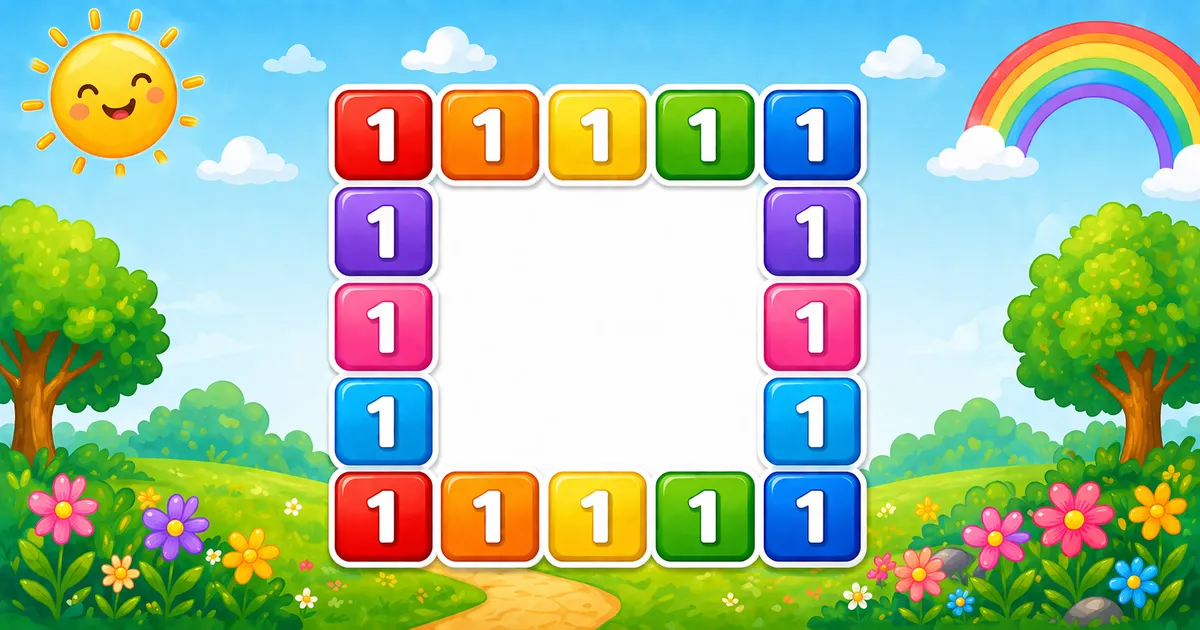
Follows the square-numbers pyramid in Program 41; next is the right-aligned number triangle in Program 43.
Approach
How to Solve It
One nested loop over every cell, plus a four-way border check — "1 " on the edge, " " inside.
Method
Idea
Best for
Border condition
If i/j on edge → 1, else spaces
Learning, interviews, exams
Size input
Same logic with a user-chosen size
Practice / demos
Pseudocode
Pseudocode
for i from 1 to size:
    for j from 1 to size:
        if i is 1 or size, or j is 1 or size:
            print "1 "
        else:
            print "  "
    print newline
Cheat sheet
Goal
Pattern
Walk rows
for i in range(1, size + 1):
Walk columns
for j in range(1, size + 1):
Border test
if i == 1 or i == size or j == 1 or j == size:
Print border / interior
print("1 ", end="") / print(" ", end="")
End the row
print()
Printing Numbers vs Starting a New Line
API
Effect
Use for
print("1 ", end="") / print(" ", end="")
Stays on the same line
Each cell
print()
Ends the current line
After the inner loop finishes a row
Print cells without a newline, then end the row once.
Try it
Live Preview
Change the square size and the hollow border updates instantly.
Whole numbers from 2 to 9. Tap a chip or type a value — the preview redraws as you go.
Live result5 × 5 · 16 border cells
1 1 1 1 1
1       1
1       1
1       1
1 1 1 1 1
Trace
Worked Walkthrough — size = 4
Trace each row: top and bottom are solid; middle rows keep only the ends.
i
Border rule
Printed row
1
Top row — all 1
1 1 1 1
2
j == 1 or j == 4
1 1
3
j == 1 or j == 4
1 1
4
Bottom row — all 1
1 1 1 1
Border cells for n ≥ 2 = 4(n − 1). Interior cells stay blank.
Code
Python Programs
Three complete programs: fixed 5×5, input() size, and an asterisk-border variant. Use View Output to reveal sample results.
Example 1 — Fixed size = 5
Nested loops with a border condition — ideal for first demos.
Python
size = 5

for i in range(1, size + 1):
    for j in range(1, size + 1):
        if i == 1 or i == size or j == 1 or j == size:
            print("1 ", end="")
        else:
            print("  ", end="")
    print()
Output
1 1 1 1 1
1       1
1       1
1       1
1 1 1 1 1
How It Works
1. Visit every cell. Outer i and inner j both run from 1 to 5.
2. Border test. If i or j is on the edge, print "1 "; otherwise print " ".
3. Newline. Bare print() after the inner loop starts the next row.
Example 2 — User Input Size
Read the square size with input() and build an n × n hollow frame.
Python
try:
    size = int(input("Enter square size: "))
except ValueError:
    print("Please enter an integer greater than 1.")
    raise SystemExit(1)

if size < 2:
    print("Please enter an integer greater than 1.")
    raise SystemExit(1)

for i in range(1, size + 1):
    for j in range(1, size + 1):
        if i == 1 or i == size or j == 1 or j == size:
            print("1 ", end="")
        else:
            print("  ", end="")
    print()
Output (when user enters 4)
Enter square size: 4
1 1 1 1
1     1
1     1
1 1 1 1
How It Works
1. Prompt and validate. Catch ValueError; require size >= 2 for a hollow frame.
2. Same border logic. Matches Example 1 — only size comes from the user.
3. Safer input tip. Cap demos for readable output:
Safer input tip
if size < 2 or size > 9:
    print("Enter a whole number from 2 to 9.")
    raise SystemExit(1)
Example 3 — Asterisk Border
Same hollow frame — swap 1 for * on the border.
Python
size = 5

for i in range(1, size + 1):
    for j in range(1, size + 1):
        if i == 1 or i == size or j == 1 or j == size:
            print("* ", end="")
        else:
            print("  ", end="")
    print()
Output
* * * * *
*       *
*       *
*       *
* * * * *
How It Works
1. Same rules. Only the border string changes from "1 " to "* ".
2. Keep alignment. Interior cells still print " " so columns match.
3. Try other chars. Swap in "# " or "0 " the same way.
Edge Cases & Pitfalls
Check these before calling the solution done.
one space
Interior uses a single space
Columns drift because border cells use "1 " (two characters). Match width with " ".
size = 1
No hollow interior
Output is just 1. Require size >= 2 for a frame.
0-based
Using range(size) without adjusting
If indices are 0..size-1, test i == 0 or i == size - 1 (and the same for j).
print() inside
Broken rows
If bare print() sits inside the inner loop, you get one cell per line. Call it only after the loop.
and vs or
Use and instead of or
That only fills the four corners. Border checks need or.
input()
Catch ValueError
Bare int(input()) crashes on non-numeric text — wrap it in try/except ValueError.
Analysis
Time and Space Complexity
Program
Time
Extra space
Fixed / input (Examples 1–2)
O(n²)
O(1)
Asterisk border (Example 3)
O(n²)
O(1)
An n × n grid visits every cell once → O(n²) time. Only a few loop variables are needed.
Remember
Key Takeaways
Rule: print 1 when i or j is on the edge; otherwise print spaces.
Alignment: use "1 " and " " so every cell is two characters wide.
end="" vs print(): cells stay on the line; bare print() advances after each row.
Complexity:O(n²) time; O(1) extra space.
One line: visit every cell; print 1 on the border and spaces inside.
Frequently Asked Questions
A hollow square border of 1s: for size=5 the top and bottom rows are solid 1s, and middle rows keep only the left and right edges.
It prints characters only on the border (first/last row and first/last column) and leaves the inside blank with spaces.
It checks if i is 1 or size, or if j is 1 or size. If any is true, print 1; otherwise print spaces.
Each border cell uses "1 " (digit plus space). Interior cells use " " so columns stay aligned.
Size 2 gives a thin frame. Size 1 prints a single 1 with no hollow interior.
Program 41 prints a centered pyramid of perfect squares. Program 42 prints a hollow square grid using border conditions.
Replace "1 " with "* " or "# " in the if branch — see Example 3.
O(n²) for an n×n grid because each cell is visited once.
🤔
Did you know?
Print 1 when i == 1, i == size, j == 1, or j == size; otherwise print spaces. An n × n grid visits n² cells.