Python Descending Number Triangle Pattern (Right-Aligned)
Beginner
5 min read
Updated: Sep 2026
3 programs
Live preview
Definition
What Is This Pattern?
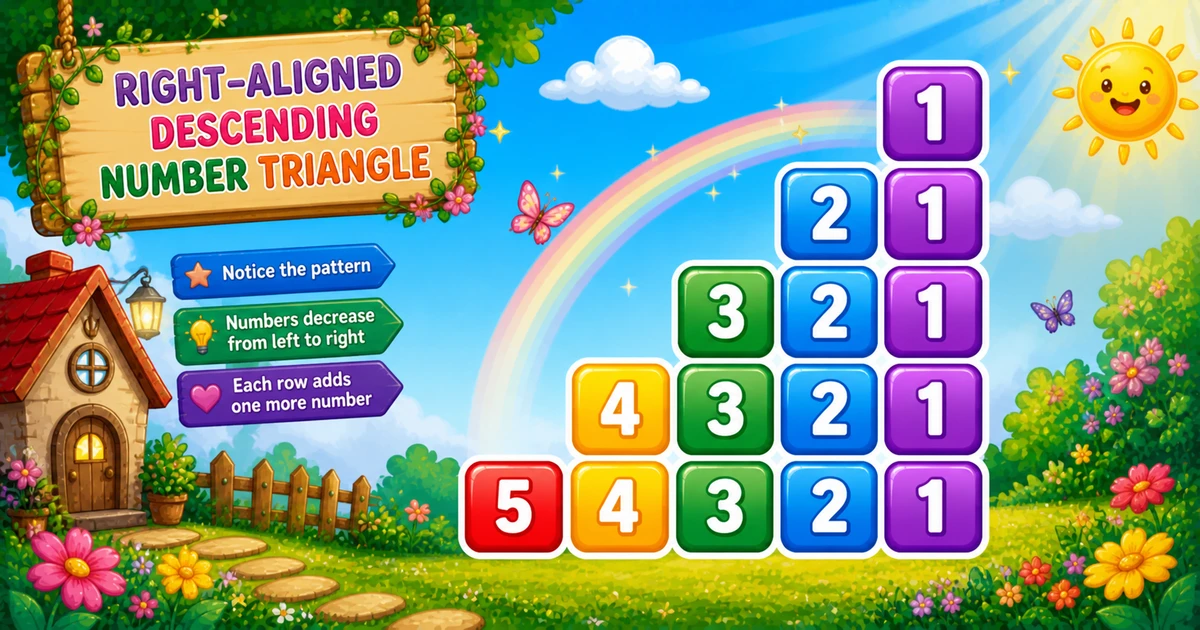
A right-aligned descending number triangle uses a fixed-width inner loop: print spaces while j > i, then digits i..1 — so each row hugs the right edge.
Remember
Rule: for i from 1 to rows
        for j from rows down to 1
          if j > i: print space
          else: print j

    1
   21
  321
 4321
54321     ← rows = 5
Follows the mirrored pattern in Program 29; next is the number-star diamond in Program 31.
Approach
How to Solve It
Outer loop grows i. One fixed-width inner loop runs rows..1 — print a space or a digit so columns stay aligned.
Method
Idea
Best for
Fixed-width if/else
j > i → space; else print j
Learning, interviews
input() rows
Same loop; conditional expression
Interactive practice
Compact rows = 3
Same structure; easier to trace by hand
Paper walkthrough
Pseudocode
Pseudocode
for i from 1 to rows:
    for j from rows down to 1:
        if j > i: print space
        else: print j
    print newline
Cheat sheet
Goal
Pattern
Grow each row
for i in range(1, rows + 1):
Fixed width
for j in range(rows, 0, -1):
Pad or digit
print(" " if j > i else j, end="")
Leading spaces
rows - i spaces before digits
End of row
print()
Printing Numbers vs Starting a New Line
API
Effect
Use for
print(j, end="") / print(" ", end="")
Stays on the same line
Each space or digit
print()
Ends the current line
After the fixed-width loop
Glue characters with end="", then break once with print(). Putting print() inside the inner loop prints one character per line.
Try it
Live Preview
Change the row count and the right-aligned triangle updates instantly.
Whole numbers from 1 to 9. Tap a chip or type a value — the preview redraws as you go.
Live resultrows = 5 · 25 chars
    1
   21
  321
 4321
54321
Trace
Worked Walkthrough — rows = 5
Trace how leading spaces shrink and descending digits grow on each row.
i
Spaces
Digits
Prints
1
4
1
1
2
3
21
21
3
2
321
321
4
1
4321
4321
5
0
54321
54321
Leading spaces = rows − i. Each row prints rows characters → O(n²) total.
Code
Python Programs
Three complete programs: fixed rows = 5, input() rows, and compact rows = 3. Use View Output for sample results.
Example 1 — Fixed rows = 5
Hard-coded height — fixed-width descending loop with if/else for space vs digit.
Python
for i in range(1, 6):
    for j in range(5, 0, -1):
        if j > i:
            print(" ", end="")
        else:
            print(j, end="")
    print()
Output
    1
   21
  321
 4321
54321
How It Works
1. Outer grows the digit count.i is how many digits appear on the right side of the row.
2. Fixed width. Inner loop always runs 5 times — unused left slots become spaces.
3. Descending digits. When j <= i, print j so the filled part reads i..1.
Example 2 — input() Rows
Read rows at runtime; use a conditional expression for each position.
Python
rows = int(input("Enter rows: "))

if rows < 1:
    print("Please enter a positive integer.")
else:
    for i in range(1, rows + 1):
        for j in range(rows, 0, -1):
            print(" " if j > i else j, end="")
        print()
Output (when user enters 4)
Enter rows: 4
   1
  21
 321
4321
How It Works
1. Read and validate. Parse the answer; reject non-positive values before looping.
2. Same core. The conditional expression matches Example 1’s if/else — only rows comes from the user.
3. Safer input tip. Bare int(input()) raises ValueError on letters. Prefer:
Safer input
raw = input("Enter rows: ").strip()
try:
    rows = int(raw)
except ValueError:
    print("Please enter a positive integer.")
    raise SystemExit(1)
if rows < 1:
    print("Please enter a positive integer.")
    raise SystemExit(1)
Example 3 — Compact rows = 3
Same structure with only three rows — easy to confirm spaces shrink by one each time.
Python
rows = 3

for i in range(1, rows + 1):
    for j in range(rows, 0, -1):
        if j > i:
            print(" ", end="")
        else:
            print(j, end="")
    print()
Output
  1
 21
321
How It Works
1. Three rows.i = 1 → 1; i = 2 → 21; i = 3 → 321.
2. Trace on paper. If the inner loop stops at i instead of rows, the triangle loses right alignment.
3. Scale up next. Once the small demo is clear, use Examples 1–2 for five rows or user input.
Edge Cases & Pitfalls
Check these before calling the solution done.
no spaces
Missing else for spaces
Skipping print(" ", end="") when j > i left-aligns the triangle — you get Program 3’s shape without padding.
width ≠ rows
Loop only to i
Inner loop must always run rows times. Stopping at i removes leading spaces and breaks alignment.
j++
Ascending inner loop
for j in range(1, rows + 1) changes digit order and padding. Keep j = rows..1.
print() inside
Broken rows
If print() sits inside the inner loop, you get one character per line. Call it only after the loop.
rows = 1
Single digit
Output is just 1 with no leading spaces. A good sanity check for input validation.
input()
Catch ValueError
Letters crash bare int(input()) — wrap in try/except and require rows >= 1.
Analysis
Time and Space Complexity
Program
Time
Extra space
Examples 1–3
O(n²)
O(1)
Each of n rows prints n characters → O(n²) time. Only a few loop variables are needed.
Remember
Key Takeaways
One fixed loop:j = rows..1 prints space when j > i, else digit j.
Always width rows: fixed width is what keeps the triangle right-aligned.
end= vs print(): spaces and digits stay on the line; print() advances after each row.
Complexity:O(n²) time from n² characters; O(1) extra space.
One line: for each row i, walk j = rows..1 and print space or j, then print().
Frequently Asked Questions
Leading spaces are printed while j > i. Smaller rows get more spaces, pushing digits to the right edge.
The inner loop runs j from rows down to 1 with range(rows, 0, -1). When j <= i, it prints j — naturally producing i..1 on each row.
Running j from rows down to 1 on every row keeps column alignment. Spaces fill positions where j > i.
Program 3 prints a left-aligned reverse descending triangle with no leading spaces. Program 30 pads with spaces for right alignment.
Replace 5 with rows in the inner loop bound — see Example 2.
O(n²) for n rows because each row runs a fixed-width inner loop of n iterations.
Use try/except ValueError around int(input()) or check the raw string with .isdigit() before converting so bad input does not crash the script.
One row prints with no leading spaces — just 1.
Yes — print(" " if j > i else j, end="") compacts the if/else logic in Python.
🤔
Did you know?
This pattern uses a fixed column width (rows). For each row i, the inner loop prints spaces while j > i, then prints digits in descending order — producing a right-aligned triangle.