Python Descending Number Pattern (Diagonal Asterisk)
Beginner
5 min read
Updated: Sep 2026
3 programs
Live preview
Definition
What Is This Pattern?
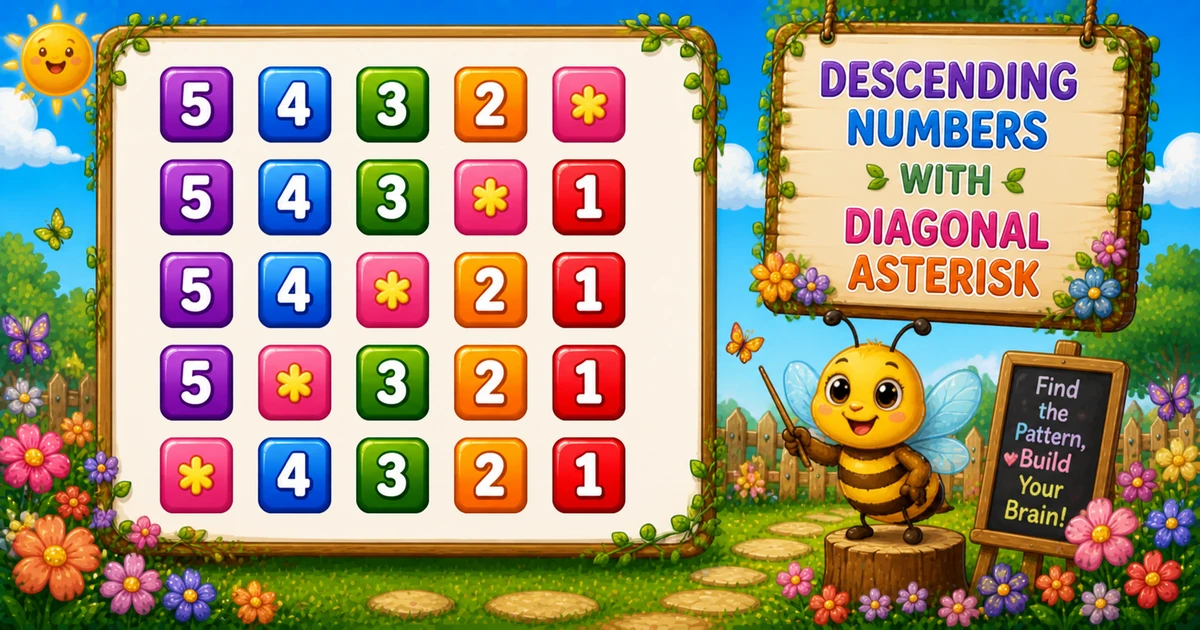
Each row prints digits n..1, but when i == j the digit is replaced with * — so the star slides left as the row index grows.
Remember
Rule: for i = 1..n
      for j = n..1
        print * if i == j, else j

5432*
543*1
54*21
5*321
*4321     ← n = 5
A classic i == j diagonal trick — a natural step after the bidirectional triangle in Program 25.
Approach
How to Solve It
Outer i = 1..n; reverse j = n..1; print * when indices match, otherwise print j.
Method
Idea
Best for
i == j swap
Star on the descending diagonal
Learning, interviews
Custom symbol
Same loops; replace * with #
Variant practice
input() size
Same loops; read size at runtime
Interactive practice
Pseudocode
Pseudocode
for i from 1 to n:
    for j from n down to 1:
        if i equals j:
            print "*" (same line)
        else:
            print j (same line)
    print newline
Cheat sheet
Goal
Pattern
Set size
n = 5
Outer loop
for i in range(1, n + 1):
Reverse digits
for j in range(n, 0, -1):
Diagonal star
if i == j: print("*", end="") else: print(j, end="")
End row
print()
Custom symbol
print("#", end="") in the if branch
Printing Numbers vs Starting a New Line
API
Effect
Use for
print(j, end="") / print("*", end="")
Stays on the same line
Each digit or star
print()
Ends the current line
After the inner loop
Glue digits and stars with end="", then break once with print(). Putting print() inside the inner loop prints one character per line.
Try it
Live Preview
Change size n and the diagonal asterisk pattern updates instantly.
Whole numbers from 1 to 9. Tap a chip or type a value — the preview redraws as you go.
Live resultn = 5 · chars = 25
5432*
543*1
54*21
5*321
*4321
Trace
Worked Walkthrough — n = 3
Trace each row i, where i == j fires, and the printed characters.
i
Star at j
Sequence
Printed row
1
1 (right)
3 2 *
32*
2
2 (middle)
3 * 1
3*1
3
3 (left)
* 2 1
*21
Because j counts down, a larger i matches earlier in the scan — the star drifts left.
Code
Python Programs
Three complete programs: fixed n = 5, custom diagonal symbol, and input() size. Use View Output for sample results.
Example 1 — Fixed n = 5
Hard-coded size — reverse inner loop prints n..1 with one * where i == j.
Python
n = 5

for i in range(1, n + 1):
    for j in range(n, 0, -1):
        if i == j:
            print("*", end="")
        else:
            print(j, end="")
    print()
Output
5432*
543*1
54*21
5*321
*4321
How It Works
1. Outer rows.i runs from 1 to n — also the value that becomes a star.
2. Reverse scan.j counts down from n to 1 so digits appear in descending order.
3. Swap on match. When i == j, print *; otherwise print j. Then print() ends the row.
Example 2 — Custom Symbol #
Keep n = 5 but use hash instead of asterisk on the diagonal.
Python
n = 5
mark = "#"

for i in range(1, n + 1):
    for j in range(n, 0, -1):
        if i == j:
            print(mark, end="")
        else:
            print(j, end="")
    print()
Output
5432#
543#1
54#21
5#321
#4321
How It Works
1. Same structure. Outer and reverse inner loops match Example 1.
2. Swap the mark. Only the if-branch string changes — mark instead of "*".
3. Same diagonal. The star still lands where i == j; only the glyph differs.
Example 3 — input() Size
Read size at runtime; both loops use the same n.
Python
n = int(input("Enter size: "))

for i in range(1, n + 1):
    for j in range(n, 0, -1):
        if i == j:
            print("*", end="")
        else:
            print(j, end="")
    print()
Output (when user enters 4)
Enter size: 4
432*
43*1
4*21
*321
How It Works
1. Read size. Convert the prompt answer with int().
2. Same diagonal. The i == j swap scales automatically with the chosen n.
3. Safer input tip. Bare int(input()) raises ValueError on letters. Prefer:
Safer input
raw = input("Enter size: ").strip()
try:
    n = int(raw)
except ValueError:
    print("Enter a positive whole number.")
    raise SystemExit(1)
if n < 1:
    print("Enter a positive whole number.")
    raise SystemExit(1)
Edge Cases & Pitfalls
Check these before calling the solution done.
j ascending
Ascending digits
If j runs 1 to n, you get ascending digits and a different diagonal. Keep range(n, 0, -1).
wrong compare
Fixed column
Use i == j. Comparing to a fixed column (e.g. j == 1) pins the star in one place.
print() inside
Vertical output
If print() is inside the inner loop, each character lands on its own line.
n = 1
Single star
Output is just * — i and j are both 1.
n ≤ 0
Empty output
The outer loop never runs. Guard interactive input with n >= 1.
input()
Catch ValueError
Letters crash bare int(input()) — wrap in try/except and require n >= 1.
Analysis
Time and Space Complexity
Program
Time
Extra space
Examples 1–3
O(n²)
O(1)
Each of n rows prints exactly n characters → n² total → O(n²).
Remember
Key Takeaways
Rule: print n..1; swap to * when i == j.
Reverse j: counting down makes digits descend and the star drift left.
end= vs print(): digits/stars stay on the line; print() advances after each row.
Complexity:O(n²) for size n.
One line: scan digits downward, and replace the cell where row equals column with a star.
Frequently Asked Questions
Because i increases from 1 to n while j decreases from n to 1. The condition i == j becomes true at a different position each row.
j holds the descending column digit (n … 1). When i != j, print that digit to fill the row.
Yes. Replace print("*", end="") with any character or string — see Example 2 with #.
print(j, end="") prints each digit or star on the same line. print() ends the row after the inner loop finishes.
j runs from n down to 1 so each row prints digits in descending order with the star at position i.
Replace 5 with n in both loops — see Example 3 and the live preview.
O(n²) for n rows because each row prints n characters using a nested loop.
Use try/except ValueError around int(input()) so bad input does not crash the script.
Only one row prints — a single *.
🤔
Did you know?
This pattern prints descending numbers from n to 1 on each row. When the row index equals the current column value (i == j), it prints * instead of the number, creating a diagonal asterisk that moves left each row.