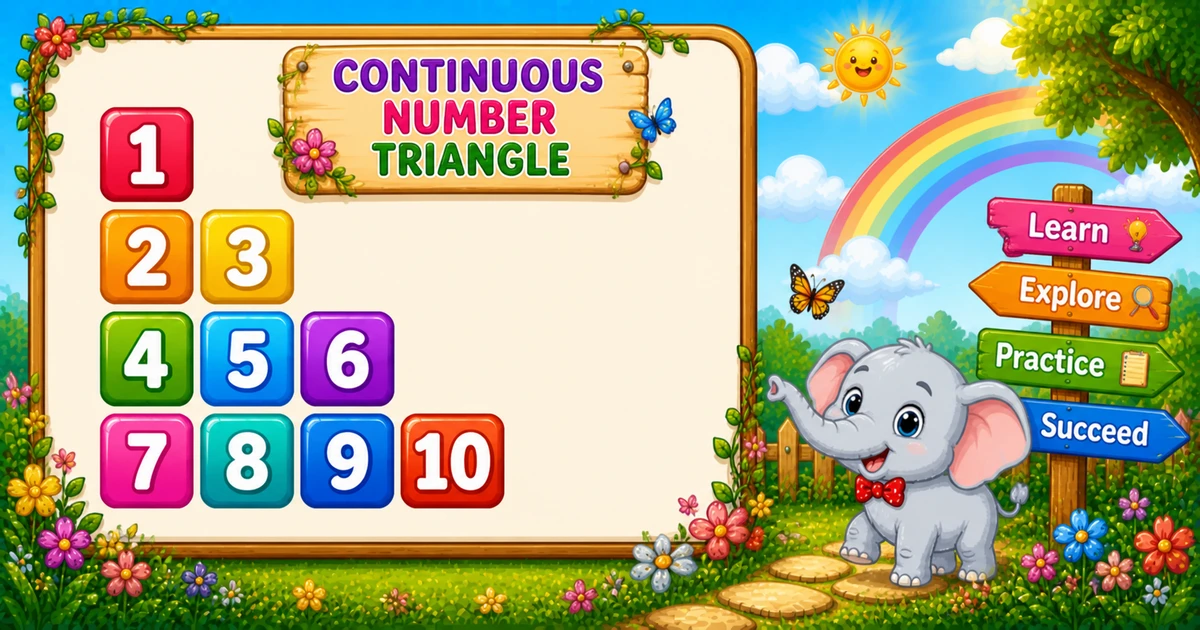
A continuous number triangle (Floyd’s triangle) prints a growing row each time — with one shared counter k that never resets between rows.
Remember
Rule: k = 1; for i = 1..rows
      print k, then k += 1, for i times

1
2 3
4 5 6
7 8 9 10     ← rows = 4
After Program 19’s fixed-width fill triangle, this pattern focuses on a running counter that carries across rows.
Approach
How to Solve It
Set k = 1 once; on row i, print and increment k exactly i times.
Method
Idea
Best for
Running counter
k = 1 before loops; print(k); k += 1 inside
Learning, interviews
input() rows
Same loops; read rows at runtime
Interactive practice
Custom start
Same shape; initialize k to any start value
Sequence variants
Pseudocode
Pseudocode
k = 1
for i from 1 to rows:
    for j from 1 to i:
        print k (same line, spaced)
        k += 1
    print newline
Cheat sheet
Goal
Pattern
Set rows / counter
rows = 4; k = 1
Outer loop
for i in range(1, rows + 1):
Inner loop
for j in range(1, i + 1):
Print + bump
print(k, end=" "); k += 1
End row
print()
Values per row
i
Total values
n(n+1)/2 for n rows
Printing Numbers vs Starting a New Line
API
Effect
Use for
print(k, end=" ")
Stays on the same line
Each number
print()
Ends the current line
After the inner loop
Print numbers with end=" ", then break once with print(). Putting print() inside the inner loop prints one number per line.
Try it
Live Preview
Change the row count and the continuous triangle updates instantly.
Whole numbers from 1 to 9. Tap a chip or type a value — the preview redraws as you go.
Live result4 rows · 10 values
1
2 3
4 5 6
7 8 9 10
Trace
Worked Walkthrough — rows = 3
Trace each outer i, how k changes, and the printed row.
i
k before row
Printed values
Printed row
1
1
1
1
2
2
2, 3
2 3
3
4
4, 5, 6
4 5 6
Values per row = i. Counter k never resets. Total = 6 = 3×4/2.
Code
Python Programs
Three complete programs: fixed rows = 4, input() rows, and custom start k = 10. Use View Output for sample results.
Example 1 — Fixed rows = 4
Hard-coded height — declare k = 1 once, then print and bump inside the inner loop.
Python
rows = 4
k = 1

for i in range(1, rows + 1):
    for j in range(1, i + 1):
        print(k, end=" ")
        k += 1
    print()
Output
1
2 3
4 5 6
7 8 9 10
How It Works
1. Counter.k starts at 1 before any loop — it must not be reset inside the outer loop.
2. Growing row. Row i runs the inner loop i times.
3. Print then bump.print(k, end=" "); k += 1 each time; then print() ends the row.
Example 2 — input() Rows
Read rows at runtime; the continuous counter still starts at 1.
Python
rows = int(input("Enter the number of rows: "))
k = 1

for i in range(1, rows + 1):
    for j in range(1, i + 1):
        print(k, end=" ")
        k += 1
    print()
Output (when user enters 3)
Enter the number of rows: 3
1
2 3
4 5 6
How It Works
1. Read rows. Convert the prompt answer with int().
2. Same counter.k = 1 still sits before the loops — only the height changes.
3. Safer input tip. Bare int(input()) raises ValueError on letters. Prefer:
Safer input
raw = input("Enter the number of rows: ").strip()
try:
    rows = int(raw)
except ValueError:
    print("Enter a positive whole number.")
    raise SystemExit(1)
if rows < 1:
    print("Enter a positive whole number.")
    raise SystemExit(1)
Example 3 — Custom Start k = 10
Same growing triangle, but the continuous sequence begins at 10.
Python
rows = 4
k = 10

for i in range(1, rows + 1):
    for j in range(1, i + 1):
        print(k, end=" ")
        k += 1
    print()
Output
10
11 12
13 14 15
16 17 18 19
How It Works
1. Only k changes. Loops match Example 1 — just initialize k = 10.
2. Same total count. Still 10 values for rows = 4; they run from 10 through 19.
3. Try other starts. Set k = 100 or any integer once you understand the default.
Edge Cases & Pitfalls
Check these before calling the solution done.
reset k
Broken sequence
If you set k = 1 inside the outer loop, every row restarts at 1 instead of continuing.
forgot k += 1
Repeated value
Without k += 1, the same number prints on every cell.
print() inside
Vertical numbers
If print() is inside the inner loop, each number lands on its own line.
print j
Wrong sequence
Printing j instead of k restarts each row at 1 — that is a different triangle.
rows = 1
Single value
Output is just 1 — one outer iteration, one print.
input()
Catch ValueError
Letters crash bare int(input()) — wrap in try/except and require rows >= 1.
Analysis
Time and Space Complexity
Program
Time
Extra space
Examples 1–3
O(n²)
O(1)
Values per pattern = 1 + 2 + … + n = n(n+1)/2 → O(n²).
Remember
Key Takeaways
Rule: set k = 1 once; on row i, print and bump k for i times.
Shared counter: never reset k inside the outer loop.
end= vs print(): numbers stay on the line; print() advances after each row.
Complexity: total values = n(n+1)/2 → O(n²).
One line: grow the row length while a shared k keeps counting upward.
Frequently Asked Questions
Because k is assigned once (k = 1) before the loops and incremented with k += 1 every time a number is printed — its value carries over to the next row.
Row 1 prints 1, so k becomes 2. Row 2 prints k twice: 2, then 3 after k += 1.
k resets each row and the sequence restarts at 1 — you get a growing 1, 1 2, 1 2 3 triangle, not a continuous counter.
print(k, end=" ") stays on the same line with a trailing space. print() ends the current line. Numbers use end=" "; the row break uses print() after the inner loop.
Total prints are 1+2+…+n = n(n+1)/2.
Yes. Set k = 10 (or any value) before the loops — see Example 3.
O(n²) for n rows because total digit prints equal n(n+1)/2.
Use try/except ValueError around int(input()) so bad input does not crash the script.
Only one row prints — a single 1.
🤔
Did you know?
A single counter k starts at 1 and increments with k += 1 on every print — numbers continue across rows instead of restarting. Total prints still equal n(n+1)/2 for n rows.