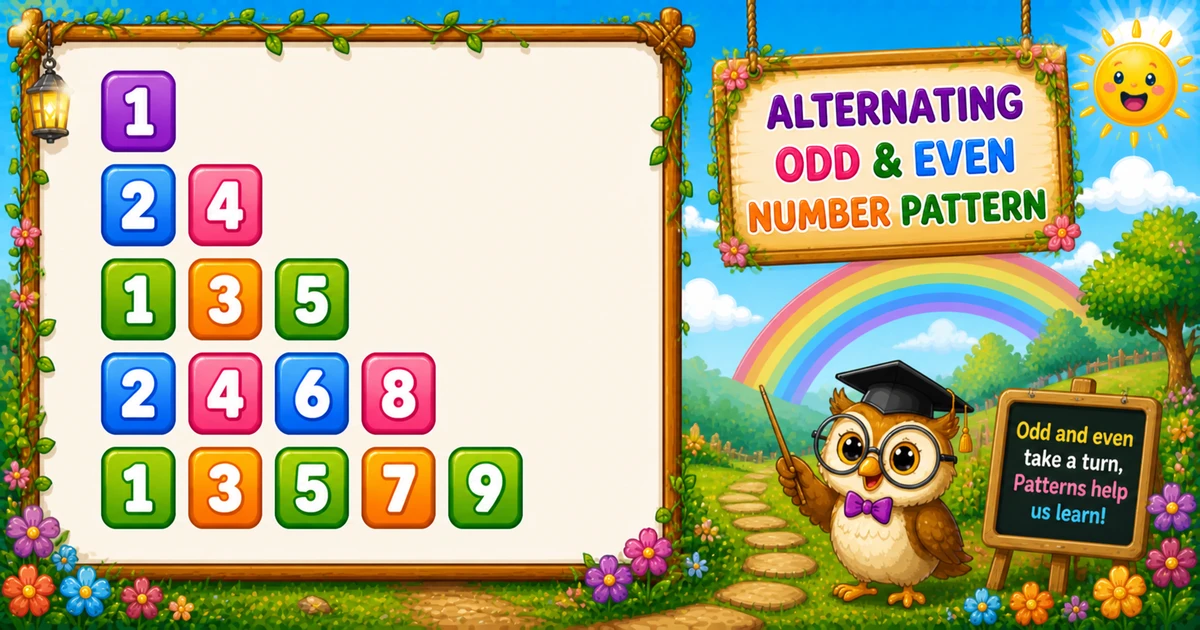
An alternating odd/even number triangle grows by one number each row, but switches between odd-only and even-only sequences based on the row’s parity.
Remember
Rule: odd rows start at 1; even rows start at 2;
      then print i numbers with k += 2

1
2 4
1 3 5
2 4 6 8
1 3 5 7 9   ← rows = 5
In Python you pick start value k with i % 2, print with print(k, end=" "), update k += 2, then bare print() ends the row. Program 17 was odd-only with a left shift; this pattern flips parity per row.
Approach
How to Solve It
Pick the start with row parity, then print a growing odd or even stream with k += 2.
Method
Idea
Best for
if / else start
Odd → k = 1; even → k = 2
Learning, interviews, exams
Conditional expression
k = 2 if i % 2 == 0 else 1
Shorter demos once parity clicks
Pseudocode
Pseudocode
for i from 1 to rows:
    if i is even:
        k = 2
    else:
        k = 1
    for j from 1 to i:
        print k and a space
        k = k + 2
    print newline
Cheat sheet
Goal
Pattern
Grow row length
for i in range(1, rows + 1):
Pick start
k = 2 if i % 2 == 0 else 1
Print + step
print(k, end=" "); k += 2
End the row
print()
Flip parity
k = 1 if i % 2 == 0 else 2
Printing Numbers vs Starting a New Line
API
Effect
Use for
print(k, end=" ")
Stays on the same line
Each number in the row
print()
Ends the current line
After the inner loop
Print all numbers without a newline, then end the row once.
Try it
Live Preview
Change the height and the odd/even triangle updates instantly.
Whole numbers from 1 to 12. Tap a chip or type a value — the preview redraws as you go.
Live result5 rows · 15 numbers
1
2 4
1 3 5
2 4 6 8
1 3 5 7 9
Trace
Worked Walkthrough
Trace four outer values when rows = 5 — watch parity pick the start and k += 2 keep the sequence.
i
Parity
Start k
Printed row
1
odd
1
1
2
even
2
2 4
3
odd
1
1 3 5
4
even
2
2 4 6 8
Total numbers are 1+2+3+4+5 = 15 — the triangular number n(n+1)/2.
Code
Python Programs
Three complete programs: fixed height, input() with a conditional start, and flipped parity. Use View Output for sample results.
Example 1 — Fixed rows = 5
Hard-coded height — if/else picks the start; the inner loop prints and steps by 2.
Python
rows = 5

for i in range(1, rows + 1):
    if i % 2 == 0:
        k = 2
    else:
        k = 1

    for j in range(1, i + 1):
        print(k, end=" ")
        k += 2
    print()
Output
1
2 4
1 3 5
2 4 6 8
1 3 5 7 9
How It Works
1. Outer loop grows width. Row i prints exactly i numbers.
2. Parity picks the start. Even i → k = 2; odd i → k = 1.
3. Inner loop prints and steps. Print k, then k += 2 so the row stays odd-only or even-only.
Example 2 — User Input
Read the row count from the keyboard. Prefer a try / except in real apps (shown in the tip below).
Python
rows = int(input("Enter the number of rows: "))

for i in range(1, rows + 1):
    k = 2 if i % 2 == 0 else 1

    for j in range(1, i + 1):
        print(k, end=" ")
        k += 2
    print()
Output (when user enters 4)
Enter the number of rows: 4
1
2 4
1 3 5
2 4 6 8
How It Works
1. Prompt and read. Ask for a row count, then convert with int(input(...)).
2. Same core, shorter start. The expression 2 if i % 2 == 0 else 1 replaces the if/else block.
3. Safer input tip. Bare int(input()) raises ValueError on letters. Prefer:
Safer input
raw = input("Enter the number of rows: ").strip()
try:
    rows = int(raw)
except ValueError:
    print("Enter a positive whole number.")
    raise SystemExit(1)
if rows < 1:
    print("Enter a positive whole number.")
    raise SystemExit(1)
Example 3 — Flipped Row Parity
Even rows print odds; odd rows print evens — only the start assignment changes.
Python
rows = 5

for i in range(1, rows + 1):
    k = 1 if i % 2 == 0 else 2

    for j in range(1, i + 1):
        print(k, end=" ")
        k += 2
    print()
Output
2
1 3
2 4 6
1 3 5 7
2 4 6 8 10
How It Works
1. Swap the start map. Even i → k = 1; odd i → k = 2.
2. Same print + step. Inner loop and k += 2 are unchanged.
3. Same triangle shape. Only which sequence lands on odd vs even rows flips.
Edge Cases & Pitfalls
Check these before calling the solution done.
wrong step
Use k += 2, not k += 1
If you use k += 1, rows mix odds and evens. Keep the step at 2.
fixed start
All odds or all evens
Forgetting the parity check makes every row start at 1 (or 2). Use i % 2 to switch.
print() inside
Bare print(k) inside the inner loop
That puts each number on its own line. Use print(k, end=" ") for numbers; call bare print() only after the row finishes.
rows = 1
Single number
Output is just 1 — a good sanity check for the odd-start path.
rows ≤ 0
Empty output
The outer loop never runs. Validate and prompt again for clearer UX.
spaces
Keep the trailing space
The classic sample uses print(k, end=" ") so numbers stay spaced and readable.
Analysis
Time and Space Complexity
Program
Time
Extra space
Fixed / input / flipped (Examples 1–3)
O(n²)
O(1)
There are n rows printing 1+2+…+n numbers, so total work is n(n+1)/2.
Remember
Key Takeaways
Rule: odd rows start at 1; even rows start at 2; then step by 2.
Width: row i prints exactly i numbers.
end= vs print(): numbers stay on the line; bare print() advances after each row.
Next step: Program 19 fills a triangle with the constant digit 5.
One line: set k from row parity, print i numbers with k += 2, then call print().
Frequently Asked Questions
We check i % 2. If i is odd, set k = 1 for odd numbers; if i is even, set k = 2 for even numbers.
Row 2 is even, so k starts at 2. The inner loop prints k then adds 2 twice: 2, then 4.
print(k, end=" ") stays on the same line with a trailing space. print() ends the current line. Numbers use end=" "; the row break uses print() after the inner loop.
Row 3 is odd, so k starts at 1 and increments by 2 three times: 1, 3, 5.
After printing k, update k += 2 so the sequence stays odd or even while increasing.
Yes. Swap the condition so even rows start at 1 and odd rows start at 2 — see Example 3.
O(n²) for n rows. Total number prints equal 1+2+…+n = n(n+1)/2.
Wrap int(input()) in try/except ValueError, or check that the raw string is digits, and require rows >= 1.
The outer loop never runs, so nothing is printed. Validate and prompt again if you want a clear user message.
🤔
Did you know?
Row parity picks the start value: odd rows begin at 1, even rows at 2. Then k += 2 keeps each row odd-only or even-only — still O(n²) total prints for n rows.