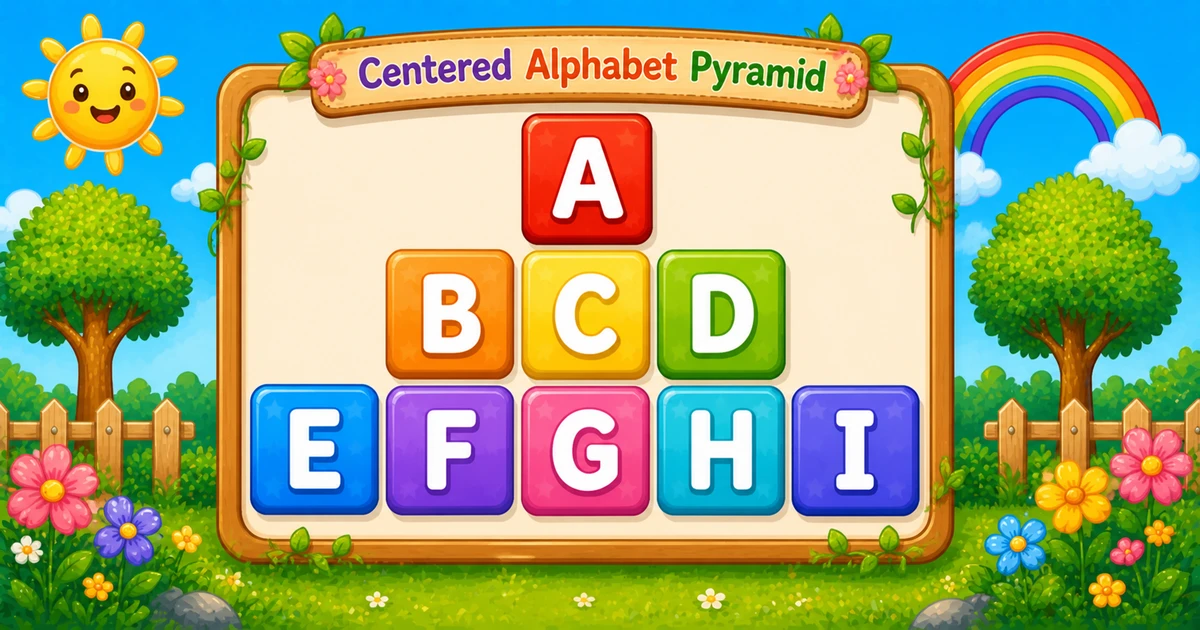
A centered alphabet pyramid prints odd-width rows (1, 3, 5, …) with leading spaces for centering, while letters advance continuously across the whole triangle — A, then B C D, then E F G H I.
Remember
Rule: pad spaces + next odd count of letters (running k)

    A
  B C D
E F G H I     ← 3 rows (bottom width 5)
Unlike Program 14 (each row restarts at A), here one counter walks the alphabet across every row. Leading spaces keep each line under the widest bottom row.
Approach
How to Solve It
Step odd row widths, pad with spaces, then print the next letters from a running counter.
Method
Idea
Best for
Scan columns
Inner loop walks bottom width; print space or next letter
Learning one-loop centering
Explicit pad
Separate pad loop, then letter loop
Clearer reading; row-count input
Pseudocode
Pseudocode
k = 'A'
width = 2 * rows - 1
for i from 1 to width step 2:
    for j from width down to 1:
        if j > i:
            print space
        else:
            print k and a space
            k = next letter
    print newline
Each space and each letter (often with a trailing space)
print()
Ends the current line
After the column scan / letter loop
Print pads and letters without a newline, then end the row once.
Try it
Live Preview
Change the row count and the centered pyramid updates instantly — including bottom width and letter totals.
Whole numbers from 1 to 5. Bottom width is 2 × rows - 1; total letters equal rows² (stays within A–Y).
Live result3 rows · width 5 · 9 letters
    A
  B C D
E F G H I
Trace
Worked Walkthrough — rows = 3 (width 5)
Trace each odd width, how many pads print, and which letters the running counter emits.
Row
Width i
Pads
Letters
Printed row
1
1
4
A
A
2
3
2
B C D
B C D
3
5
0
E F G H I
E F G H I
Total letters: 1 + 3 + 5 = 9 = 3². The counter never resets — it keeps climbing past each row.
Code
Python Programs
Three complete programs: fixed width 5, odd-width input(), and an explicit pad-then-letters form. Use View Output to reveal sample results.
Example 1 — Fixed bottom width 5
Hard-coded bounds — ideal for first demos and screenshots.
Python
alpha = "ABCDEFGHIJKLMNOPQRSTUVWXYZ"
k = 0

for i in range(1, 6, 2):
    for j in range(5, 0, -1):
        if j > i:
            print(" ", end="")
        else:
            print(alpha[k] + " ", end="")
            k += 1
    print()
Output
    A
  B C D
E F G H I
How It Works
1. Outer loop steps odd widths.i takes 1, 3, 5 — the letter count for each row.
2. Inner loop scans the bottom width. While j > i, print a pad space; otherwise print the next alphabet letter plus a separator space.
3. Running index.k never resets, so letters flow A → B C D → E F G H I across the pyramid.
Example 2 — Odd Width Input
Read the bottom width as an odd number (like 5 or 7). Prefer try/except ValueError and odd validation in real apps.
Python
raw = input("Enter the bottom width (odd number): ").strip()

try:
    width = int(raw)
except ValueError:
    print("Enter an odd width from 1 to 9.")
else:
    if width < 1 or width % 2 == 0 or width > 9:
        print("Enter an odd width from 1 to 9.")
    else:
        k = ord('A')
        for i in range(1, width + 1, 2):
            for j in range(width, 0, -1):
                if j > i:
                    print(" ", end="")
                else:
                    print(chr(k) + " ", end="")
                    k += 1
            print()
Output (when user enters 5)
Enter the bottom width (odd number): 5
    A
  B C D
E F G H I
How It Works
1. Same centering scan. Only the outer/inner bounds follow width instead of the literal 5.
2. Char counter.k starts at ord('A') and increments after each printed letter.
3. Validate odd width. Reject even values and cap at 9 so total letters stay within A–Y for demos.
Example 3 — Pad Spaces, Then Letters
Often clearer to read: print leading spaces first, then the odd letter count.
Python
rows = 3
width = 2 * rows - 1
k = ord('A')

for row in range(1, rows + 1):
    letters = 2 * row - 1
    pad = width - letters

    for s in range(pad):
        print(" ", end="")

    for L in range(letters):
        print(chr(k), end="")
        if L < letters - 1:
            print(" ", end="")
        k += 1

    print()
Output
    A
  B C D
E F G H I
How It Works
1. Map row → letters. Row r needs 2r - 1 letters and width - letters leading spaces.
2. Two clear loops. First pad, then print letters with separators between them — same visual pyramid as the scan version.
3. Row-count friendly. Driving from rows makes width = 2 * rows - 1 automatic.
Edge Cases & Pitfalls
Check these before calling the solution done.
Even width
Broken pyramid
An even bottom width never lands on a clean 1, 3, 5, … stack. Require an odd positive width.
Reset k
Wrong letters
Do not reset the letter counter each row. Resetting turns this into a different pattern (fresh A on every line).
No pads
Left-aligned triangle
Skipping the space branch left-aligns the odd rows — you lose the centered pyramid look.
print early
Broken row
Call bare print() only after the column scan. Inside the inner loop, each cell lands on its own line.
rows = 1
Single A
Output is just A — a good sanity check.
Past Z
Clamp to 5 rows
Five rows use 25 letters (A–Y). Six rows need 36 — past Z. Cap height or wrap with care.
Analysis
Time and Space Complexity
Program
Time
Extra space
Scan / explicit pad forms
O(r²)
O(1)
Each of r rows scans about 2r columns (or prints O(r) pads and letters). Total letters printed equal r².
Remember
Key Takeaways
Odd widths: outer loop steps 1, 3, 5, … under a matching bottom width.
Center with pads: print spaces while the column is outside the current row width.
Running counter: one k walks the alphabet across every row — do not reset it.
Complexity:O(r²) time because total letters equal r²; O(1) extra space.
One line: for each odd width, pad spaces then print the next letters from a continuous counter.
Frequently Asked Questions
The inner loop scans a fixed bottom width. While the column index is still outside the current row width, it prints spaces; otherwise it prints the next letter.
The outer loop increases by 2 (1, 3, 5), so each row prints an odd number of letters, forming a pyramid shape.
Increase the maximum odd width (and loop bounds). The number of rows grows as width grows: 1, 3, 5, 7...
They shift each row to the right so the odd-width lines are centered under the widest line.
The trailing space makes columns easier to see. If you want a compact output, print just the letter (or control separators carefully).
print(..., end="") stays on the same line. print() ends the current line. Spaces and letters use end=""; the row break uses print() after the inner scan.
O(r²) for r rows because each row scans a fixed-width set of columns and prints a growing number of characters overall.
Use try/except ValueError around int(input()) and require an odd positive width (1, 3, 5, …). Cap so total letters 1+3+…+width stay within A–Z if you want only alphabetic output.
🤔
Did you know?
This pattern combines two ideas: odd-width rows (i steps by 2) and centering via padding spaces (like star pyramids). Letters flow continuously via one counter — A, then B C D, then E F G H I — while leading spaces keep each row aligned under the widest line.