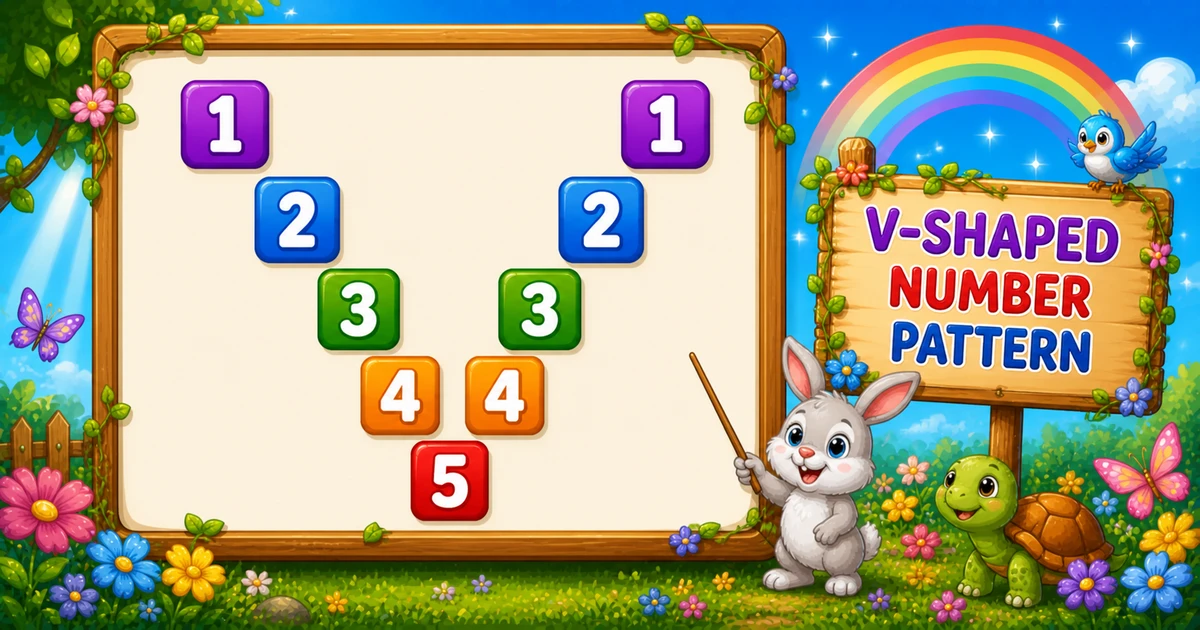
A diagonal mirror number pattern prints digits only on the main diagonal ($i == $j) and the mirror diagonal ($i == $k). Everywhere else is a space — an X shape.
Remember
Rule: for i = 1..n
        left:  if i==j print j else space
        mirror: if i==k print k else space  (k = n-1..1)

1       1
 2     2
  3   3
   4 4
    5         ← n = 5
Unlike Program 52 (palindrome digit runs), here most cells are spaces — only the two diagonals carry values. Program 54 continues with a full diamond diagonal pattern.
Approach
How to Solve It
For each row, walk the left half with $i == $j, then the mirror half with $i == $k. End each row with echo PHP_EOL.
Method
Idea
Best for
Fixed n
Hard-code size; $i==$j / $i==$k
Labs and demos
CLI input
Same logic; read $n at runtime
Interactive practice
Star diagonals
Print * instead of the digit
Visual X-shape practice
Pseudocode
Pseudocode
for i from 1 to n:
    for j from 1 to n:
        if i == j: print j
        else: print space
    for k from n-1 down to 1:
        if i == k: print k
        else: print space
    print newline
Cheat sheet
Goal
Pattern
Set size
$n = 5;
Main diagonal
if ($i == $j) echo $j; else echo " ";
Mirror half
for ($k = $n - 1; $k >= 1; $k--)
Mirror hit
if ($i == $k) echo $k; else echo " ";
End the row
echo PHP_EOL;
Star variant
Echo "*" instead of $j / $k
Printing Numbers vs Starting a New Line
API
Effect
Use for
echo $j / echo " "
Stays on the same line
Each digit or space in both halves
echo PHP_EOL
Ends the current line
After both halves finish
Build the full row with echo, then break once.
Try it
Live Preview
Change n and the diagonal mirror pattern updates instantly.
Whole numbers from 3 to 9. Tap a chip or type a value — the preview redraws as you go.
Live resultn = 5 · width = 9
1       1
 2     2
  3   3
   4 4
    5
Trace
Worked Walkthrough
Trace $n = 5 — where each digit lands on the main and mirror diagonals.
$i
Main ($j)
Mirror ($k)
Printed row
1
$j=1 → 1
$k=1 → 1
1 1
2
$j=2 → 2
$k=2 → 2
2 2
3
$j=3 → 3
$k=3 → 3
3 3
4
$j=4 → 4
$k=4 → 4
4 4
5
$j=5 → 5
(none)
5
Row 5 has no mirror hit because $k only goes down to 1 from $n − 1 — the diagonals already meet in the left half.
Code
PHP Programs
Three complete programs: fixed $n = 5, CLI input, and star diagonals. Use View Output for sample results.
Example 1 — Fixed $n = 5
Hard-coded size — left loop with $i == $j, mirror loop with $i == $k.
1. Same positions. Still use $i == $j and $i == $k to choose which cells light up.
2. Different glyph. Print * instead of $j or $k — the X shape stays the same.
3. Same width. Each row is still 2n − 1 characters.
Edge Cases & Pitfalls
Check these before calling the solution done.
k from n
Doubled center
Starting the mirror loop at $k = $n reprints the middle column. Always start at $n − 1.
missing spaces
Collapsed X
Skipping the else echo " " branch packs digits together and destroys the diagonal shape.
PHP_EOL inside
echo PHP_EOL inside an inner loop
That splits the X across lines. Call echo PHP_EOL only after both halves finish.
n = 1
Single digit
Output is just 1 — the mirror loop does not run.
n ≤ 0
Empty output
The outer loop never runs. Guard interactive input with $n >= 1.
multi-digit
$n > 9
echo 10 prints two characters and breaks column alignment. Labs usually stick to 1–9.
Analysis
Time and Space Complexity
Program
Time
Extra space
Fixed / input / star (Examples 1–3)
O(n²)
O(1)
There are n rows, and each row checks about 2n − 1 cells, so total work is O(n²).
Remember
Key Takeaways
Rule: print on $i==$j (left) and $i==$k (mirror); spaces everywhere else.
Mirror start:$k = $n − 1 avoids reprinting the center column.
echo vs PHP_EOL: digits and spaces stay on the line; echo PHP_EOL advances after both halves.
Next step: Program 54 builds a full diamond from diagonal hits.
One line: light up $i==$j and $i==$k; fill the rest with spaces for an X.
Frequently Asked Questions
For $i=1, $i==$j prints 1 on the main diagonal and $i==$k prints 1 on the mirror diagonal when $k=1.
At $i=$n, both diagonals meet at the same position in the left half, so only one digit appears. The mirror loop never hits $k=$n.
Starting at $n would duplicate the center column. $k = $n-1 down to 1 mirrors without repeating the middle.
Yes. Use a variable $n — both inner loops run with the same diagonal conditions.
Replace the printed digit with * when $i==$j or $i==$k — see Example 3.
Each row has 2*$n-1 character positions — $n for the left half and $n-1 for the mirror half.
echo stays on the same line for each digit or space. echo PHP_EOL ends the row after both halves finish.
O(n²) for n rows. Each row checks O(n) cells in two loops.
Use trim(fgets(STDIN)) and is_numeric($input) before casting to int.
🤔
Did you know?
Row $i prints the number on the main diagonal ($i == $j) and on the mirror diagonal ($i == $k). All other cells are spaces — an X-shaped number pattern.