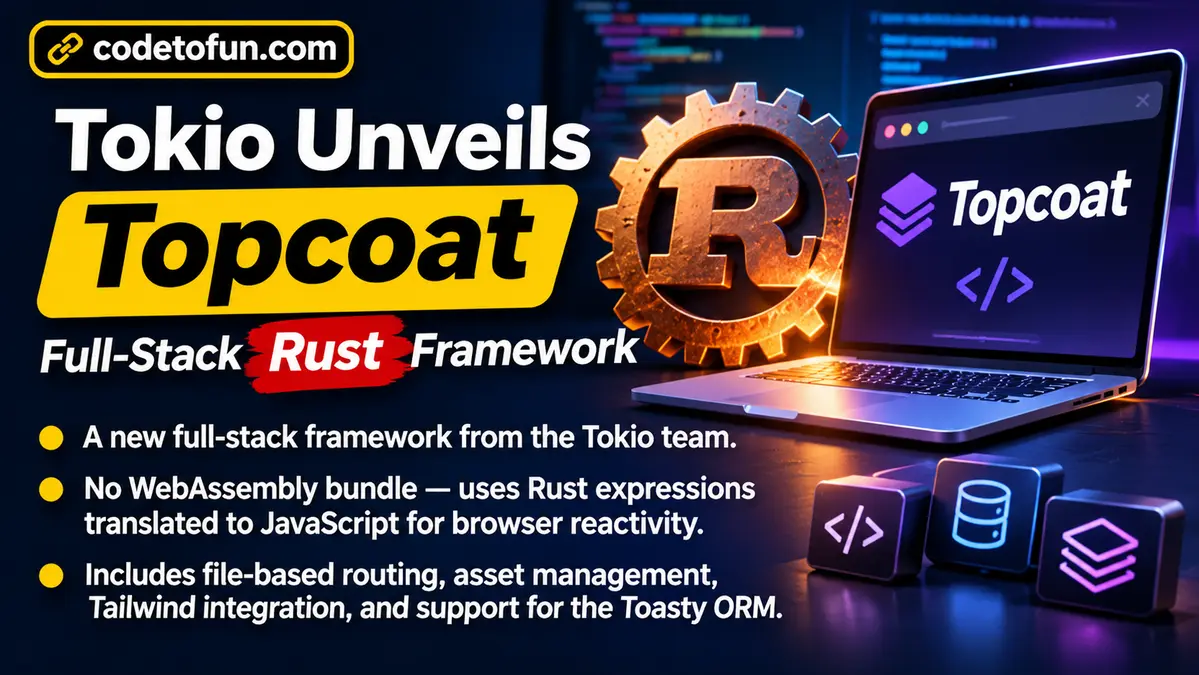
Tokio is the popular toolkit that helps Rust programs handle many network tasks at once. The same project family has now shared Topcoat, a modular full-stack web framework written for Rust. Full-stack means one project can cover both the pages users see and the server logic behind them.
Topcoat left private development with a public GitHub repository, a v0.9 release, blog posts about its direction, and a package on crates.io under the MIT licence. API docs are also available on docs.rs.
What is Topcoat in simple words?
A web framework is a ready-made structure for building websites and apps, so you do not invent every piece from scratch. Topcoat wants to feel like the big “batteries-included” tools many developers know from other languages—closer to Rails, Django, or Laravel than to a tiny micro-library.
Important design choice: Topcoat keeps rendering on the server. The server builds the HTML first. When the page needs to feel lively in the browser, Topcoat uses typed Rust snippets—not a separate React-style client app compiled to WebAssembly (WASM). WASM is a way to run other languages in the browser; Topcoat’s pitch is that you can skip that heavy client bundle for many everyday apps.
Who it is for: Tokio creator Carl Lerche has said Topcoat targets common browser apps that talk to a database—not giant design tools like Figma. Think everyday product dashboards and CRUD sites.
Main features in the first public release
The view! macro
Topcoat includes a view! macro so you can mix HTML markup with Rust control flow in one place. A macro is a special Rust feature that writes or reshapes code for you. In practice, you describe the page structure while staying inside Rust’s type checks.
Routing from the file tree
Routes can follow the project’s folders and files. That is called module-based or file-based routing: the shape of your project helps decide which URL opens which page, instead of listing every path by hand.
Assets with content-hashed URLs
An asset pipeline prepares files such as scripts and styles for the browser. Content-hashed URLs put a fingerprint in the file name when content changes, which helps browsers fetch fresh files after a deploy without stubborn old cache.
Tailwind without Node.js
Tailwind CSS is a popular way to style pages with small utility class names. Topcoat integrates Tailwind in a way that does not require a Node.js install for that styling path—useful for teams that want to stay in the Rust toolchain. If you are learning web styling basics, our CSS tutorial still helps with the underlying ideas.
Toasty ORM for data
Topcoat points toward tighter use of Toasty, an async ORM. An ORM (object-relational mapper) is a library that helps your app talk to a database with code instead of only raw SQL. Toasty is described as handling migrations and database access in the same Rust workspace. For a document-database learning path on CodeToFun, see MongoDB—different database style, same “app needs a data layer” lesson.
How $(...) reactivity works
One headline idea is the $(...) expression. These are normal, type-checked Rust fragments. Topcoat:
- runs them on the server for the first HTML response, and
- also turns them into JavaScript so they can re-run quickly in the browser.
That means small interactive bits can update without shipping a full WASM client. When an update must go back to the server, developers can mark a component with #[shard]. Topcoat re-renders that shard on the server when its $(...) inputs change, then swaps the new HTML into the page.
The overall feel is closer to tools such as HTMX or Phoenix LiveView than to a classic JavaScript SPA built like React. You still think in HTML pieces and server truth, not a giant client state tree.
"Oh man I'd love a nice full stack framework in Rust! Django, Laravel, and Rails are very neat. … Getting to use the Rust type system with a full stack web framework sounds incredible."
Commenter on Hacker News, reacting to Topcoat
Topcoat UI: copy-in components
Topcoat also ships Topcoat UI, a component library inspired by shadcn/ui. Components are copied into your project with a topcoat ui CLI command. CLI means command-line interface—commands you type in a terminal. Because the code lands in your repo, teams can edit look and behaviour instead of only wrapping a sealed package.
Where Topcoat sits in the Rust web world
Rust already has UI-focused options such as Leptos and Dioxus that lean on compiling Rust to WASM. Other projects, including Loco.rs and Cot, chase Django-like productivity with ORMs and admin ideas. Topcoat overlaps that productivity goal, while its cross-compiled $(...) model is a different reactivity story from the WASM-first UI frameworks.
Compared with everyday Node.js and Express stacks many web tutorials teach, Topcoat asks teams to stay in Rust end to end—handy if you already use Rust for services or performance-critical work and do not want a second language for the website.
Stability note: Topcoat is still in the 0.x series, so APIs can change. The team says it will publish release notes for each version and migration guidance when needed. Near-term roadmap items discussed publicly include authentication, background jobs, static export, and deeper Toasty integration (tracked on GitHub issue 104).
What It Means for Developers
Topcoat is not just another crate name. It changes how a Rust team might build a normal database-backed website: one language, server-first HTML, and lighter browser updates.
What It Means for Full-Stack Developers
If you usually split work between a Rust API and a separate front-end app, Topcoat invites a single workspace. File-based routing, hashed assets, UI components, and ORM plans all sit closer together. You may spend less time wiring CORS, duplicate validation, and two deploy pipelines—and more time learning Topcoat’s macros, shards, and 0.x upgrade notes.
- Prototype CRUD apps in Rust without standing up a separate SPA build.
- Keep shared types for forms and database models in one codebase.
- Expect migration guides when you bump versions during the rapid 0.x period.
What It Means for Backend Developers
Backend engineers already comfortable with Tokio and Rust services get a path to ship HTML UIs without leaving their ecosystem. Shards that re-render on the server feel familiar if you have built HTMX-style endpoints: the server remains the source of truth.
- Model pages and partial updates as server handlers, not only JSON APIs.
- Watch Toasty and migrations as the data story matures.
- Plan auth and background jobs from the public roadmap before promising those features in production.
What It Means for Frontend Developers
Frontend specialists used to React or similar libraries will notice a different contract. Interactivity starts from server HTML and small $(...) expressions, not from a WASM or npm SPA by default. Topcoat UI’s “copy the component into the repo” approach will feel familiar to shadcn users.
- Practice thinking in HTML fragments and server round-trips, similar to HTMX workflows.
- Use Tailwind utilities without requiring a Node-based front-end toolchain for that path.
- Customize vendored UI components directly when design needs diverge from defaults.
What It Means for Web Developers
Web developers who teach or learn stacks through HTML, CSS, and JavaScript can treat Topcoat as another way to assemble those same browser building blocks—generated and refreshed with Rust on the server. It does not replace learning the web platform; it changes which language owns the templates and update logic.
What It Means for Software Developers
Teams already invested in Rust for infrastructure may finally have a more integrated option for the “boring” business web app beside the services they already run. The trade-off is early-framework risk: exciting demos, incomplete Django-like surface area today, and a need to read every release note.
What to watch next
A few practical checkpoints for anyone evaluating Topcoat:
- Getting started pathFollow the project’s Getting started guide or manual setup from the public docs and repository.
- Roadmap deliveryAuthentication, jobs, static export, and Toasty depth will decide how “batteries-included” it feels day to day.
- 0.x upgradesBudget time for migrations while the API is still moving.
Bottom line
Tokio has introduced Topcoat as a public, MIT-licensed, full-stack Rust web framework. Version 0.9 highlights server-rendered pages, $(...) expressions that also become JavaScript, shard updates, file-based routing, hashed assets, Tailwind without Node.js, and a shadcn-inspired UI kit, with Toasty ORM integration on the path ahead.
For developers, the promise is simple: build ordinary database-driven web apps in Rust without a separate front-end language—while remembering that Topcoat is still early, fast-moving, and aimed at everyday apps rather than the largest interactive design products on the web.