JavaScript Number Triangle Pattern (Repeated Digits)
Beginner
5 min read
Updated: Sep 2026
3 programs
Live preview
Definition
What Is This Pattern?
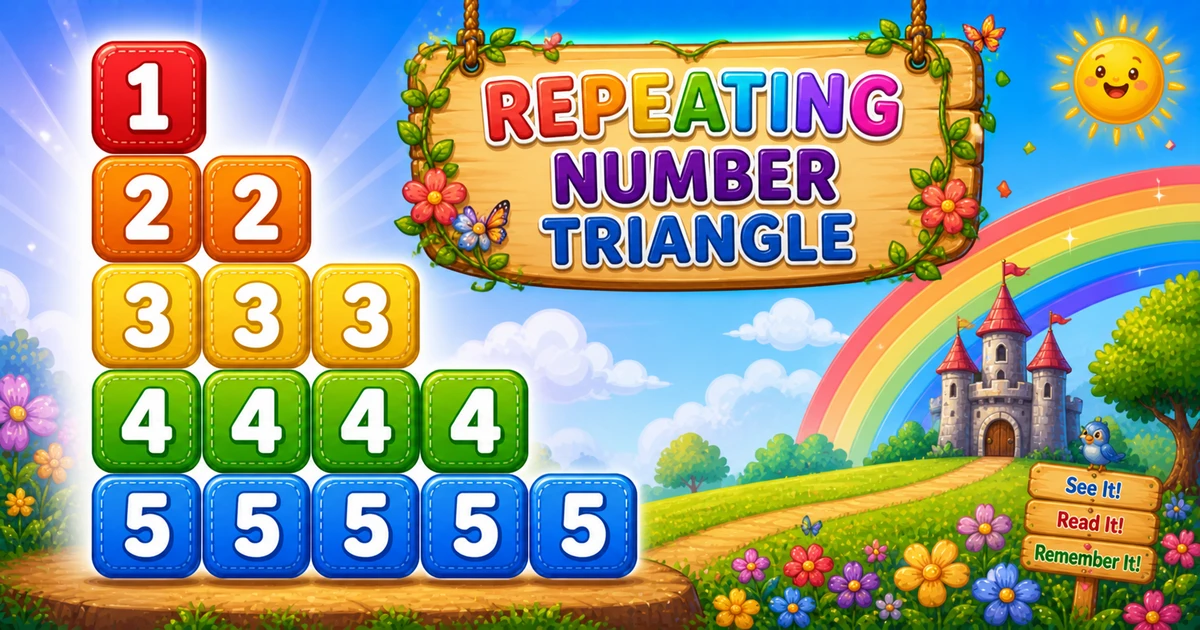
A repeating number triangle logs the row index i exactly i times on each row — 1, 22, 333, 4444, and so on.
Remember
Rule: for i from 1 to rows
        for j from 1 to i: append i (no space)

1
22
333
4444
55555     ← rows = 5
Follows the reverse left-growing triangle in Program 8; next is the descending repeating triangle in Program 10.
Approach
How to Solve It
Outer loop picks the digit i. Inner loop runs i times and appends i each time — not j.
Method
Idea
Best for
Append i in the inner loop
Outer i = 1..rows; inner j = 1..i; append i
Learning, interviews, exams
Spaced digits
line += i + " " instead of line += i
Easier reading on each row
Pseudocode
Pseudocode
for i from 1 to rows:
    line = ""
    for j from 1 to i:
        line += i
    print line
Cheat sheet
Goal
Pattern
Pick each row
for (let i = 1; i <= rows; i++)
Repeat digit
for (let j = 1; j <= i; j++) line += i;
End of row
console.log(line);
Spaced form
line += i + " ";
vs Program 5
5 appends j; 9 appends i — same loop bounds
Printing Numbers vs Starting a New Line
API
Effect
Use for
line += i
Stays on the same row
Each repeated digit on the row
console.log(line)
Ends the current row
After the inner loop finishes
Append digits without a newline, then end the row once.
Try it
Live Preview
Change the row count and the repeating triangle updates instantly — capped at 9 for readable single-digit demos.
Whole numbers from 1 to 9. Tap a chip or type a value — the preview redraws as you go.
Live resultrows = 5 · 15 digits
1
22
333
4444
55555
Trace
Worked Walkthrough
Trace rows = 5 — the inner loop count equals the digit being appended.
i
Inner runs
Prints
1
1 time
1
2
2 times
22
3
3 times
333
5
5 times
55555
Total digits = n(n+1)/2 → O(n²). The key mistake to avoid: appending j instead of i.
Code
JavaScript Programs
Three complete programs: fixed rows = 5, prompt input, and a compact rows = 3 demo. Use View Output for samples, or Try It Yourself to edit and run live.
Example 1 — Fixed rows = 5
Hard-coded height — append i inside the inner loop, not j.
JavaScript
const rows = 5;

for (let i = 1; i <= rows; i++) {
  let line = "";
  for (let j = 1; j <= i; j++) {
    line += i;
  }
  console.log(line);
}
1. Outer picks the digit.i is both the row index and the value to repeat.
2. Inner repeats it.j only controls how many times — it is never appended.
3. Newline. Call console.log(line) only after the inner loop finishes the row.
Example 2 — User Input Rows
Read rows with prompt, validate, then run the same nested loops.
JavaScript
const rows = parseInt(prompt("Enter the number of rows:"), 10);

if (!Number.isFinite(rows) || rows <= 0) {
  console.log("Please enter a positive integer.");
} else {
  for (let i = 1; i <= rows; i++) {
    let line = "";
    for (let j = 1; j <= i; j++) {
      line += i;
    }
    console.log(line);
  }
}
2. Trace on paper. If you accidentally append j, row 3 becomes 123 (Program 5) — not 333.
3. Scale up next. Once the small demo is clear, use Examples 1–2 for five rows or user input.
Edge Cases & Pitfalls
Check these before calling the solution done.
append j
Got Program 5 instead
If you append j instead of i, you get 1, 12, 123… Always append the outer variable.
i = rows..1
Descending repeats
Counting the outer loop down gives Program 10’s shape (5, 44, 333…). Keep outer 1..rows here.
log inside
Broken rows
If console.log sits inside the inner loop, each digit lands on its own line. Call it only after the row finishes.
rows = 1
Single digit
Output is just 1 — a good sanity check for input validation.
rows > 9
Multi-digit width
Digits 10+ make tight rows hard to read. Cap demos at 9 or switch to spaced i + " ".
Bad input
Validate parseInt
Check Number.isFinite(rows) && rows > 0 before the loops.
Analysis
Time and Space Complexity
Program
Time
Extra space
Fixed / compact (Examples 1, 3)
O(n²)
O(1)
User input (Example 2)
O(n²)
O(1)
Total digits appended = 1 + 2 + … + n = n(n+1)/2 → O(n²) time. Only a few loop variables are needed.
Remember
Key Takeaways
Append i, not j: outer picks the digit; inner only counts repeats.
Same bound as Program 5:j = 1..i, but the appended value is i.
Break the row:line += i in the inner loop; console.log(line) after it.
Complexity:O(n²) time from n(n+1)/2 digits; O(1) extra space.
One line: for each i, append i exactly i times, then log the line.
Frequently Asked Questions
A repeating number triangle: row 1 shows 1, row 2 shows 22, row 3 shows 333, and so on until row n shows the digit n repeated n times.
The inner loop appends the current row number i each time. It runs i times, so i is repeated i times on that row.
When i = 4, the inner loop runs 4 times and appends 4 each time.
Program 8 logs descending digits rows..i (5, 54, 543). Program 9 repeats the row digit i times (1, 22, 333).
Program 5 logs 1..i ascending per row. Program 9 appends i repeated i times — same inner bound, different append value.
line += appends digits on the same row. console.log(line) ends the row after the inner loop finishes.
Change rows or read it from user input with prompt() and parseInt — see Example 2.
Yes — make the outer loop count down from rows to 1 while keeping inner 1..i (Program 10).
O(n²) for n rows because total appends are 1 + 2 + ... + n = n(n+1)/2.
Use parseInt with Number.isFinite after prompt(). Bare parseInt(prompt()) returns NaN on bad input.
🤔
Did you know?
Each row repeats the row number i exactly i times — outer i runs 1..rows, inner j appends i on every iteration — producing 1, 22, 333, and so on. Total appends grow as O(n²).