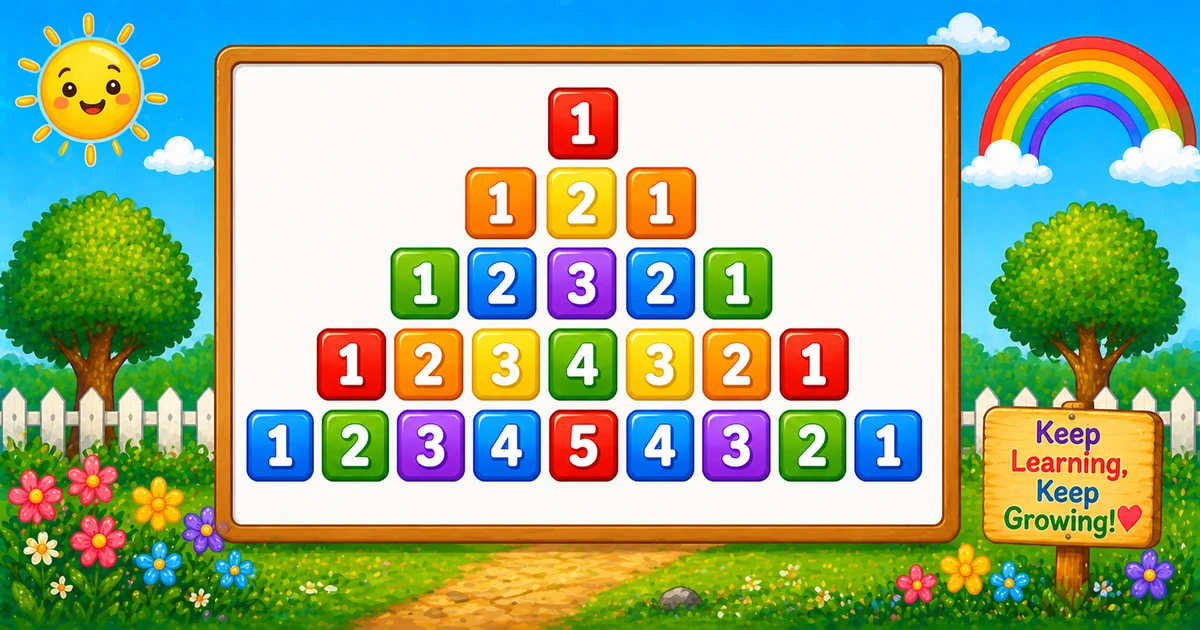
Unlike Program 55 (column-wise grid), this prints digits directly — row i has 2i - 1 numbers.
Approach
How to Solve It
Leading space pairs center the row; ascending then descending halves build the palindrome.
Method
Idea
Best for
Spaces + two halves
(rows-i) space pairs, then 1..i, then i-1..1
Classic pyramid demos
Compact
Same logic with fewer rows (e.g. 3)
Quick dry-runs
Pseudocode
Pseudocode
for i from 1 to rows:
    line = ""
    repeat (rows - i) times:
        append "  "
    for k from 1 to i:        // ascending
        append k + " "
    for k from i-1 down to 1: // descending
        append k + " "
    print line (trim trailing space)
Cheat sheet
Goal
Pattern
Outer (rows)
for (let i = 1; i <= rows; i++)
Leading spaces
for (let s = 0; s < rows - i; s++) line += " ";
Ascending half
for (let k = 1; k <= i; k++) line += k + " ";
Descending half
for (let k = i - 1; k >= 1; k--) line += k + " ";
End the row
console.log(line.trimEnd());
Digits on row i
2 * i - 1
Printing Numbers vs Starting a New Line
API
Effect
Use for
line += …
Stays on the same row
Spaces and each digit
console.log(line)
Ends the current row
After both halves finish
Append without a newline, then end the row once.
Try it
Live Preview
Change the height and the palindromic pyramid updates instantly.
Whole numbers from 1 to 9. Tap a chip or type a value — the preview redraws as you go.
Live resultrows = 5 · 25 digits
        1
      1 2 1
    1 2 3 2 1
  1 2 3 4 3 2 1
1 2 3 4 5 4 3 2 1
Trace
Worked Walkthrough
Trace three rows when rows = 5 — spaces, ascending, then descending.
Row i
Space pairs
Ascend
Descend
Printed row
1
4
1
(none)
1
3
2
1 2 3
2 1
1 2 3 2 1
5
0
1..5
4..1
1 2 3 4 5 4 3 2 1
Descending starts at i - 1 so the peak digit is never printed twice.
Code
JavaScript Programs
Three complete programs: fixed rows = 5, prompt input, and a compact rows = 3 demo. Use View Output for samples, or Try It Yourself to edit and run live.
Example 1 — Fixed rows = 5
Space pairs for centering, then ascend 1..i, then descend i-1..1.
JavaScript
const rows = 5;

for (let i = 1; i <= rows; i++) {
  let line = "";

  for (let s = 0; s < rows - i; s++) {
    line += "  ";
  }

  for (let k = 1; k <= i; k++) {
    line += k + " ";
  }

  for (let k = i - 1; k >= 1; k--) {
    line += k + " ";
  }

  console.log(line.trimEnd());
}
1. Center with space pairs. Append " " exactly rows - i times so upper rows sit farther right.
2. Ascend to the peak. Loop k = 1..i — for i = 3 that appends 1 2 3.
3. Descend without repeating the peak. Loop k = i-1..1 appends 2 1 → full row 1 2 3 2 1.
Example 2 — User Input Rows
Read rows with prompt and validate before drawing.
JavaScript
const rows = parseInt(prompt("Enter number of rows:"), 10);

if (!Number.isFinite(rows) || rows < 1) {
  console.log("Please enter a positive integer.");
} else {
  for (let i = 1; i <= rows; i++) {
    let line = "";

    for (let s = 0; s < rows - i; s++) {
      line += "  ";
    }

    for (let k = 1; k <= i; k++) {
      line += k + " ";
    }

    for (let k = i - 1; k >= 1; k--) {
      line += k + " ";
    }

    console.log(line.trimEnd());
  }
}
1. Prompt and validate. Use parseInt and require rows >= 1.
2. Same three-part core. Only the source of rows changes — spaces, ascend, descend match Example 1.
3. Entering 4. Sixteen digits total (sum of odd counts 1+3+5+7), base row 1 2 3 4 3 2 1.
Example 3 — Compact rows = 3
Same spaces + palindrome logic with fewer rows for a quick visual check.
JavaScript
const rows = 3;

for (let i = 1; i <= rows; i++) {
  let line = "";

  for (let s = 0; s < rows - i; s++) {
    line += "  ";
  }

  for (let k = 1; k <= i; k++) {
    line += k + " ";
  }

  for (let k = i - 1; k >= 1; k--) {
    line += k + " ";
  }

  console.log(line.trimEnd());
}