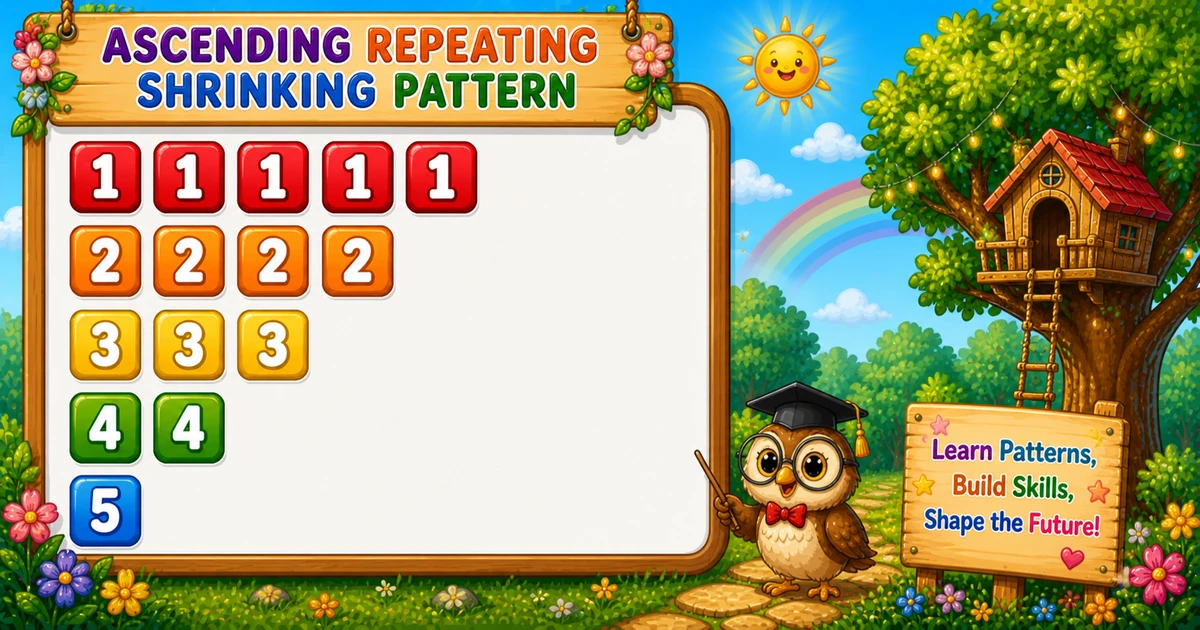
A shrinking repeating pattern starts wide and shortens as the digit grows — 11111, 2222, 333, 44, 5.
Remember
Rule: for i = 1 to n
        print i, (n − i + 1) times

11111
2222
333
44
5         ← n = 5
Twin of Program 9 (1, 22, 333): same ascending digit, but the repeat count shrinks instead of growing.
Approach
How to Solve It
Count the digit up from 1; on each row, append that digit n − i + 1 times.
Method
Idea
Best for
Nested loops
Outer i = 1..n; inner j = i..n
Learning, interviews
prompt input
Same loops; read n at runtime
Interactive practice
String.repeat
String(i).repeat(n − i + 1)
Shorter demos
Pseudocode
Pseudocode
for i from 1 to n:
    line = ""
    for j from i to n:
        line += i
    print line (with newline)
Cheat sheet
Goal
Pattern
Set size
const n = 5;
Outer loop
for (let i = 1; i <= n; i++)
Inner loop
for (let j = i; j <= n; j++) line += i;
End row
console.log(line);
Repeat count
n - i + 1
Shortcut
console.log(String(i).repeat(n - i + 1));
Printing Numbers vs Starting a New Line
API
Effect
Use for
line += i
Stays on the same row
Each repeated digit
console.log(line)
Ends the line
After the inner loop
Build the row with +=, then break once with console.log. Putting console.log inside the inner loop prints one digit per line.
Try it
Live Preview
Change n and the shrinking repeating pattern updates instantly.
Whole numbers from 1 to 9. Tap a chip or type a value — the preview redraws as you go.
Live resultn = 5 · digits = 15
11111
2222
333
44
5
Trace
Worked Walkthrough — n = 3
Trace each outer value of i and how many times it is printed.
i
Repeats n−i+1
Printed row
1
3× print 1
111
2
2× print 2
22
3
1× print 3
3
As i rises, the inner loop starts later — fewer copies of a larger digit.
Code
JavaScript Programs
Three complete programs: fixed n = 5, prompt input, and a String.repeat shortcut. Use View Output for sample results, or Try It Yourself to edit and run in the playground.
Example 1 — Fixed n = 5
Hard-coded height — outer picks digit; inner controls how many times to print it.
JavaScript
const n = 5;

for (let i = 1; i <= n; i++) {
  let line = "";
  for (let j = i; j <= n; j++) {
    line += i;
  }
  console.log(line);
}
1. Outer loop.i runs from 1 to n — the digit for that row.
2. Inner loop.j runs from i to n, so line += i runs n − i + 1 times.
3. Newline.console.log(line) after the inner loop prints the row and starts the next one.
Example 2 — prompt Input
Read n at runtime with prompt and parseInt.
JavaScript
const n = parseInt(prompt("Enter the number of rows:"), 10);

if (!Number.isFinite(n) || n < 1) {
  console.log("Please enter a positive integer.");
} else {
  for (let i = 1; i <= n; i++) {
    let line = "";
    for (let j = i; j <= n; j++) {
      line += i;
    }
    console.log(line);
  }
}
2. Build the row.String(i).repeat(n − i + 1) creates the repeated digit string.
3. Print and advance.console.log prints that string and ends the line.
Edge Cases & Pitfalls
Check these before calling the solution done.
log inside
Vertical digits
If console.log is inside the inner loop, each digit lands on its own line. Append with +=; log only after the inner loop.
print(j)
Wrong digits
Appending j instead of i prints a sequence, not a repeated digit.
j = 1..i
Program 9 shape
Using j = 1..i instead of j = i..n yields 1, 22, 333 — that is Program 9.
n = 1
Single digit
Output is just 1 on one line.
n ≤ 0
Empty output
The outer loop never runs. Guard prompt input with n >= 1.
NaN input
Validate parseInt
Letters or empty prompt yield NaN — check Number.isFinite(n) && n >= 1.
Analysis
Time and Space Complexity
Program
Time
Extra space
Examples 1–2
O(n²)
O(n) for the current line string
String.repeat (Example 3)
O(n²)
O(n) per temporary row string
Total digits printed: n + (n−1) + … + 1 = n(n+1)/2 → still O(n²).
Remember
Key Takeaways
Rule: outer i = 1..n; print i exactly n − i + 1 times.
Vs Program 9: digit grows; repeat count shrinks.
Write vs log:line += i builds; console.log(line) breaks.
Complexity:O(n²) for n rows.
One line: walk the digit up from 1, and print it one fewer time on each new row.
Frequently Asked Questions
The inner loop runs from j = i to n. As i increases (1, 2, 3, …), the inner loop runs fewer times, so each row prints fewer copies of the row digit.
On the first row, i = 1 and the inner loop runs from 1 to n, so it prints 1 exactly n times — five 1s when n = 5.
line += i stays on the same row while building digits. console.log(line) prints the completed row and adds a newline.
Program 11 counts down and repeats digit i exactly i times (55555, 4444, 333). Program 12 counts up and repeats digit i exactly n − i + 1 times (11111, 2222, 333, 44, 5).
O(n²) where n is the number of rows. Total digit appends equal n+(n−1)+…+1 = n(n+1)/2.
Yes. console.log(String(i).repeat(n − i + 1)) prints a full row in one call. Nested loops are better for learning; String.repeat is a handy shortcut later.
Use parseInt(prompt(...), 10) and check Number.isFinite(n) && n >= 1 so bad input does not produce NaN.
The outer loop never runs, so nothing is printed. Validate and prompt again if you want a clear user message.
🤔
Did you know?
Row digit i repeats n − i + 1 times. The outer loop counts up from 1, while the inner loop runs from i to n, so each row shrinks — still O(n²) total prints.