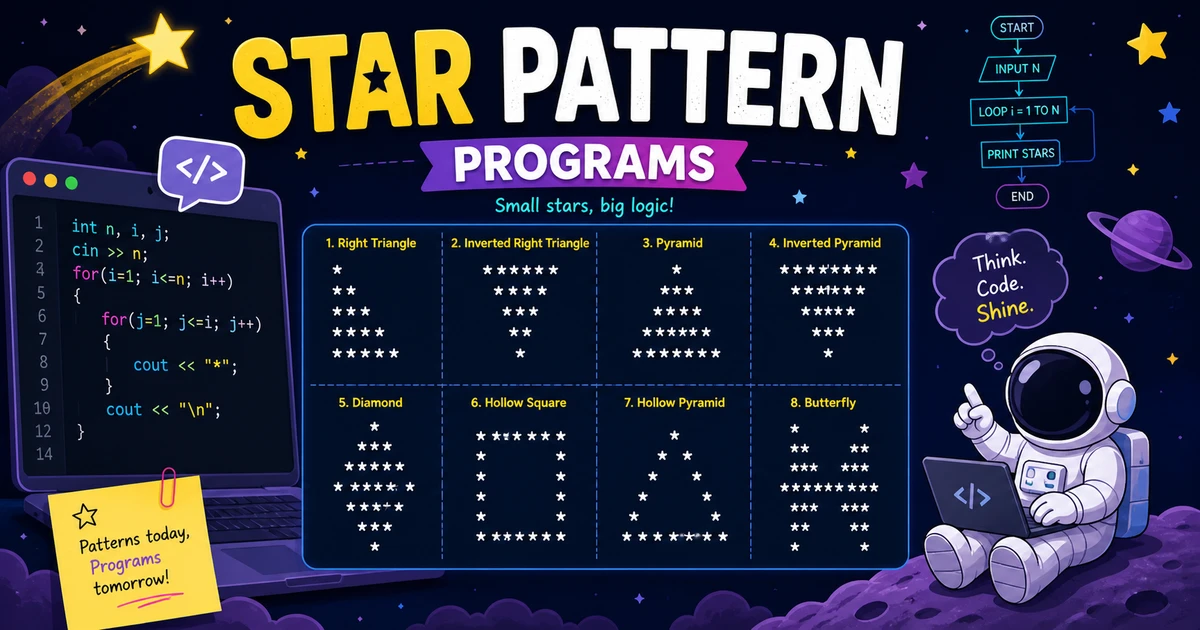
A Java star pattern is a console program that prints '*' in rows. The outer for loop chooses the row. The inner loop prints each star with System.out.print, then System.out.println ends that row.
'*' + 1 is an int. The char is widened before the addition, so System.out.print('*' + 1) writes 43, not another star. "*" + "*" is the string "**", because + concatenates when one operand is a String. "*" + 1 is "*1".
print stays on the row.
System.out.print('*') writes the character and does not end the line. Call System.out.println() once after the inner loop. On Java 11 or newer, "*".repeat(row) builds a solid row in one expression.
Syntax
Java Syntax
The inner loop runs once per star. print keeps those stars on one line, and println comes after that loop.
Java
for (int row = 1; row <= rows; row++) {
    for (int col = 1; col <= row; col++)
        System.out.print('*');   // same row
    System.out.println();        // end the row
}
Reference
How Java Prints a Star
Map each part of the console shape to a Java value or call.
Piece
Java
What it does
Star
System.out.print('*')
Writes the character and stays on the row
Run of stars
"*".repeat(n)
A string of n stars (Java 11+)
Indent
" ".repeat(n)
n spaces
Char +
'*' + 1
The int 43
String +
"*" + 1
The string "*1"
New row
System.out.println()
Ends the row
Edge only
print(col == 1 || col == width ? '*' : ' ')
A hollow row
Code
Java Examples
Three programs. Each one changes only the Java that chooses how many stars to print, and where the spaces go.
Example 1 — One star per inner-loop pass
Row 1 prints one star. Each later row prints one more, because the inner loop stops at row.
Java
public class StarTriangle {
    public static void main(String[] args) {
        int rows = 5;
        for (int row = 1; row <= rows; row++) {
            for (int col = 1; col <= row; col++)
                System.out.print('*');
            System.out.println();
        }
    }
}
Output
*
**
***
****
*****
How It Works
The outer loop walks row from 1 to 5.
System.out.print('*') writes the character and stays on the row.
System.out.println() after the inner loop starts the next row.
Example 2 — Print the whole row with repeat
Count row down from 5. One println writes every star and the newline.
Java
public class StarRepeat {
    public static void main(String[] args) {
        int rows = 5;
        for (int row = rows; row >= 1; row--)
            System.out.println("*".repeat(row));
    }
}
Output
*****
****
***
**
*
How It Works
"*".repeat(row) returns the stars as one String. It needs Java 11 or newer.
println writes that string and ends the row, so the inner loop is not needed.
row-- makes each later line one star shorter.
Example 3 — Join the spaces and the stars
" ".repeat builds the indent. "*".repeat builds an odd run of stars. + joins the two strings.
Java
public class StarPyramid {
    public static void main(String[] args) {
        int rows = 5;
        for (int row = 1; row <= rows; row++) {
            String spaces = " ".repeat(rows - row);
            String stars = "*".repeat(2 * row - 1);
            System.out.println(spaces + stars);
        }
    }
}
Output
    *
   ***
  *****
 *******
*********
How It Works
Row 1 builds 4 spaces and 1 star. Row 5 builds 0 spaces and 9 stars.
+ concatenates two Strings. '*' + 1 would be the int 43.
println writes the joined line and ends the row.
Programs
11 Java Star Pattern Programs
Each card is a full Java program: nested for loops, System.out.print('*') or "*".repeat, and println. Open one for the walkthrough.
In Java, '*' + 1 is an int. The char is widened before the addition, so the sum is 43 and print writes those digits. System.out.print('*') writes the character. "*" + 1 is different: one operand is a String, so the result is "*1".
System.out.print('*') stays on the same row. System.out.println() ends the row. Call println once after the inner loop. If println sits inside the inner loop, each star lands on its own line.
Yes, on Java 11 or newer, when the row is a solid run of stars. System.out.println("*".repeat(row)) writes that row and the newline in one call. Use the inner loop when the row mixes spaces and stars, or when only the edges should be stars.
System.out.println(" ".repeat(rows - row) + "*".repeat(2 * row - 1)) builds the indent and the stars as one string. println adds the newline. Row 1 has one star; each later row adds two.