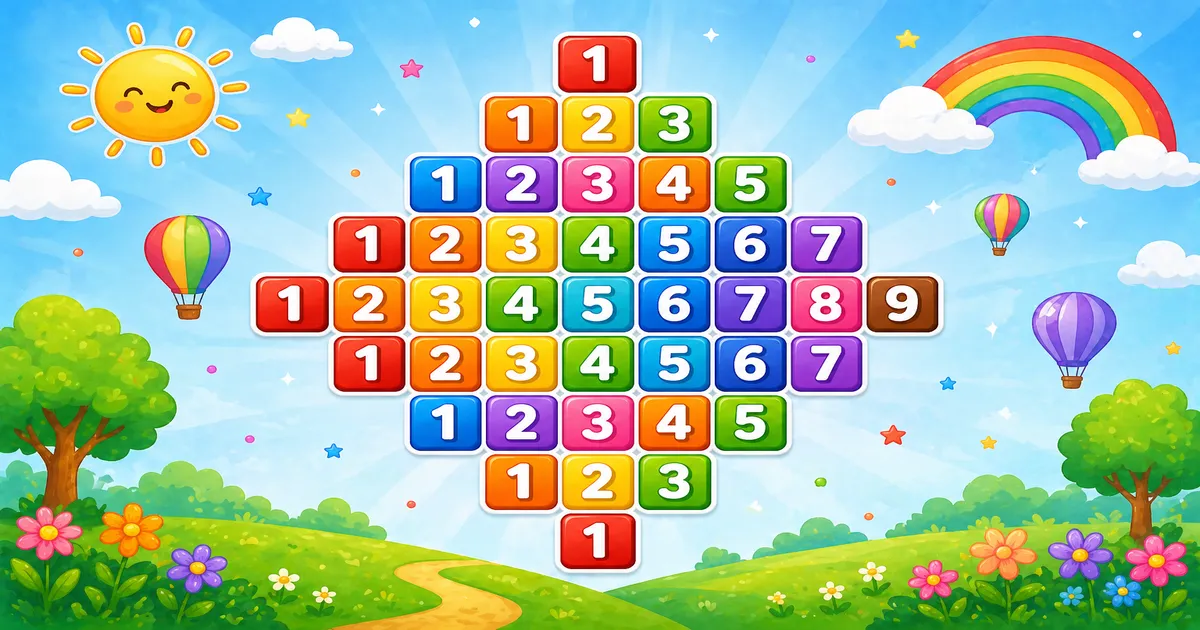
A number diamond prints odd-width digit rows (1, 123, 12345, …) centered with leading spaces, then mirrors the top half downward.
Remember
Rule: top i = 1..rows, then bottom i = rows-1..1
      print (rows - i) spaces, then digits 1..(2*i-1)

    1
   123
  12345
 1234567
123456789
 1234567
  12345
   123
    1     ← rows = 5
Unlike Program 43 (one right-aligned triangle), here a second loop mirrors the pyramid into a full diamond.
Approach
How to Solve It
Build the top half with odd digit counts, then run the same row logic from rows − 1 down to 1.
Method
Idea
Best for
Two outer halves
Grow i = 1..rows, then shrink i = rows-1..1
Learning, interviews, exams
Spaced digits
Same shape; print k + " " and wider indent
Readable demos when digits climb
Pseudocode
Pseudocode
for i from 1 to rows:          // top
    print (rows - i) spaces
    for k from 1 to 2*i - 1:
        print k
    print newline
for i from rows - 1 down to 1: // bottom
    print (rows - i) spaces
    for k from 1 to 2*i - 1:
        print k
    print newline
Cheat sheet
Goal
Pattern
Top half
for (int i = 1; i <= rows; i++)
Bottom half
for (int i = rows - 1; i >= 1; i--)
Leading spaces
for (int j = i; j < rows; j++) print(" ")
Odd digits
for (int k = 1; k < i * 2; k++) print(k)
End the row
System.out.println();
Printing Numbers vs Starting a New Line
API
Effect
Use for
System.out.print
Stays on the same line
Spaces and each digit
System.out.println
Ends the current line
After spaces and digits finish
Print values without a newline, then end the row once.
Try it
Live Preview
Change the half-height and the number diamond updates instantly.
Whole numbers from 2 to 5 (widest row stays within single digits). Tap a chip or type a value — the preview redraws as you go.
Live resultrows = 5 · 9 lines
    1
   123
  12345
 1234567
123456789
 1234567
  12345
   123
    1
Trace
Worked Walkthrough — rows = 5, top row i = 3
Trace spaces and digits for one top-half row, then note how the bottom half mirrors.
Part
Detail
Spaces
rows − i = 2 leading spaces
Digits
k = 1..5 (2*i − 1) → 12345
Printed
12345
Mirror
Bottom half reprints the same row when i = 3 again
Total lines for half-height n = 2n − 1 (the middle row is printed once).
Code
Java Programs
Three complete programs: fixed rows = 5, Scanner input, and a spaced-digit diamond. Use View Output to reveal sample results.
Example 1 — Fixed rows = 5
Hard-coded size — top half then mirrored bottom half.
Java
public class NumberDiamondPattern {
    public static void main(String[] args) {
        int rows = 5;

        for (int i = 1; i <= rows; i++) {
            for (int j = i; j < rows; j++)
                System.out.print(" ");
            for (int k = 1; k < i * 2; k++)
                System.out.print(k);
            System.out.println();
        }

        for (int i = rows - 1; i >= 1; i--) {
            for (int j = rows; j > i; j--)
                System.out.print(" ");
            for (int k = 1; k < i * 2; k++)
                System.out.print(k);
            System.out.println();
        }
    }
}
Output
    1
   123
  12345
 1234567
123456789
 1234567
  12345
   123
    1
How It Works
1. Top half.i grows from 1 to rows; digit count is 2*i − 1.
2. Center.rows − i spaces push shorter rows to the middle.
3. Bottom half. The second loop shrinks i from rows − 1 to 1 — same spaces and digits.
When i = 5: nine digits → 123456789. When i = 1 (bottom): four spaces + 1.
Example 2 — Size Input
Read rows at runtime. Same two-half core.
Java
import java.util.Scanner;

public class NumberDiamondPatternInput {
    public static void main(String[] args) {
        Scanner sc = new Scanner(System.in);
        System.out.print("Enter the number of rows: ");
        int rows = sc.nextInt();
        if (rows < 1) return;

        for (int i = 1; i <= rows; i++) {
            for (int j = i; j < rows; j++)
                System.out.print(" ");
            for (int k = 1; k < i * 2; k++)
                System.out.print(k);
            System.out.println();
        }

        for (int i = rows - 1; i >= 1; i--) {
            for (int j = rows; j > i; j--)
                System.out.print(" ");
            for (int k = 1; k < i * 2; k++)
                System.out.print(k);
            System.out.println();
        }
        sc.close();
    }
}
Output (when user enters 5)
Enter the number of rows: 5
    1
   123
  12345
 1234567
123456789
 1234567
  12345
   123
    1
How It Works
1. Prompt and guard. Read rows; exit early if it is less than 1.
2. Same core. Only the source of rows changes from a literal to user input.
3. Safer input tip. Prefer:
Safer input
if (!sc.hasNextInt()) {
    System.out.println("Enter a positive integer.");
    return;
}
int rows = sc.nextInt();
if (rows < 1) {
    System.out.println("Enter a positive integer.");
    return;
}
Example 3 — Spaced Digits
Same diamond — digits separated by spaces, with wider indent pairs.
Java
public class SpacedNumberDiamond {
    public static void main(String[] args) {
        int rows = 3;

        for (int i = 1; i <= rows; i++) {
            for (int j = i; j < rows; j++)
                System.out.print("  ");
            for (int k = 1; k < i * 2; k++)
                System.out.print(k + " ");
            System.out.println();
        }

        for (int i = rows - 1; i >= 1; i--) {
            for (int j = rows; j > i; j--)
                System.out.print("  ");
            for (int k = 1; k < i * 2; k++)
                System.out.print(k + " ");
            System.out.println();
        }
    }
}
Output
    1
  1 2 3
1 2 3 4 5
  1 2 3
    1
How It Works
1. Same structure. Top and bottom halves are unchanged.
2. Wider cells. Indent uses " "; each digit prints as k + " ".
3. Why space? Digits stay readable when values grow past 9.
Edge Cases & Pitfalls
Check these before calling the solution done.
println inside
Column of digits
If println is inside the digit loop, each digit lands on its own line. Use print for spaces and digits; println only after the row.
Skip bottom
Pyramid only
Omitting the second outer loop prints a centered pyramid, not a diamond.
Double middle
Repeated widest row
Starting the bottom half at rows instead of rows − 1 prints the middle row twice.
rows > 5
Multi-digit k
When 2*i − 1 > 9, print(k) emits 10, 11, … and the classic single-digit look breaks — prefer Example 3.
rows = 1
Single digit
Output is just 1 — the bottom loop never runs.
Bad input
Use hasNextInt
nextInt() throws on letters — prefer hasNextInt() and require a positive integer.
Analysis
Time and Space Complexity
Program
Time
Extra space
Number diamond (Examples 1–3)
O(n²)
O(1)
Both halves print odd-width rows that grow and shrink with n. Only loop counters are stored.
Remember
Key Takeaways
Rule: each row prints rows − i spaces then digits 1..(2*i − 1).
Two halves: grow to rows, then shrink from rows − 1 to avoid a double middle.
Break the row: call println only after spaces and digits finish.
Complexity:O(n²) time; O(1) extra space.
One line: print centered odd-width digit rows up to rows, then mirror from rows − 1 down to 1.
Frequently Asked Questions
The inner loop runs k from 1 to 2*i-1. As i grows, the count becomes 1, 3, 5, 7, and so on.
Before printing digits, the program prints rows-i leading spaces. Smaller rows get more spaces, so the diamond stays centered.
After the top half (i=1..rows), a second outer loop runs i from rows-1 down to 1 with the same space and digit logic.
On row i=5, k runs while k < 2*i, so k goes 1..9 — nine concatenated digits.
Yes. Print k + " " inside the digit loop — see Example 3. You may need to adjust indentation.
O(n²) for n rows because total printed digits grow with the diamond width across both halves.
Use sc.hasNextInt() before sc.nextInt() so bad input does not throw InputMismatchException.
You get a single centered row with just the digit 1.
🤔
Did you know?
Each row prints digits 1..(2*i-1) concatenated without spaces. Leading spaces center the shape; a second loop mirrors the top half downward.