public class BinaryTriangleStartOne {
public static void main(String[] args) {
int rows = 5;
for (int i = 1; i <= rows; i++) {
for (int j = 1; j <= i; j++) {
System.out.print(j % 2);
}
System.out.println();
}
}
}
Output
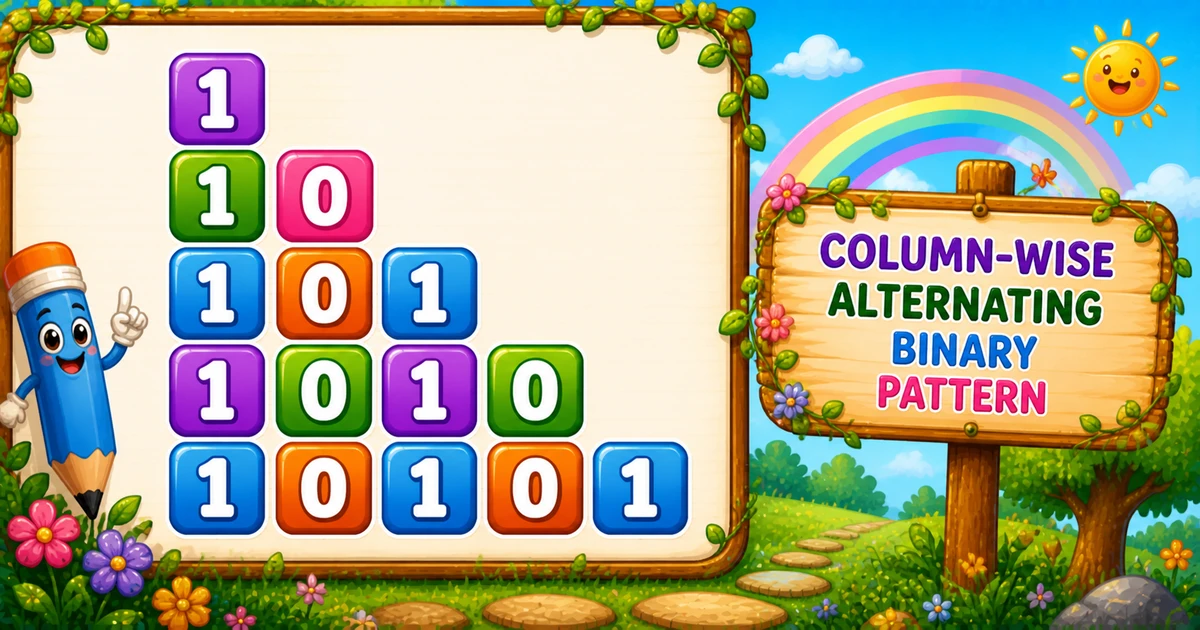
1
10
101
1010
10101
How It Works
1. Outer grows the length.i runs from 1 to rows — that is how many bits each row gets.
2. Inner prints parity ascending.j counts up from 1 to i; j % 2 is the bit.
3. End the row. Call System.out.println() only after the inner loop finishes.
Example 2 — Flip with 1 - (j % 2)
Invert every bit so the first row starts with 0 instead of 1.
Java
public class BinaryTriangleFlipped {
    public static void main(String[] args) {
        int rows = 5;

        for (int i = 1; i <= rows; i++) {
            for (int j = 1; j <= i; j++) {
                System.out.print(1 - (j % 2));
            }
            System.out.println();
        }
    }
}
Output
0
01
010
0101
01010
How It Works
1. Same loop bounds. Outer and inner ranges match Example 1.
2. Flip the bit.1 - (j % 2) turns 1 into 0 and 0 into 1.
3. First row becomes 0. Useful when a lab asks for the complementary binary triangle.
Example 3 — User Input Rows
Read the row count at runtime. Prefer hasNextInt() before nextInt() in real apps.
Java
import java.util.Scanner;

public class BinaryTriangleStartOneInput {
    public static void main(String[] args) {
        Scanner sc = new Scanner(System.in);
        System.out.print("Enter the number of rows: ");
        int rows = sc.nextInt();

        for (int i = 1; i <= rows; i++) {
            for (int j = 1; j <= i; j++) {
                System.out.print(j % 2);
            }
            System.out.println();
        }
        sc.close();
    }
}
Output (when user enters 4)
Enter the number of rows: 4
1
10
101
1010
How It Works
1. Same loop core. Only the source of rows changes from a literal to Scanner.
2. Entering 4 stops early. You get four rows ending at 1010.
3. Validate in real apps. Prefer checking hasNextInt() and requiring a positive height (tip below).
Safer input tip
if (!sc.hasNextInt()) {
    System.out.println("Enter a positive whole number.");
    return;
}
int rows = sc.nextInt();
if (rows < 1) {
    System.out.println("Enter a positive whole number.");
    return;
}
Edge Cases & Pitfalls
Check these before calling the solution done.
Print value
Print j % 2, not j
Printing j reprints a decimal ascending triangle, not binary bits.
Inner direction
Count up with j++
Counting down reprints Program 15 (1, 01, 101, 0101), not this shape.
println inside
Do not put println inside the inner loop
That prints one bit per line and destroys the triangle.
Bad input
Validate with hasNextInt
nextInt() throws on letters — prefer hasNextInt() and require rows >= 1.
Analysis
Time and Space Complexity
Program
Time
Extra space
Binary triangle (Examples 1–3)
O(n²)
O(1)
Bits printed are 1 + 2 + … + n = n(n + 1) / 2 — quadratic in n. Extra memory is only the loop variables.
Leading 1: starting at j = 1 keeps every row opening with an odd bit.
Break the row: call println only after the inner loop finishes.
Complexity:O(n²) time, O(1) extra space.
One line: grow the row, count j up from 1, and print each bit with j % 2.
Frequently Asked Questions
An alternating binary triangle that starts each row with 1: for rows=5 you get 1, 10, 101, 1010, 10101.
Modulo 2 returns the remainder after dividing by 2. Any integer is either even (remainder 0) or odd (remainder 1).
Row 3 prints j = 1, 2, 3 and j % 2 becomes 1, 0, 1 — concatenated as 101.
System.out.print(j % 2) stays on the same line. System.out.println() ends the current line. Digits use print; the row break uses println after the inner loop.
Program 15 counts the inner loop down (1, 01, 101). Program 16 counts up, so every row starts with 1 (1, 10, 101, 1010).
Yes. Print 1 - (j % 2) instead of j % 2 to flip every digit — see Example 2.
O(n²) for n rows because total prints are 1 + 2 + ... + n = n(n+1)/2.
One row prints a single digit 1.
🤔
Did you know?
Each row prints alternating 0 and 1 using j % 2. The inner loop counts up from 1 to i, so every row starts with 1 — still O(n²) total prints.