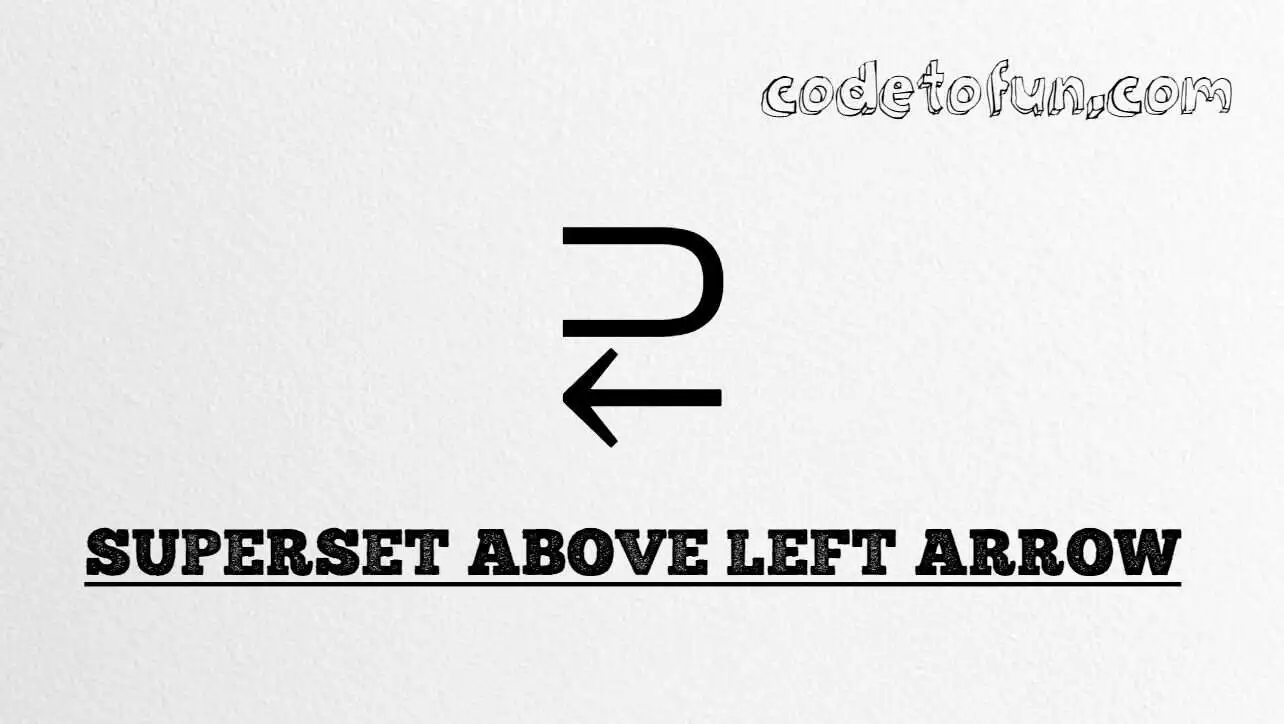
Superset above left arrow (⥻) is the Supplemental Arrows-B character at Unicode U+297B (SUPERSET ABOVE LEFT ARROW). It combines a superset relation with a leftward arrow for set-theory and mapping notation. HTML5 provides the named entity ⥻.
Remember
Character     ⥻
Unicode       U+297B
Named entity  ⥻
Hex entity    ⥻
Decimal       ⥻
CSS escape    \297B
All of these produce the same glyph: ⥻. Prefer ⥻ for readable HTML; paste ⥻ in UTF-8 when convenient.
Using Named Entity: ⥻
Using Hex Code: ⥻
Using HTML Code: ⥻
Using CSS Entity: ⥻
Typed directly: ⥻
Example: A ⥻ B
How It Works
1. Named:⥻ is the clearest HTML form for U+297B.
2. Hex:U+297B → ⥻ in HTML. Same glyph as the named form.
3. Decimal: same code point as 10619 → ⥻. Same result as hex.
4. CSS: use \297B in content (not an HTML entity). #point::after appends that ⥻ after the paragraph text.
5. Typed / example: paste ⥻ in UTF-8, or write A ⥻ B for a short relation example.
Pitfalls & Tips
Common mistakes when working with Superset Above Left Arrow.
⊃
Not plain superset
⊃ (U+2283) is superset of only. ⥻ also includes a left arrow.
←
Not a plain left arrow
← is a simple arrow. Use ⥻ when the superset-plus-arrow glyph is required.
⥹
Not subset above right arrow
⥹ is U+2979. Prefer ⥻ for the superset-above-left form.
Fonts
Arrow font coverage
Some UI fonts omit Supplemental Arrows-B. Prefer a math-capable font for display.
CSS vs HTML
Do not mix escapes
\297B belongs in CSS. ⥻ / ⥻ / ⥻ belong in HTML.
Semicolon
End entity references
Always finish with ; — write ⥻, not &suplarr.
Compatibility
Browser Support
Superset above left arrow (U+297B) and its entity forms (⥻, ⥻, ⥻, CSS \\297B) are supported in all mainstream browsers. Glyph availability depends on the font.
✓ Universal support
Superset Above Left Arrow (⥻)
Prefer ⥻, or encode with hex, decimal, or CSS escape — same glyph everywhere.
100%Browser coverage
Google ChromeSupported
Yes
Microsoft EdgeSupported
Yes
Mozilla FirefoxSupported
Yes
Apple SafariSupported
Yes
OperaSupported
Yes
Internet ExplorerAll versions
Yes
U+297B / entitiesFull support
Bottom line: Prefer ⥻ in HTML. Use ⥻ / ⥻ when a numeric form is required, and \\297B only inside CSS content.
Remember
Key Takeaways
Unicode: this mark is U+297B (decimal 10619) — glyph ⥻.
HTML: prefer ⥻, or ⥻ / ⥻.
CSS: use \297B inside content for generated text.
Meaning:⥻ = superset above left arrow — not plain ⊃, not plain ←.
Use ⥻ (named), ⥻ (hex), ⥻ (decimal), type ⥻ directly in UTF-8, or the CSS escape \297B in content.
U+297B (SUPERSET ABOVE LEFT ARROW). Hex 297B, decimal 10619. It belongs to Supplemental Arrows-B (U+2900–U+297F).
Yes. HTML5 defines ⥻ for this character. It is equivalent to ⥻ and ⥻.
Use it in set theory and formal math when a superset relation is combined with a leftward arrow (mapping / directional implication). Prefer ⊃ for plain superset of (U+2283) and ← for a plain left arrow.
HTML entities (⥻, ⥻, or ⥻) go in markup. The CSS escape \297B goes in stylesheet strings (usually content on ::before/::after).
No. ⥻ is U+297B (superset above left arrow). ⊃ is superset of (U+2283). ← is a plain left arrow (U+2190). This symbol combines both ideas in one glyph.
🤔
Did you know?
Superset above left arrow (⥻) is Unicode U+297B (decimal 10619) — SUPERSET ABOVE LEFT ARROW in Supplemental Arrows-B (U+2900–U+297F). HTML5 provides ⥻. It combines a superset relation with a leftward arrow for set-theory and mapping notation. The related reverse-style symbol is U+2979 (subset above right arrow, ⥹).