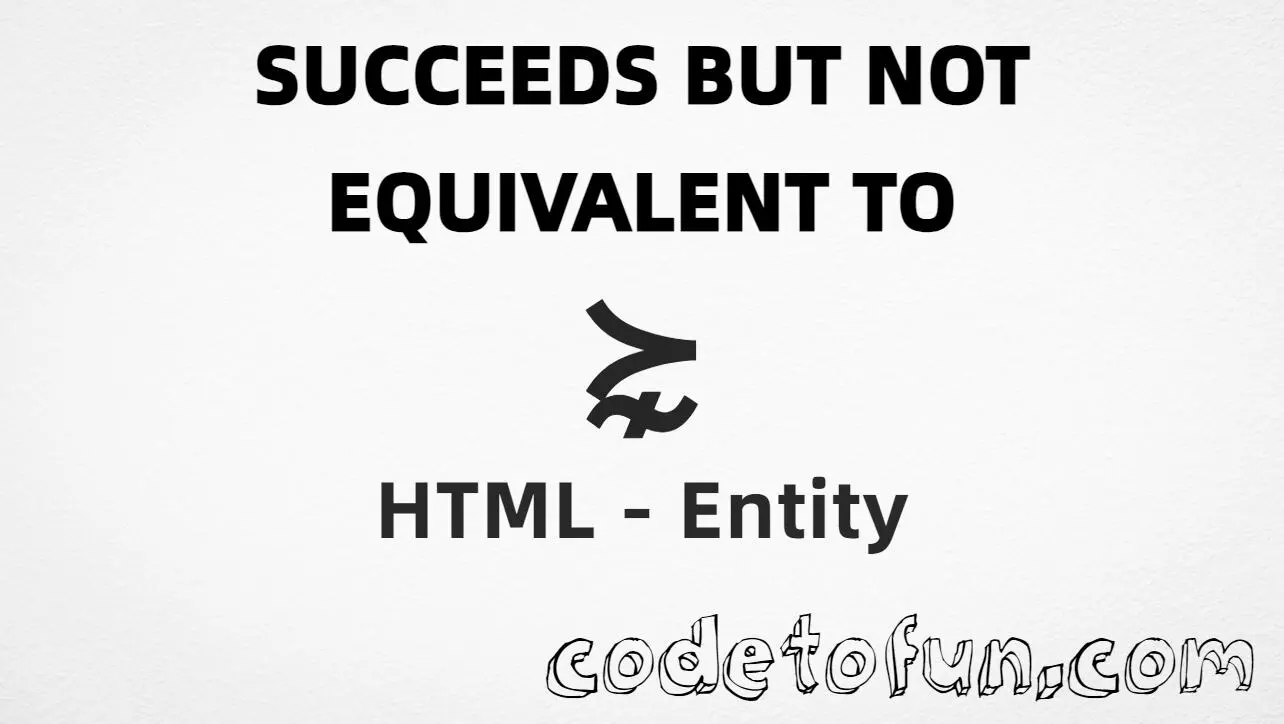
HTML Entity for Succeeds But Not Equivalent To (⋩)
Beginner
6 min read
Updated: Sep 2026
1 example
Unicode U+22E9
Definition
What Is Succeeds But Not Equivalent To?
Succeeds but not equivalent to (⋩) is the Mathematical Operators character at Unicode U+22E9 (SUCCEEDS BUT NOT EQUIVALENT TO). In order theory, a ⋩ b means a strictly succeeds b and they are not equivalent. HTML5 provides the named entity ⋩.
Remember
Character     ⋩
Unicode       U+22E9
Named entity  ⋩
Hex entity    ⋩
Decimal       ⋩
CSS escape    \22E9
All of these produce the same glyph: ⋩. Prefer ⋩ for readable HTML; paste ⋩ in UTF-8 when convenient.
Using Named Entity: ⋩
Using Hex Code: ⋩
Using HTML Code: ⋩
Using Direct Character: ⋩
Using CSS Entity: ⋩
Example: a ⋩ b
How It Works
1. Named:⋩ is the clearest HTML form for U+22E9.
2. Hex:U+22E9 → ⋩ in HTML. Reliable numeric form.
3. Decimal: same code point as 8937 → ⋩. Same glyph.
4. Direct: paste ⋩ in a UTF-8 file with <meta charset="UTF-8">.
5. CSS: use \22E9 in content (not an HTML entity). #point::after appends that ⋩ after the paragraph text.
Pitfalls & Tips
Common mistakes when working with Succeeds But Not Equivalent To.
≻
Not plain succeeds
≻ (U+227B) is the basic succeeds relation. ⋩ adds the “not equivalent” meaning.
≽
Not succeeds or equal
Succeeds or equal to (U+227D) allows equality. This symbol excludes equivalence.
⋨
Not precedes but not equivalent
⋨ (U+22E8 is the reverse relation. a ⋩ b is not the same as a ⋨ b.
Fonts
Math font coverage
Some UI fonts omit Mathematical Operators. Prefer a math-capable font for display.
CSS vs HTML
Do not mix escapes
\22E9 belongs in CSS. ⋩ / ⋩ / ⋩ belong in HTML.
Semicolon
End references
Always finish with ; — write ⋩, not &scnsim.
Compatibility
Browser Support
Succeeds but not equivalent to (U+22E9) and its entity forms (⋩, ⋩, ⋩, CSS \\22E9) are supported in all mainstream browsers. Glyph availability depends on the font.
✓ Universal support
Succeeds But Not Equivalent To (⋩)
Prefer ⋩, or encode with hex, decimal, or CSS escape — same glyph everywhere.
100%Browser coverage
Google ChromeSupported
Yes
Microsoft EdgeSupported
Yes
Mozilla FirefoxSupported
Yes
Apple SafariSupported
Yes
OperaSupported
Yes
Internet ExplorerAll versions
Yes
U+22E9 / entitiesFull support
Bottom line: Prefer ⋩ in HTML. Use ⋩ / ⋩ when a numeric form is required, and \\22E9 only inside CSS content.
Remember
Key Takeaways
Unicode: this mark is U+22E9 (decimal 8937) — glyph ⋩.
Use ⋩ (named), ⋩ (hex), ⋩ (decimal), type ⋩ directly in UTF-8, or the CSS escape \22E9 in content.
U+22E9 (SUCCEEDS BUT NOT EQUIVALENT TO). Hex 22E9, decimal 8937. It belongs to Mathematical Operators (U+2200–U+22FF).
Yes. HTML5 defines ⋩ for this character. It is equivalent to ⋩ and ⋩.
Use it in order theory when a strictly succeeds b and a is not equivalent to b. Prefer ≻ for plain succeeds (U+227B) and ⋨ for the reverse relation (U+22E8).
HTML entities (⋩, ⋩, or ⋩) go in markup. The CSS escape \22E9 goes in stylesheet strings (usually content on ::before/::after).
No. ⋩ is succeeds but not equivalent to (U+22E9). ≻ is succeeds (U+227B). ≽ is succeeds or equal to (U+227D).
🤔
Did you know?
Succeeds but not equivalent to (⋩) is Unicode U+22E9 (decimal 8937) — SUCCEEDS BUT NOT EQUIVALENT TO in Mathematical Operators. HTML5 provides ⋩. It denotes a strict succeeds relation where the elements are not equivalent. Plain succeeds is U+227B (≻); the reverse is U+22E8 (⋨).