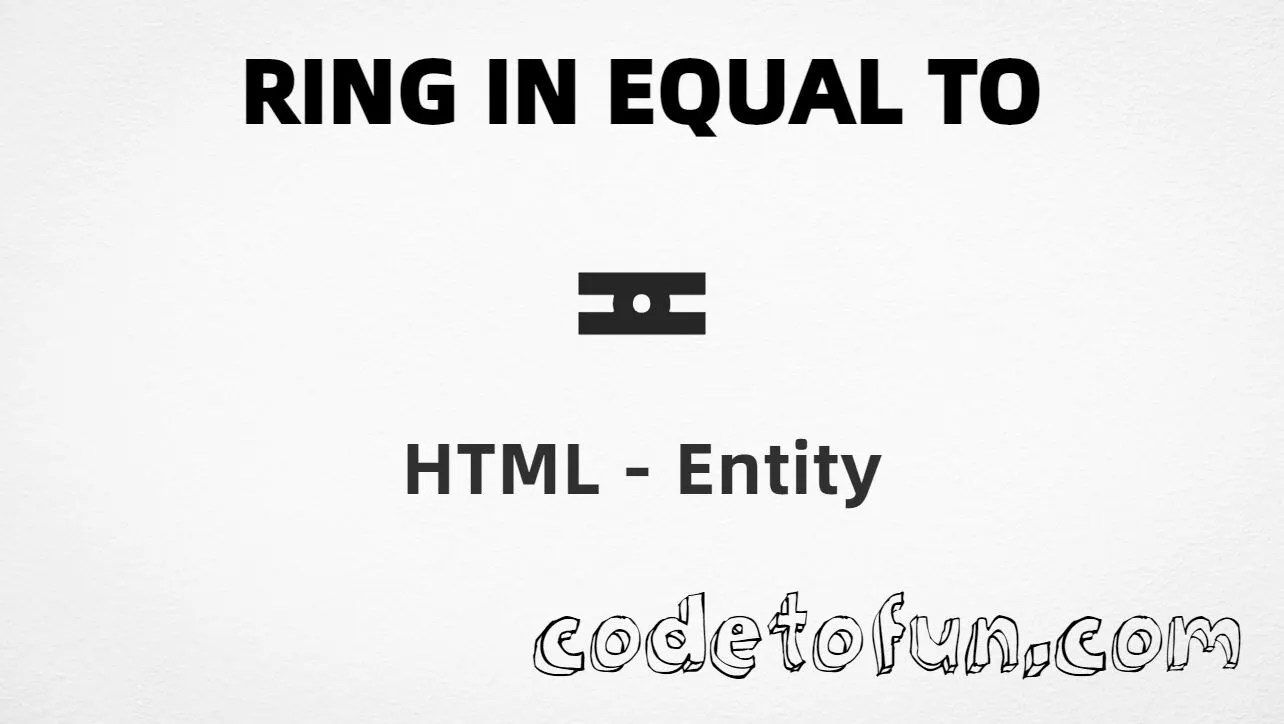
Ring In Equal To (≖) is the Mathematical Operators character at Unicode U+2256 (RING IN EQUAL TO). It is a relation symbol with a ring inside an equals-like form — used in algebra and formal notation.
Remember
Character     ≖
Unicode       U+2256
Hex entity    ≖
Decimal       ≖
Named entity  ≖
CSS escape    \2256
Not the same  ≗ (≗) · = · ∘ (∘)
All of these produce the same glyph: ≖. Prefer ≖ when you want an explicit entity.
Using Hex Code: ≖
Using HTML Code: ≖
Using Named Entity: ≖
Using CSS Entity: ≖
a ≖ b
How It Works
1. Hex:U+2256 → ≖ in HTML. The browser turns it into ≖.
2. Decimal: same code point as 8790 → ≖. Same result as hex.
3. Named:≖ is the HTML5 name for this character.
4. CSS: use \2256 in content (not an HTML entity). #point::after appends that ≖ after the paragraph text.
Pitfalls & Tips
Common mistakes when working with Ring In Equal To.
Look-alikes
≖ ≠ ≗ ≠ =
≖ has a ring in the equals form. ≗ is ring equal to. = is plain equality.
Name
Use ≖ only
Do not invent names such as ≖. The correct named entity is ≖.
Fonts
Math glyph coverage
Specialized operators may be missing in some fonts. Test on your target devices or provide a fallback.
CSS vs HTML
Do not mix escapes
\2256 belongs in CSS. ≖ / ≖ / ≖ belong in HTML.
A11y
Add nearby words
Pair the glyph with letters (for example a ≖ b) or use aria-label when it stands alone.
Semicolon
End references
Always finish with ; — write ≖, not &eqcirc.
Compatibility
Browser Support
Ring In Equal To (U+2256) and its entity forms (≖, ≖, ≖, CSS \\2256) are supported in all modern browsers. Glyph coverage depends on the font.
✓ Universal encoding
Ring In Equal To (≖)
Encode with named, hex, decimal, or CSS escape — or type ≖ directly in UTF-8 HTML.
100%Browser coverage
Google ChromeSupported
Yes
Microsoft EdgeSupported
Yes
Mozilla FirefoxSupported
Yes
Apple SafariSupported
Yes
OperaSupported
Yes
Internet ExplorerIE 9+
Yes*
U+2256 / ≖Full support
Bottom line: Prefer ≖ for readable HTML. Use \\2256 only inside CSS content.
Remember
Key Takeaways
Unicode: this symbol is U+2256 (decimal 8790).
HTML: prefer ≖ — or use ≖ / ≖.
Use ≖ (named), ≖ (hex), ≖ (decimal), or the CSS escape \2256 in the content property. You can also type ≖ directly in UTF-8 HTML.
U+2256 (RING IN EQUAL TO). Hex 2256, decimal 8790. It belongs to the Mathematical Operators block (U+2200–U+22FF).
Yes. ≖ is the HTML5 named entity. You can also use ≖ or ≖. Do not invent names like ≖ for this character.
Use it in algebra and logic when you need a ring-in-equal relation (a ring inside an equals-like operator). Prefer ≖ for readable HTML.
HTML entities (≖, ≖, or ≖) go in markup. The CSS escape \2256 is used in stylesheets (usually in the content property of ::before/::after). Both render ≖.
≗ (U+2257) is RING EQUAL TO — typically a ring above an equals form. = is the ASCII equals sign. ≖ (U+2256) is RING IN EQUAL TO — a ring inside/on the equals form. Different code points and glyphs.
🤔
Did you know?
Ring In Equal To is Unicode U+2256 (decimal 8790) — RING IN EQUAL TO. HTML5 provides ≖. Prefer it for readable source. Do not confuse it with Ring Equal To ≗ (U+2257), the plain equals sign =, or the ring operator ∘ (U+2218).