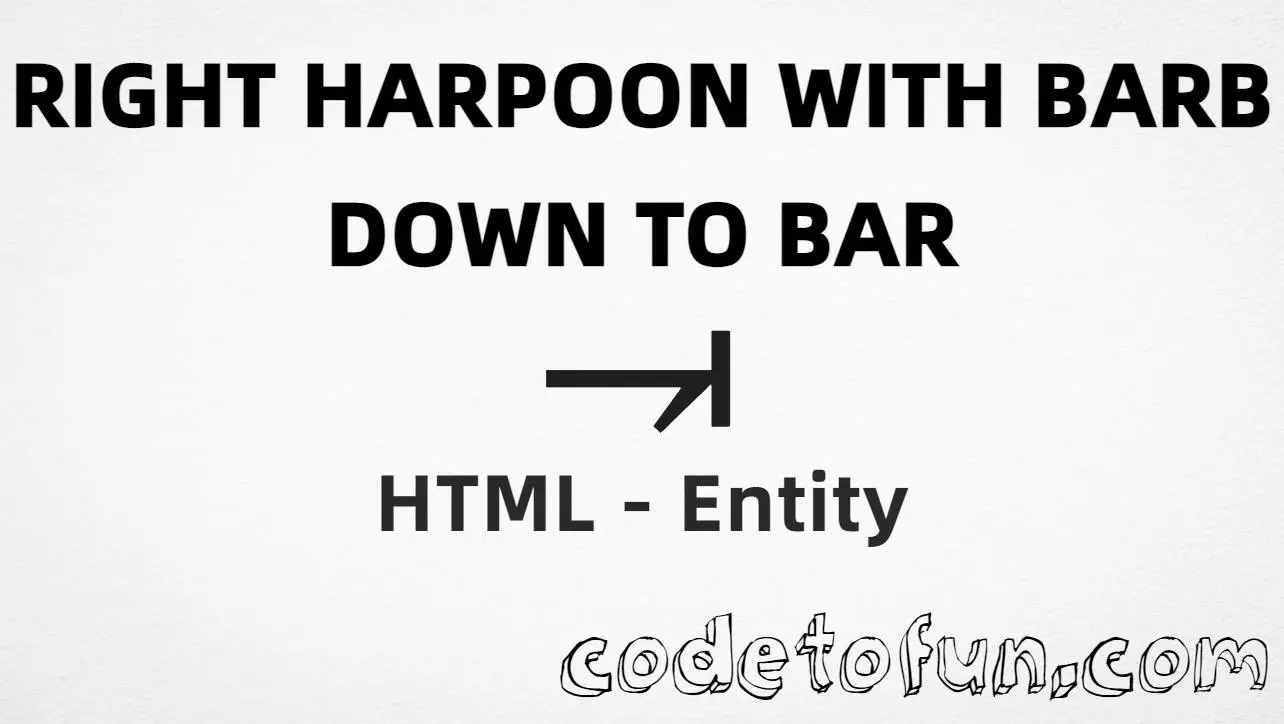
HTML Entity for Right Harpoon With Barb Down To Bar (⥗)
Beginner
5 min read
Updated: Sep 2026
1 example
Unicode U+2957
Definition
What Is the Right Harpoon With Barb Down To Bar Entity?
Right Harpoon With Barb Down To Bar (⥗) is the Supplemental Arrows-B character at Unicode U+2957 (RIGHTWARDS HARPOON WITH BARB DOWN TO BAR). The harpoon ends at a vertical bar, with the barb pointing down.
Remember
Character     ⥗
Unicode       U+2957
Hex entity    ⥗
Decimal       ⥗
Named entity  ⥗
CSS escape    \2957
Not the same  ⥟ (⥟) · ⇁ (⇁) · ⥖ (⥖)
All of these produce the same glyph: ⥗. Prefer ⥗ when you want an explicit entity (names are case-sensitive — write it exactly).
Using Hex Code: ⥗
Using HTML Code: ⥗
Using Named Entity: ⥗
Using CSS Entity: ⥗
f ⥗ g
How It Works
1. Hex:U+2957 → ⥗ in HTML. The browser turns it into ⥗.
2. Decimal: same code point as 10583 → ⥗. Same result as hex.
3. Named:⥗ is the HTML5 name for this character.
4. CSS: use \2957 in content (not an HTML entity). #point::after appends that ⥗ after the paragraph text.
Pitfalls & Tips
Common mistakes when working with Right Harpoon With Barb Down To Bar.
Look-alikes
⥗ ≠ ⥟ ≠ ⇁
⥗ (to bar), ⥟ (from bar), and single ⇁ are different characters.
Name
Match the spelling exactly
Use ⥗. Nearby names like ⥟ and ⥖ map to other points.
Fonts
Glyph may be missing
Supplemental Arrows-B coverage varies. Test on your target devices or provide a fallback font.
CSS vs HTML
Do not mix escapes
\2957 belongs in CSS. ⥗ / ⥗ / ⥗ belong in HTML.
A11y
Add nearby words
Pair the glyph with equation text or use aria-label when it stands alone.
Semicolon
End references
Always finish with ; — write ⥗, not &DownRightVectorBar.
Compatibility
Browser Support
Right Harpoon With Barb Down To Bar (U+2957) and its entity forms (⥗, ⥗, ⥗, CSS \\2957) are supported in all modern browsers. Glyph coverage depends on the font.
✓ Universal encoding
Right Harpoon With Barb Down To Bar (⥗)
Encode with named, hex, decimal, or CSS escape — or type ⥗ directly in UTF-8 HTML.
100%Browser coverage
Google ChromeSupported
Yes
Microsoft EdgeSupported
Yes
Mozilla FirefoxSupported
Yes
Apple SafariSupported
Yes
OperaSupported
Yes
Internet ExplorerIE 9+
Yes*
U+2957 / ⥗Full support
Bottom line: Prefer ⥗ for readable HTML. Use \\2957 only inside CSS content.
Remember
Key Takeaways
Unicode: this symbol is U+2957 (decimal 10583).
HTML: prefer ⥗ — or use ⥗ / ⥗.
Use ⥗ (named), ⥗ (hex), ⥗ (decimal), or the CSS escape \2957 in the content property. You can also type ⥗ directly in UTF-8 HTML.
U+2957 (RIGHTWARDS HARPOON WITH BARB DOWN TO BAR). Hex 2957, decimal 10583. It belongs to the Supplemental Arrows-B block (U+2900–U+297F).
Yes. ⥗ is the HTML5 named entity. You can also use ⥗ or ⥗. Do not confuse it with ⥟ (from bar) or ⥖ (left to bar).
Use it in math and technical notation when you need a rightwards harpoon with barb down that ends at a vertical bar (to-bar). Prefer ⥗ for readable HTML.
HTML entities (⥗, ⥗, or ⥗) go in markup. The CSS escape \2957 is used in stylesheets (usually in the content property of ::before/::after). Both render ⥗.
⥟ (U+295F) is rightwards harpoon with barb down from bar. ⇁ (U+21C1) is a single right harpoon with barb down (no bar). ⥗ (U+2957) ends at a bar.
🤔
Did you know?
Right Harpoon With Barb Down To Bar is Unicode U+2957 (decimal 10583) — RIGHTWARDS HARPOON WITH BARB DOWN TO BAR. HTML5 provides ⥗. Prefer it for readable source. Do not confuse it with ⥟ (U+295F, from bar), ⥖ (U+2956, left mirror), or a plain ⇁ (U+21C1).