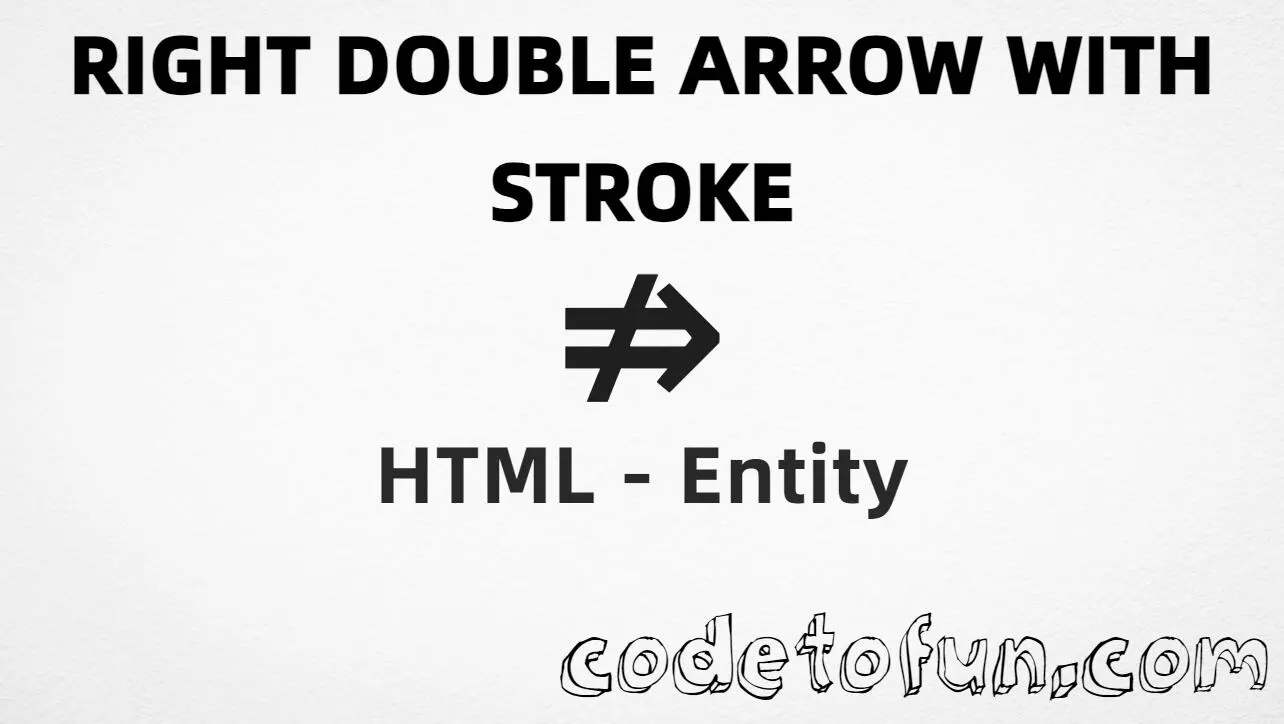
HTML Entity for Right Double Arrow Stroke (⇏)

Beginner
⏱️ 5 min read
📚 Updated: Jun 2026
🎯 1 Code Example
Unicode U+21CF

What You'll Learn

How to display the Right Double Arrow Stroke (⇏) in HTML using the named entity, hexadecimal, decimal, and CSS escape methods. This symbol is U+21CF (RIGHTWARDS DOUBLE ARROW WITH STROKE) in the Arrows block (U+2190–U+21FF)—a right-pointing double arrow with a stroke through it, used in logic (negation), navigation, flow diagrams, and directional indicators.

Render it with ⇏ (named), ⇏, ⇏, or CSS \21CF. The n in ⇏ stands for negation. Related: U+21D2 (⇒, right double arrow / ⇒), U+2907 (⤇, right double arrow from bar).

⚡ Quick Reference — Right Double Arrow Stroke

Unicode U+21CF

Arrows block

Hex Code ⇏

Hexadecimal reference

HTML Code ⇏

Decimal reference

Named Entity ⇏

Negation double arrow

Reference Table
Name           Value
────────────   ──────────
Unicode        U+21CF
Hex code       ⇏
HTML code      ⇏
Named entity   ⇏
CSS code       \21CF
Meaning        Rightwards double arrow with stroke
Related        U+21D2 = right double arrow (⇒)
               U+2907 = right double arrow from bar (⤇)
1

Complete HTML Example

A simple example showing the Right Double Arrow Stroke (⇏) using the named entity, hexadecimal code, decimal HTML code, and a CSS content escape:

html
<!DOCTYPE html>
<html>
<head>
 <style>
  #point:after{
   content: "\21CF";
  }
 </style>
</head>
<body>
<p>Symbol using Hexadecimal: &#x21CF;</p>
<p>Symbol using HTML Code: &#8655;</p>
<p>Symbol using HTML Entity: &nrArr;</p>
<p id="point">Symbol using CSS Entity: </p>
</body>
</html>
Try it Yourself

🌐 Browser Support

The Right Double Arrow Stroke (⇏) renders in modern browsers when the font includes Arrows block glyphs:

Chrome 1+
Firefox 1+
Safari 1+
Edge 12+
Opera 4+
Android 4.4+
iOS Safari 1+

👀 Live Preview

See the Right Double Arrow Stroke (⇏) in logic and navigation contexts:

Logic negation A ⇏ B
Next link Next ⇏
Flow step Step 1 ⇏ Step 2
Large glyph
Arrow comparison ⇒ ⇏ ⤇ ⇢
Entity refs &nrArr; &#x21CF; &#8655; \21CF

🧠 How It Works

1

Named HTML Entity

&nrArr; is the named entity for the Right Double Arrow Stroke (rightwards double arrow with stroke). The n stands for negation—easy to read in logic and navigation markup.

HTML markup
2

Hexadecimal Code

&#x21CF; uses the Unicode hexadecimal value 21CF. The x prefix indicates hexadecimal format.

HTML markup
3

Decimal HTML Code

&#8655; uses the decimal Unicode value 8655 for the same symbol.

HTML markup
4

CSS Entity

\21CF is used in CSS stylesheets in the content property of pseudo-elements like ::after.

CSS stylesheet
=

Same visual result

All four methods produce . Unicode U+21CF is in the Arrows block. Previous: Right Double Arrow From Bar (⤇). Next: Right Double Arrow Tail.

Use Cases

The Right Double Arrow Stroke (⇏) is commonly used in:

📐 Logic

Represent logical negation or non-implication in math and logic notation.

🧭 Navigation

Indicate “next” or “forward” with a distinct stroked double arrow in menus and UI.

📊 Flow diagrams

Show direction or negation in flowcharts and process steps.

📚 Documentation

Point to the next step or “continue” in guides and technical docs.

🎯 Direction

Decorative or functional right double arrow with stroke in buttons, labels, and icons.

🖼 Carousels

Next slide or next item controls in carousels and galleries.

💡 Best Practices

Do

  • Prefer &nrArr; in HTML for readability
  • Pair ⇏ with text (“Next”, “Continue”) or aria-label for accessibility
  • Use fonts that support the Arrows block (U+21CF)
  • Set <meta charset="utf-8">
  • Keep one encoding style per project for consistency
  • Distinguish ⇏ from ⇒ when stroke vs plain double arrow matters

Don’t

  • Confuse &nrArr; (U+21CF) with &rArr; (U+21D2, plain right double arrow)
  • Confuse &nrArr; with &rarr; (U+2192, simple right arrow)
  • Use CSS \21CF inside HTML text nodes
  • Assume ⇏ always means logical negation without context
  • Mix named and numeric entities inconsistently in the same component

Key Takeaways

1

Four ways to render U+21CF in HTML and CSS

&nrArr; &#x21CF; &#8655;
2

For CSS, use \21CF in the content property

3

Unicode U+21CF — RIGHTWARDS DOUBLE ARROW WITH STROKE

4

Arrows block (U+2190–U+21FF) — named entity &nrArr;

❓ Frequently Asked Questions

Use &nrArr; (named), &#x21CF; (hex), &#8655; (decimal), or \21CF in CSS content. All four methods render ⇏ correctly.
U+21CF (RIGHTWARDS DOUBLE ARROW WITH STROKE). Arrows block (U+2190–U+21FF). Hex 21CF, decimal 8655. A right-pointing double arrow with a stroke through it.
In logic and negation notation, navigation and forward links, mathematical or symbolic content, flow diagrams, and any design that needs a right-pointing double arrow with stroke.
Named and numeric HTML references (&nrArr;, &#8655;, &#x21CF;) go in markup. The CSS escape \21CF is used in stylesheets, typically on ::before or ::after. Both produce ⇏.
Yes. &nrArr; is the named HTML entity for U+21CF. The n stands for negation. You can also use &#8655; (decimal) or &#x21CF; (hex) and \21CF in CSS.

Explore More HTML Entities!

Discover 1500+ HTML character references — arrows, symbols, math operators, and more.

All HTML Entities →

About the author

Mari Selvan M P
Mari Selvan M P 🔗

Developer, cloud engineer, and technical writer

  • Experience 12 years building web and cloud systems
  • Focus Full Stack Development, AWS, and Developer Education

I write practical tutorials so students and working developers can learn by doing—from databases and APIs to deployment on AWS.

8 people found this page helpful