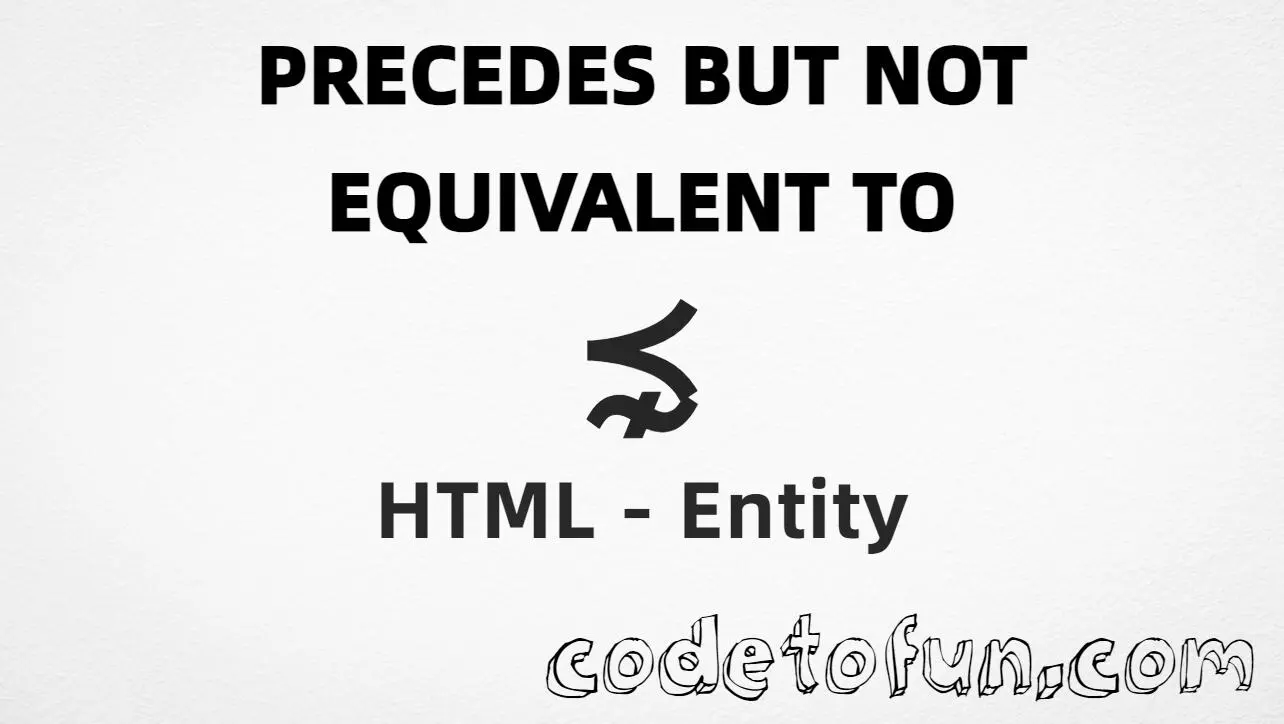
HTML Entity for Precedes But Not Equivalent To (⋠)
Beginner
6 min read
Updated: Sep 2026
1 example
Unicode U+22E8
Definition
What Is Precedes But Not Equivalent To?
Precedes but not equivalent to (⋠) is the Mathematical Operators character at Unicode U+22E8 (PRECEDES BUT NOT EQUIVALENT TO). It means one element precedes another and is not equivalent to it — stronger than plain precedes alone.
Remember
Character     ⋠
Unicode       U+22E8
Hex entity    ⋨
Decimal       ⋨
Named entity  ⋨  (also ⋨)
CSS escape    \22E8
Not the same  ≺ · ≼ · ⋡
All of these produce the same glyph: ⋠. Prefer ⋨ in HTML source for clarity; use hex/decimal when generating entities, and CSS \22E8 only in content.
Precedes but not equivalent to rendered in common math contexts.
Inline matha ⋠ b
Large glyph⋠
Meaninga ⋠ b (precedes, not equivalent)
Compared⋠ | ≺ | ≼ | ⋡
With entitiesHex: ⋨ | Decimal: ⋨ | Named: ⋨
Code
Complete HTML Example
One page that shows this relation with the hex entity, decimal entity, named entity, and CSS escape. Use View Output or open the live editor.
Hex + Decimal + Named + CSS
All four ways to produce ⋠ in a single document.
html
<!DOCTYPE html>
<html lang="en">
<head>
<meta charset="UTF-8">
<title>Precedes But Not Equivalent To (⋠) in HTML</title>
<style>
#point::after {
content: "\22E8";
}
</style>
</head>
<body>
<p>Relation using Hex Code: a ⋨ b</p>
<p>Relation using HTML Code: a ⋨ b</p>
<p>Relation using Named Entity: a ⋨ b</p>
<p id="point">Relation using CSS Entity: a </p>
</body>
</html>
⋡ is U+22E9 (⋩) — succeeds but not equivalent.
CSS vs HTML
Do not mix escapes
\22E8 belongs in CSS. ⋨ / ⋨ / ⋨ belong in HTML.
Semicolon
End references
Always finish with ; — write ⋨, not &prnsim.
Compatibility
Browser Support
Precedes but not equivalent to (U+22E8) and its entity forms (⋨, ⋨, ⋨, CSS \\22E8) are supported in all mainstream browsers when the font includes Mathematical Operators.
✓ Universal support
Precedes But Not Equivalent To (⋠)
Use ⋨, or encode with hex, decimal, or CSS escape — same glyph everywhere fonts support it.
100%Browser coverage
Google ChromeSupported
Yes
Microsoft EdgeSupported
Yes
Mozilla FirefoxSupported
Yes
Apple SafariSupported
Yes
OperaSupported
Yes
Internet ExplorerAll versions
Yes
U+22E8 / entitiesFull support
Bottom line: Prefer ⋨ in HTML for readability. Use ⋨ or ⋨ when encoding must be numeric, and \\22E8 only inside CSS content.
Remember
Key Takeaways
Unicode: this symbol is U+22E8 (decimal 8936) — glyph ⋠.
HTML: prefer ⋨, or use ⋨ / ⋨.
CSS: use \22E8 inside content for generated text.
Use case: precedes and not equivalent — not plain ≺, ≼, or ⋡.
Use ⋨ (named), ⋨ (hex), ⋨ (decimal), or the CSS escape \22E8 in the content property. All render ⋠. Alias: ⋨.
U+22E8 (PRECEDES BUT NOT EQUIVALENT TO). Hex 22E8, decimal 8936. It belongs to the Mathematical Operators block.
Yes. ⋨ is the common named HTML5 entity for ⋠ (also ⋨) and is supported in all modern browsers.
≺ (U+227A, ≺) is strict precedes. ⋠ (U+22E8, ⋨) means precedes but not equivalent — it excludes equivalence between the operands.
HTML entities (⋨, ⋨, or ⋨) go in markup. The CSS escape \22E8 is used in stylesheets (usually in the content property of ::before/::after). Both render ⋠.
No. ⋠ is precedes but not equivalent (U+22E8). ≽ is succeeds but not equivalent (U+22E9, ⋩). ≼ is precedes or equal to (U+227C, ≼).
🤔
Did you know?
Precedes but not equivalent to is Unicode U+22E8 (decimal 8936) — glyph ⋠. HTML5 provides ⋨ (alias ⋨). Prefer the named form for readable math markup. Distinct from strict precedes ≺ (≺, U+227A) and precedes or equal ≼ (≼, U+227C).