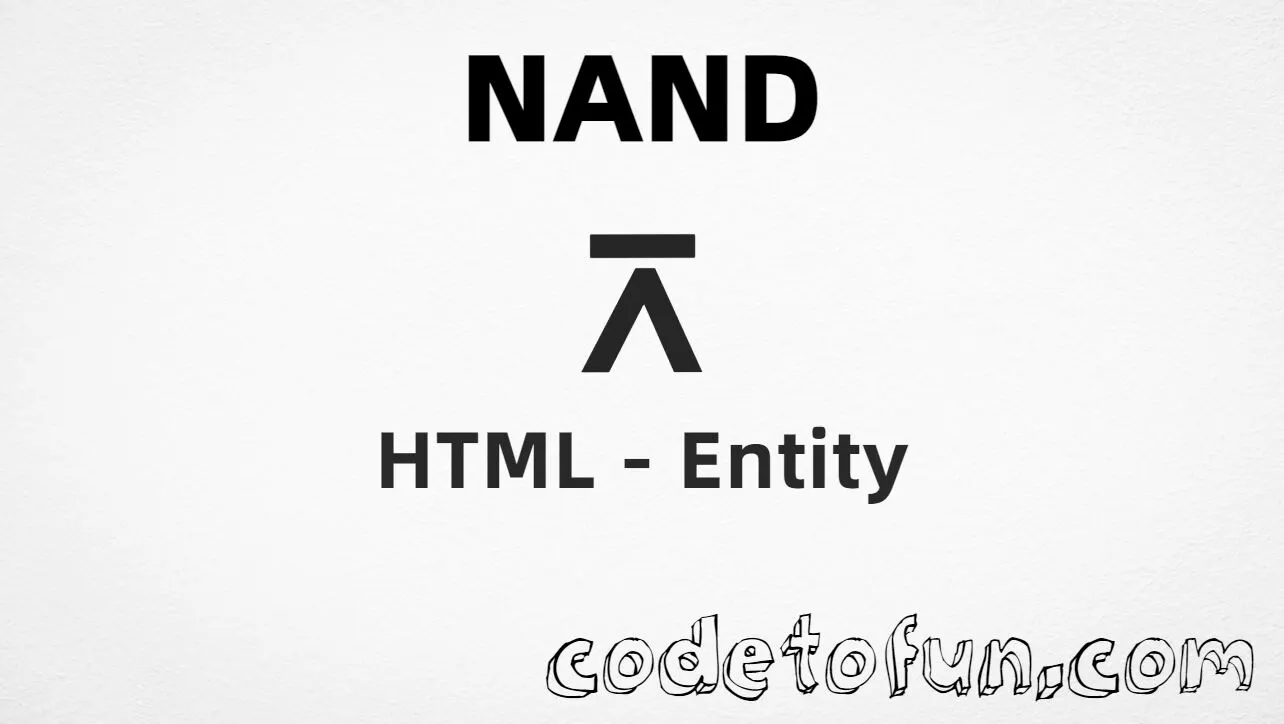
NAND (⊼) is the Sheffer stroke at Unicode U+22BC for the NAND (NOT AND) logical operation. HTML5 has no named entity — use ⊼ or ⊼. Example: P ⊼ Q.
Remember
Character     ⊼
Unicode       U+22BC
Named entity  (none)
Hex entity    ⊼
Decimal       ⊼
CSS escape    \22BC
Hex, decimal, CSS, and a typed character all produce the same glyph: ⊼.
Using Hex Code: ⊼
Using HTML Code: ⊼
Using CSS Entity: ⊼
Formula: P ⊼ Q
How It Works
1. Hex:U+22BC → ⊼ in HTML. Preferred numeric form.
2. Decimal: same code point as 8892 → ⊼. Same result as hex.
3. CSS: use \22BC in content (not an HTML entity). #point::after appends that ⊼ after the paragraph text.
4. No named form: do not invent &nand; — browsers will not recognize it.
Pitfalls & Tips
Common mistakes when working with NAND.
Named
No &nand;
HTML5 has no named entity. Use ⊼ or ⊼.
vs ∧
Not AND
∧ is ∧ (U+2227). NAND is the negation of AND — different operator.
Meaning
NAND = NOT AND
P ⊼ Q is false only when both P and Q are true.
CSS vs HTML
Do not mix escapes
\22BC belongs in CSS. ⊼ / ⊼ belong in HTML.
Encoding
Declare UTF-8
If you type ⊼ directly, keep <meta charset="UTF-8"> so the file is not misread.
Semicolon
End references
Always finish with ; — write ⊼, not ⊼.
Compatibility
Browser Support
NAND (U+22BC) and its entity forms (⊼, ⊼, CSS \\22BC) are supported in all mainstream browsers with a Unicode-capable font.
✓ Universal support
NAND (⊼)
Encode with hex, decimal, or CSS escape — or type ⊼ directly in UTF-8 HTML. No named entity.
100%Browser coverage
Google ChromeSupported
Yes
Microsoft EdgeSupported
Yes
Mozilla FirefoxSupported
Yes
Apple SafariSupported
Yes
OperaSupported
Yes
Internet ExplorerIE 9+
Yes*
U+22BCFull support
Bottom line: Prefer ⊼ in HTML. Use \\22BC only inside CSS content.
Remember
Key Takeaways
Unicode: NAND is U+22BC (decimal 8892).
HTML: prefer ⊼ (no named entity).
CSS: use \22BC inside content for generated text.
Lookalike: not ∧ (∧) — NAND is NOT AND.
One line:U+22BC → prefer ⊼ (also ⊼ / CSS \22BC).
Frequently Asked Questions
Use ⊼ (hex), ⊼ (decimal), or the CSS escape \22BC in the content property. All render ⊼. There is no named HTML entity for U+22BC.
U+22BC (SHEFFER STROKE). Hex 22BC, decimal 8892. It belongs to the Mathematical Operators block.
No. HTML5 does not define a named entity for NAND. Use ⊼ or ⊼, or type ⊼ in UTF-8.
Use it in Boolean algebra, logic gates, and digital electronics when writing NAND (NOT AND) — for example P ⊼ Q.
HTML entities (⊼ or ⊼) go in markup. The CSS escape \22BC is used in stylesheets (usually in the content property of ::before/::after). Both render ⊼.
No. NAND is U+22BC (⊼), NOT AND. AND is ∧ (∧, U+2227). OR is ∨ (∨, U+2228). Different operators.
🤔
Did you know?
NAND is Unicode U+22BC (decimal 8892) — SHEFFER STROKE in Mathematical Operators. HTML5 has no named entity — use ⊼ or ⊼. It denotes NOT AND: P ⊼ Q = ¬(P ∧ Q). Related: AND ∧ (∧), XOR (⊻).