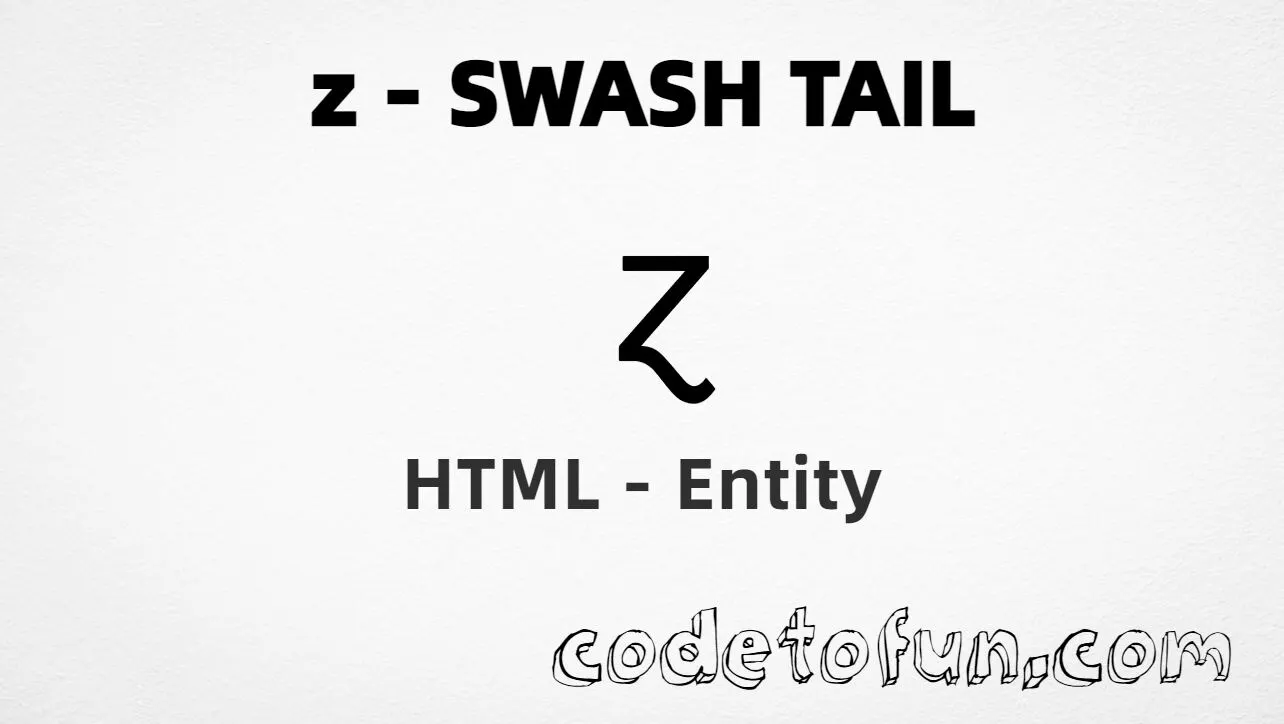
Lowercase z with swash tail (ɀ) is the Latin Extended-B character at Unicode U+0240 (LATIN SMALL LETTER Z WITH SWASH TAIL). It looks like a z with a decorative curling tail. Used in linguistics and specialized typography. HTML5 defines no named entity for it, and Unicode provides no uppercase pair.
Remember
Character     ɀ
Unicode       U+0240
Named entity  (none)
Hex entity    ɀ
Decimal       ɀ
CSS escape    \0240
All of these produce the same glyph: ɀ. Prefer a pasted ɀ in UTF-8 pages; use numeric or CSS forms when you need an escape.
Reference
Quick Reference
One table for every form you will actually use.
Form
Code
Where it goes
Direct character
ɀ
HTML text (UTF-8 default)
Named entity
none
Not defined in HTML5
Hex entity
ɀ
HTML markup
Decimal entity
ɀ
HTML markup
CSS escape
\0240
Stylesheet content
When to Use Which
Situation
Use
UTF-8 linguistic / specialty text
Type or paste ɀ
Numeric entity required
ɀ or ɀ
Generated text via ::before / ::after
content: "\0240"
Plain letter z
Type z (U+007A) — see Related Topics
Looking for a named form
None — use hex or decimal instead
See it
Live Preview
Lowercase z with swash tail rendered in common contexts.
Glyphɀ
Large glyphɀ
With entitiesHex: ɀ | Decimal: ɀ
Neighbor letterȿ (s swash, U+023F) · ɀ (z swash)
Not the samez (U+007A) · ƶ (z stroke)
Code
Complete HTML Example
One page that shows lowercase z with swash tail with hex, decimal, direct, and CSS forms. Use View Output or open the live editor.
Hex + Decimal + Direct + CSS
Four ways to produce ɀ in a single document (no named entity).
Using Hex Code: ɀ
Using HTML Code: ɀ
Using Direct Character: ɀ
Using CSS Entity: ɀ
How It Works
1. Hex:U+0240 → ɀ in HTML. Reliable numeric form.
2. Decimal: same code point as 576 → ɀ. Same glyph.
3. Direct: paste ɀ in a UTF-8 file with <meta charset="UTF-8">.
4. CSS: use \0240 in content (not an HTML entity). #point::after appends that ɀ after the paragraph text.
Pitfalls & Tips
Common mistakes when working with the z swash tail entity.
Named
No named entity
HTML5 has no &... name for U+0240 — use hex or decimal instead.
CSS vs HTML
Do not mix escapes
\0240 belongs in CSS. ɀ / ɀ belong in HTML.
Look-alikes
Not plain z, ƶ, or ȿ
Plain z is U+007A; z stroke is U+01B6; s with swash tail is U+023F. This letter is U+0240.
Case
No uppercase pair
Unicode does not define an uppercase for U+0240. Do not treat ȿ as its capital — that is a different letter (s with swash tail).
Semicolon
End references
Always finish with ; — write ɀ, not ɀ.
UTF-8
Declare charset
If you paste ɀ directly, serve the page as UTF-8 with <meta charset="UTF-8">.
Compatibility
Browser Support
Lowercase z with swash tail (U+0240) and its entity forms (ɀ, ɀ, CSS \\0240) are supported in all mainstream browsers. Glyph availability depends on the font.
✓ Universal support
Lowercase Z Swash Tail (ɀ)
Paste ɀ, or encode with hex, decimal, or CSS escape — same glyph everywhere. No named entity.
100%Browser coverage
Google ChromeSupported
Yes
Microsoft EdgeSupported
Yes
Mozilla FirefoxSupported
Yes
Apple SafariSupported
Yes
OperaSupported
Yes
Internet ExplorerAll versions
Yes
U+0240 / entitiesFull support
Bottom line: Prefer a pasted ɀ in UTF-8 text. Use ɀ / ɀ when a numeric form is required, and \\0240 only inside CSS content.
Remember
Key Takeaways
Unicode: z with swash tail is U+0240 (decimal 576), Latin Extended-B.
HTML: no named entity — use ɀ or ɀ.
CSS: use \0240 inside content for generated text.
Use: specialized / linguistic contexts — not the same as plain z, ƶ, or ȿ.
One line:U+0240 → ɀ / ɀ / CSS \0240 (no named entity).
Frequently Asked Questions
Use ɀ (hex), ɀ (decimal), type ɀ in UTF-8, or the CSS escape \0240 in content. There is no HTML5 named entity for U+0240.
U+0240 (LATIN SMALL LETTER Z WITH SWASH TAIL). Hex 0240, decimal 576. It belongs to Latin Extended-B and is used in linguistics and specialized typography.
No. HTML5 does not define a named entity for this character. Use numeric references like ɀ or ɀ when you need an entity form.
Use it for linguistic examples, Unicode documentation, or specialized notation that requires this exact letter. Prefer a pasted ɀ in UTF-8 when possible. For ordinary English, use plain z.
HTML entities (ɀ or ɀ) go in markup. The CSS escape \0240 is used in stylesheets (usually in the content property of ::before/::after). Both render ɀ.
Plain z is U+007A. Z with stroke ƶ is U+01B6. S with swash tail ȿ is U+023F. Z with swash tail ɀ is U+0240 — do not substitute one for another.
🤔
Did you know?
Lowercase z with swash tail (ɀ) is Unicode U+0240 (decimal 576) — LATIN SMALL LETTER Z WITH SWASH TAIL in Latin Extended-B. HTML5 has no named entity — use ɀ or ɀ. It has no uppercase mapping. Neighbor letter ȿ (U+023F) is s with swash tail — a different character.