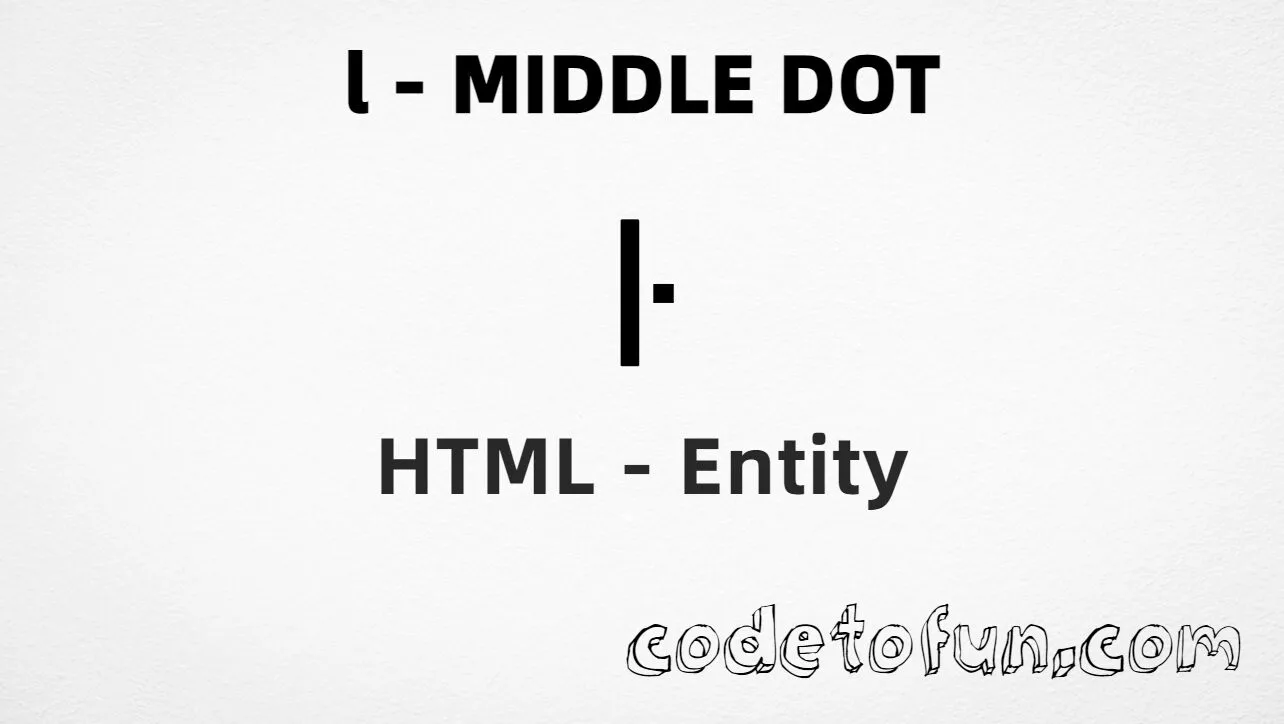
HTML Entity for Lowercase L Middle Dot (ŀ)

Beginner
⏱️ 5 min read
📚 Updated: Jun 2026
🎯 1 Code Example
Unicode U+0140

What You'll Learn

How to display the lowercase l with middle dot (ŀ) in HTML using named entity, hexadecimal, decimal, and CSS escape methods. The middle dot (·) appears on the letter l and is used in Catalan orthography, notably in the digraph ŀl as in col·lecció (collection). This character is U+0140 in the Latin Extended-A block.

Render it with ŀ, ŀ, ŀ, or CSS escape \140. The named entity ŀ is often the most readable option in HTML source.

⚡ Quick Reference — Lowercase L Middle Dot Entity

Unicode U+0140

Latin Extended-A

Hex Code ŀ

Hexadecimal reference

HTML Code ŀ

Decimal reference

Named Entity ŀ

Most readable option

Reference Table
Name           Value
────────────   ──────────
Unicode        U+0140
Hex code       ŀ
HTML code      ŀ
Named entity   ŀ
CSS code       \140
Meaning        Latin small letter l with middle dot
Related        U+013F = Ŀ (uppercase)
Block          Latin Extended-A (U+0100–U+017F)
1

Complete HTML Example

A simple example showing the lowercase l middle dot (ŀ) using hexadecimal code, decimal HTML code, the named entity, and a CSS content escape:

html
<!DOCTYPE html>
<html>
<head>
 <style>
  #point:after{
   content: "\140";
  }
 </style>
</head>
<body>
<p>Symbol (hex): &#x0140;</p>
<p>Symbol (decimal): &#320;</p>
<p>Symbol (named): &lmidot;</p>
<p id="point">Symbol (CSS): </p>
</body>
</html>
Try It Yourself

🌐 Browser Support

The lowercase l middle dot (ŀ) and the named entity &lmidot; are supported in modern browsers when the font includes Latin Extended-A glyphs:

Chrome1+
Firefox1+
Safari1+
Edge12+
Opera4+
Android4.4+
iOS Safari1+

👀 Live Preview

See the lowercase l middle dot (ŀ) in Catalan and linguistic contexts:

Large glyphŀ
CatalanDigraph ŀl in words like col·lecció and intel·ligent
Named entity&lmidot; renders as ŀ
Not the same asplain l (U+006C) or · alone (U+00B7 middle dot)
Numeric refs&#x0140; &#320; &lmidot; \140

🧠 How It Works

1

Named Entity

&lmidot; is the HTML5 named entity for the lowercase l with middle dot—readable in source HTML.

HTML markup
2

Hexadecimal Code

&#x0140; uses the Unicode hexadecimal value 0140 to display the character. The x prefix indicates hexadecimal format.

HTML markup
3

Decimal HTML Code

&#320; uses the decimal Unicode value 320 to display the same character. Works in all HTML contexts.

HTML markup
4

CSS Entity

\140 is used in CSS stylesheets, particularly in the content property of pseudo-elements like ::before and ::after.

CSS stylesheet
=

Same visual result

All methods produce the glyph: ŀ. Unicode U+0140 sits in Latin Extended-A. Prefer the precomposed character over l + combining dot. Do not confuse with plain l (U+006C) or the standalone middle dot · (U+00B7).

Use Cases

The lowercase l middle dot (ŀ) is commonly used in:

🇩🇪 Catalan language

Correct spelling in the digraph ŀl (e.g. col·lecció, intel·ligent).

🔤 Linguistics

Academic texts and language descriptions using Latin Extended-A characters.

📖 Dictionaries

Catalan dictionary entries and language reference materials that include ŀ.

🌐 Internationalization

Localized websites and apps supporting Catalan and Latin Extended-A.

📚 Education

Language-learning materials and teaching resources for Catalan.

♿ Accessibility

Using U+0140 ensures screen readers interpret ŀ as one character, not l plus a mark.

⚙ Programmatic HTML

When generating Catalan markup, using &lmidot; or &#320; ensures correct output.

💡 Best Practices

Do

  • Use U+0140 (ŀ) for l with middle dot; use U+006C for plain l when semantics matter
  • Prefer &lmidot; when using entities—it is more readable than numeric codes
  • Serve pages as UTF-8; you can also type ŀ directly in UTF-8 source
  • Use fonts that support Latin Extended-A for Catalan text
  • Prefer the precomposed character over l + combining middle dot for Catalan digraphs

Don’t

  • Substitute plain l when ŀ is required for correct Catalan spelling
  • Confuse ŀ (l with middle dot) with the standalone · (U+00B7) punctuation mark
  • Put CSS escape \140 in HTML text nodes
  • Assume all fonts render Latin Extended-A glyphs identically
  • Mix entity styles inconsistently within the same project

Key Takeaways

1

Four ways to render ŀ; includes named entity &lmidot;

&#x0140; &#320; &lmidot;
2

For CSS stylesheets, use the escape in the content property

\140
3

Unicode U+0140 — LATIN SMALL LETTER L WITH MIDDLE DOT

4

Essential for Catalan digraph ŀl and related content on the web

❓ Frequently Asked Questions

Use &lmidot; (named), &#x0140; (hex), &#320; (decimal), or \140 in CSS content. The named entity is the most readable. In UTF-8 you can also type the character directly.
U+0140 (LATIN SMALL LETTER L WITH MIDDLE DOT). Latin Extended-A block. Hex 0140, decimal 320. Used in Catalan and other languages.
Yes. The named HTML entity is &lmidot;. It is part of the HTML5 standard and supported in modern browsers. You can also use numeric references or type ŀ directly in UTF-8.
When writing Catalan text (especially the digraph ŀl), linguistic content, language-learning materials, dictionaries, and any content requiring the correct middle-dot l for meaning and accessibility.
ŀ (U+0140) is the letter l with a middle dot as one precomposed character. The standalone middle dot · (U+00B7) is a punctuation mark. In Catalan, both may appear in words like col·lecció, but they serve different roles in Unicode.

Explore More HTML Entities!

Discover 1500+ HTML character references — letters, symbols, and more.

All HTML Entities →

About the author

Mari Selvan M P
Mari Selvan M P 🔗

Developer, cloud engineer, and technical writer

  • Experience 12 years building web and cloud systems
  • Focus Full Stack Development, AWS, and Developer Education

I write practical tutorials so students and working developers can learn by doing—from databases and APIs to deployment on AWS.

8 people found this page helpful