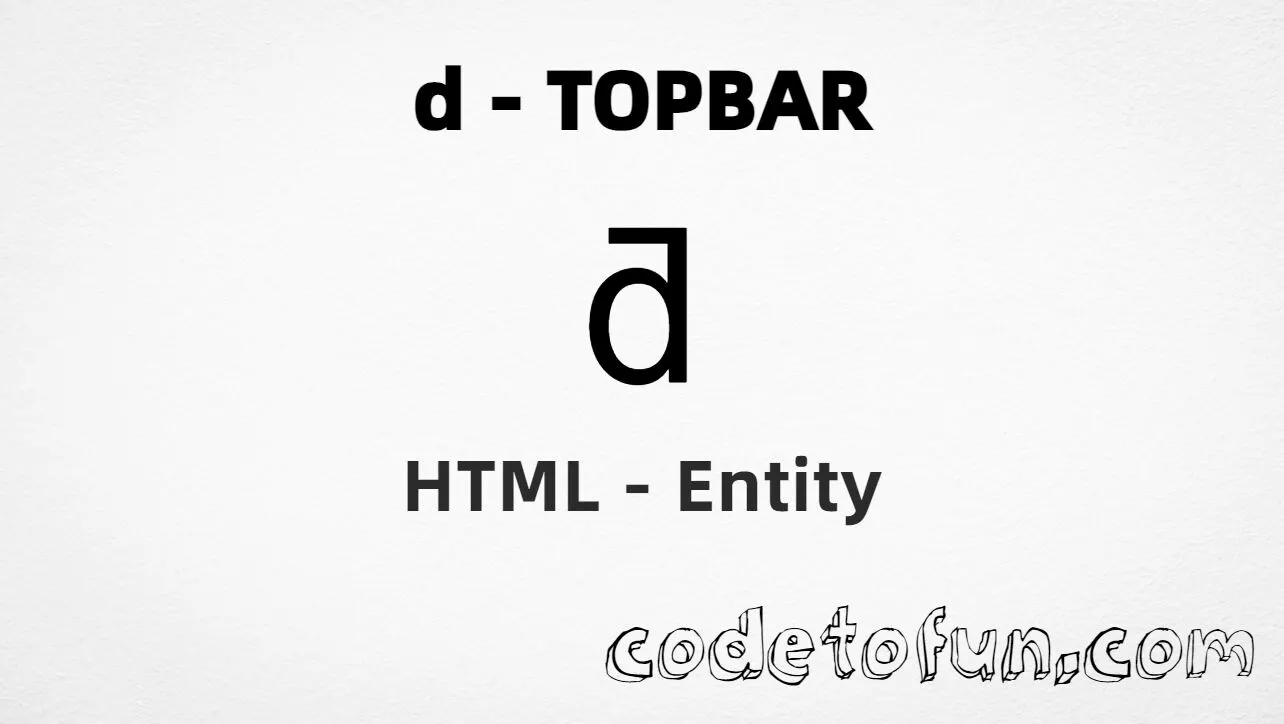
Lowercase d topbar (ƌ) is the Latin Extended-B character at Unicode U+018C (LATIN SMALL LETTER D WITH TOPBAR). It is a letter d with a top bar — used in some Sámi and other linguistic orthographies. HTML5 has no named entity for this character.
Remember
Character     ƌ
Unicode       U+018C
Hex entity    ƌ
Decimal       ƌ
CSS escape    \018C
Named entity  (none)
Capital       Ƌ (U+018B)
Hex, decimal, CSS, and a typed character all produce the same glyph: ƌ. Prefer ƌ in HTML source when you need an explicit entity.
Using Hex Code: ƌ
Using HTML Code: ƌ
Using CSS Entity: ƌ
Typed directly: ƌ
How It Works
1. Hex:U+018C → ƌ in HTML. The browser turns it into ƌ.
2. Decimal: same code point as 396 → ƌ. Same result as hex.
3. Named: HTML5 does not define a named entity for this character — use hex or decimal instead.
4. CSS: use \018C in content (not an HTML entity). #point::after appends that ƌ after the paragraph text.
Pitfalls & Tips
Common mistakes when working with lowercase d topbar.
Named
No &…; shortcut
HTML5 has no named entity for U+018C. Use ƌ or ƌ.
Look-alikes
Not d, đ, or ɖ
Do not confuse ƌ with plain d, đ (stroke), or ɖ (tail).
Fonts
Need Latin Extended-B
Some UI fonts omit U+018C. Prefer a stack with solid Latin Extended-B coverage.
CSS vs HTML
Do not mix escapes
\018C belongs in CSS. ƌ / ƌ belong in HTML.
Encoding
Declare UTF-8
If you type ƌ directly, keep <meta charset="UTF-8"> so the file is not misread.
Semicolon
End references
Always finish with ; — write ƌ, not ƌ.
Compatibility
Browser Support
Lowercase d topbar (U+018C) and its entity forms (ƌ, ƌ, CSS \\018C) are supported in all modern browsers. Glyph display depends on Latin Extended-B font support.
✓ Universal encoding
Lowercase D Topbar (ƌ)
Encode with hex, decimal, or CSS escape — or type ƌ directly in UTF-8 HTML.
100%Browser coverage
Google ChromeSupported
Yes
Microsoft EdgeSupported
Yes
Mozilla FirefoxSupported
Yes
Apple SafariSupported
Yes
OperaSupported
Yes
Internet ExplorerIE 9+
Yes*
U+018CFull support
Bottom line: Prefer ƌ for readable HTML. Use \\018C only inside CSS content.
Remember
Key Takeaways
Unicode: this character is U+018C (decimal 396).
HTML: prefer ƌ — or use ƌ (no named entity).
CSS: use \018C inside content for generated text.
Watch out: ƌ ≠ d ≠ đ ≠ ɖ; capital is Ƌ (U+018B).
One line:U+018C → type ƌ / ƌ / ƌ / CSS \018C.
Frequently Asked Questions
Use ƌ (hex), ƌ (decimal), or the CSS escape \018C in the content property. All render ƌ when the font supports Latin Extended-B. There is no named HTML entity.
U+018C (LATIN SMALL LETTER D WITH TOPBAR). Hex 18C, decimal 396. It belongs to Latin Extended-B (U+0180–U+024F).
No. HTML5 does not define a named entity for U+018C. Use numeric references like ƌ or ƌ.
Use it for Sámi and other linguistic orthographies, language-learning materials, and multilingual pages that need the Latin small letter d with topbar.
HTML entities (ƌ or ƌ) go in markup. The CSS escape \018C is used in stylesheets (usually in the content property of ::before/::after). Both render ƌ.
No. Plain d is U+0064. D stroke đ is U+0111. D with tail ɖ is U+0256. D with topbar ƌ is U+018C — a distinct Latin Extended-B letter.
🤔
Did you know?
Lowercase d topbar is Unicode U+018C (decimal 396) — LATIN SMALL LETTER D WITH TOPBAR in Latin Extended-B. HTML5 has no named entity — use ƌ or ƌ. Capital is Ƌ (U+018B). Used in some Sámi and other linguistic orthographies. Not the same as plain d, d stroke (đ), or d with tail (ɖ).