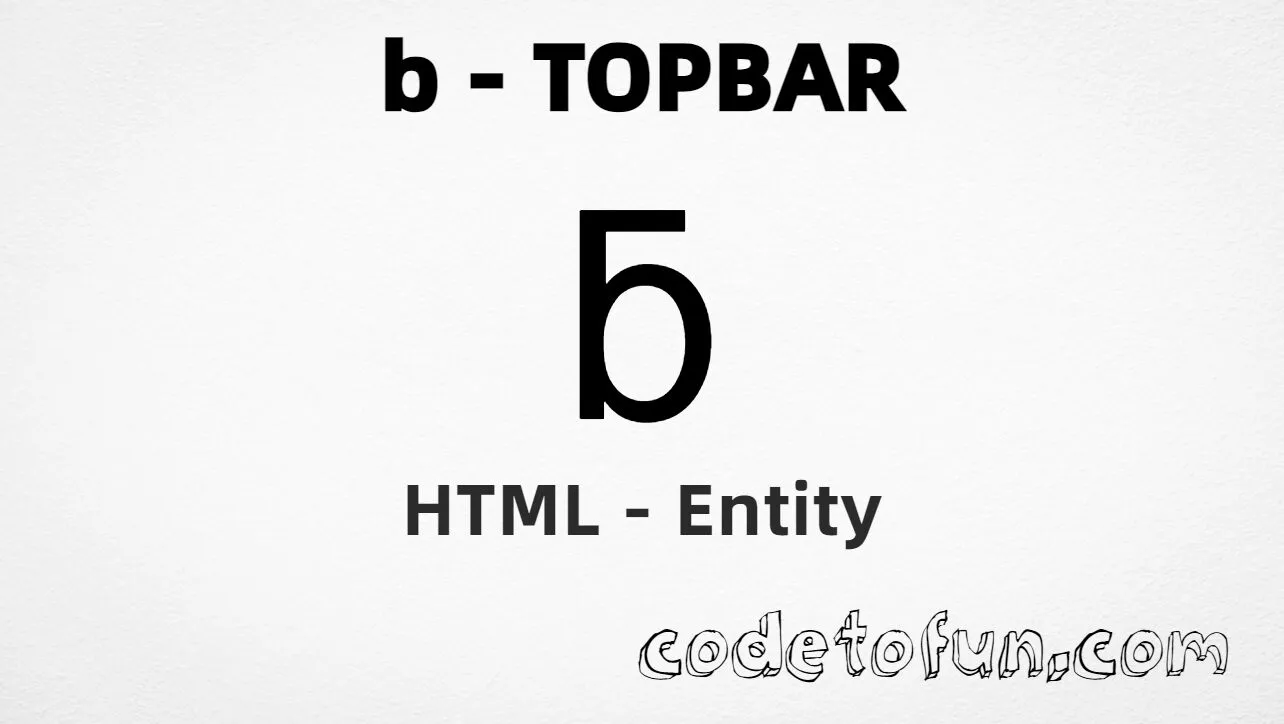
Lowercase b topbar (ƃ) is the Latin Extended-B character at Unicode U+0183 (LATIN SMALL LETTER B WITH TOPBAR). It is the letter b with a horizontal bar across the top — used in historical Zhuang orthography and some extended Latin notation.
Remember
Character     ƃ
Unicode       U+0183
Hex entity    ƃ
Decimal       ƃ
CSS escape    \0183
Named entity  (none)
Capital       Ƃ (U+0182)
Hex, decimal, CSS, and a typed character all produce the same glyph: ƃ. Prefer ƃ in HTML source when you need an explicit entity.
Using Hex Code: ƃ
Using HTML Code: ƃ
Using CSS Entity: ƃ
Case pair: Ƃ / ƃ
How It Works
1. Hex:U+0183 → ƃ in HTML. The browser turns it into ƃ.
2. Decimal: same code point as 387 → ƃ. Same result as hex.
3. Named: HTML5 does not define a named entity for this character — use hex or decimal instead.
4. CSS: use \0183 in content (not an HTML entity). #point::after appends that ƃ after the paragraph text.
Pitfalls & Tips
Common mistakes when working with lowercase b topbar.
Named
No &…; shortcut
HTML5 has no named entity for U+0183. Use ƃ or ƃ.
Look-alikes
Not plain b or tone six
Do not substitute ASCII b or tone six (ƅ) when the topbar form is required.
Shape
Bar on top, not through
Topbar sits across the top of the letter. B with stroke (ƀ) has a bar through the stem instead.
CSS vs HTML
Do not mix escapes
\0183 belongs in CSS. ƃ / ƃ belong in HTML.
Encoding
Declare UTF-8
If you type ƃ directly, keep <meta charset="UTF-8"> so the file is not misread.
Fonts
Check glyph coverage
Some fonts omit Latin Extended-B. Pick a font that includes U+0183 if the glyph is missing.
Compatibility
Browser Support
Lowercase b topbar (U+0183) and its entity forms (ƃ, ƃ, CSS \\0183) are supported in all modern browsers. Glyph display depends on font coverage.
✓ Universal encoding
Lowercase B Topbar (ƃ)
Encode with hex, decimal, or CSS escape — or type ƃ directly in UTF-8 HTML.
100%Browser coverage
Google ChromeSupported
Yes
Microsoft EdgeSupported
Yes
Mozilla FirefoxSupported
Yes
Apple SafariSupported
Yes
OperaSupported
Yes
Internet ExplorerIE 9+
Yes*
U+0183Full support
Bottom line: Prefer ƃ for readable HTML. Use \\0183 only inside CSS content.
Remember
Key Takeaways
Unicode: this character is U+0183 (decimal 387).
HTML: prefer ƃ — or use ƃ (no named entity).
CSS: use \0183 inside content for generated text.
Watch out:ƃ ≠ plain b ≠ tone six (ƅ) ≠ capital Ƃ.
One line:U+0183 → ƃ / ƃ / CSS \0183 (no named entity).
Frequently Asked Questions
Use ƃ (hex), ƃ (decimal), or the CSS escape \0183 in the content property. All render ƃ when the font supports Latin Extended-B. There is no named HTML entity.
U+0183 (LATIN SMALL LETTER B WITH TOPBAR). Hex 183, decimal 387. It belongs to Latin Extended-B (U+0180–U+024F).
No. HTML5 does not define a named entity for U+0183. Use numeric references like ƃ or ƃ.
Use it for historical Zhuang orthography, Caribbean language notation, linguistics, and extended Latin typography that needs ƃ.
HTML entities (ƃ or ƃ) go in markup. The CSS escape \0183 is used in stylesheets (usually in the content property of ::before/::after). Both render ƃ.
No. Plain b is U+0062. Tone six ƅ is U+0185. B with topbar ƃ is U+0183 — a horizontal bar across the top of the letter.
🤔
Did you know?
Lowercase b topbar is Unicode U+0183 (decimal 387) — LATIN SMALL LETTER B WITH TOPBAR in Latin Extended-B. HTML5 has no named entity — use ƃ or ƃ. Used in historical Zhuang orthography and some Caribbean language notation. Capital is Ƃ (U+0182). Not the same as plain b, b stroke, or tone six.