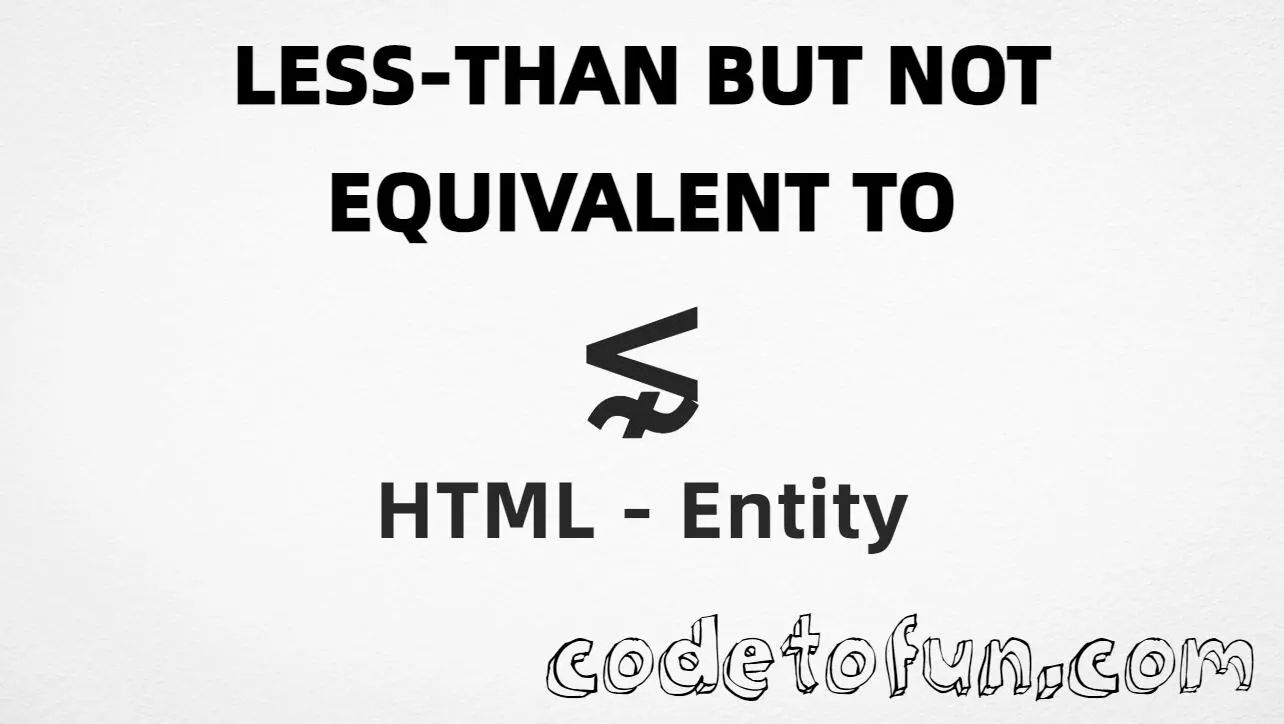
HTML Entity for Less Than But Not Equivalent To (⋦)
Beginner
5 min read
Updated: Sep 2026
1 example
Unicode U+22E6
Definition
What Is the Less Than But Not Equivalent To Entity?
Less Than But Not Equivalent To (⋦) is the Mathematical Operators character at Unicode U+22E6 (LESS-THAN BUT NOT EQUIVALENT TO). It combines less-than with a “not similar / not equivalent” mark in one glyph.
Remember
Character     ⋦
Unicode       U+22E6
Named entity  ⋦
Hex entity    ⋦
Decimal       ⋦
CSS escape    \22E6
Not the same  ≨ (≨) · ≲ (≲) · ⋧ (⋧)
Prefer ⋦ in HTML. Alternatives: ⋦ or ⋦. Do not confuse it with ≨ (not equal) or ≲ (less-than or equivalent).
Using Named: ⋦
Using Hex Code: ⋦
Using HTML Code: ⋦
Using CSS Entity: ⋦
a ⋦ b
How It Works
1. Named:⋦ is the HTML5 name for U+22E6 → ⋦. Prefer this for readable source.
2. Hex:U+22E6 → ⋦ in HTML. Same glyph as named.
3. Decimal: same code point as 8934 → ⋦.
4. CSS: use \22E6 in content (not an HTML entity). #point::after appends that ⋦ after the paragraph text.
5. Meaning: “not equivalent / not similar” is not the same as “not equal” — use ≨ when you need U+2268 instead.
Pitfalls & Tips
Common mistakes when working with Less Than But Not Equivalent To.
Look-alikes
⋦ ≠ ≨
Not-equivalent (U+22E6) and not-equal (U+2268) are different relations — pick the exact symbol your notation needs.
Pair
Mirror is ⋧
Greater-than but not equivalent is U+22E7 — use ⋧, not a CSS flip of this glyph.
Positive form
Not the same as ≲
≲ means less-than or equivalent. ⋦ negates that equivalence idea.
Fonts
Math glyph coverage
Most modern fonts include U+22E6, but verify on target devices if the symbol is critical.
CSS vs HTML
Do not mix escapes
\22E6 belongs in CSS. ⋦ / ⋦ / ⋦ belong in HTML.
A11y
Add nearby words
Pair the glyph with label text (for example a ⋦ b) or use aria-label when it stands alone.
Semicolon
End references
Always finish with ; — write ⋦, not &lnsim.
Compatibility
Browser Support
Less Than But Not Equivalent To (U+22E6) and its entity forms (⋦, ⋦, ⋦, CSS \\22E6) are supported in all modern browsers. Glyph coverage depends on the font.
✓ Universal encoding
Less Than But Not Equivalent To (⋦)
Encode with named, hex, decimal, or CSS escape — or type ⋦ directly in UTF-8 HTML.
100%Browser coverage
Google ChromeSupported
Yes
Microsoft EdgeSupported
Yes
Mozilla FirefoxSupported
Yes
Apple SafariSupported
Yes
OperaSupported
Yes
Internet ExplorerIE 9+
Yes*
U+22E6Full support
Bottom line: Prefer ⋦ for readable HTML. Use \\22E6 only inside CSS content.
Use ⋦ (named), ⋦ (hex), ⋦ (decimal), or the CSS escape \22E6 in the content property. All render ⋦ when the font supports Mathematical Operators.
U+22E6 (LESS-THAN BUT NOT EQUIVALENT TO). Hex 22E6, decimal 8934. It belongs to Mathematical Operators (U+2200–U+22FF).
Yes. HTML5 defines ⋦ for U+22E6. Prefer ⋦ for readable math markup.
Use it when a value is less than another but not equivalent or similar (the “not ~” form of less-than). Prefer ⋦ for readable source.
HTML entities (⋦, ⋦, or ⋦) go in markup. The CSS escape \22E6 is used in stylesheets (usually in the content property of ::before/::after). Both render ⋦.
⋦ (U+22E6) is less-than but not equivalent. ≨ (U+2268) is less-than but not equal. ⋧ (U+22E7) is the greater-than mirror of ⋦.
🤔
Did you know?
Less Than But Not Equivalent To is Unicode U+22E6 (decimal 8934) — LESS-THAN BUT NOT EQUIVALENT TO in Mathematical Operators. HTML5 named entity: ⋦. Mirror form: ⋧ (U+22E7). Do not confuse it with ≨ (U+2268, less than but not equal).