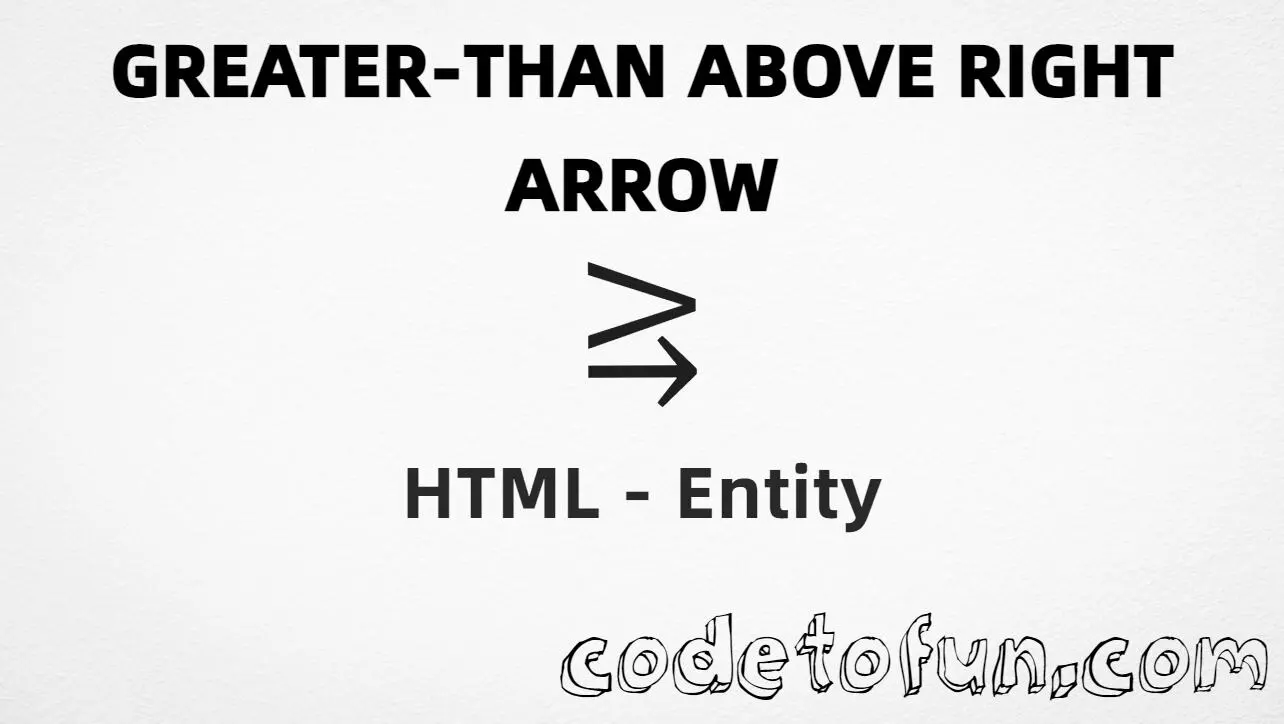
HTML Entity for Greater Than Above Right Arrow (⥸)
Beginner
5 min read
Updated: Sep 2026
1 example
Unicode U+2978
Definition
What Is Greater Than Above Right Arrow?
Greater-than above rightwards arrow (⥸) is the Unicode character at U+2978 in Supplemental Mathematical Operators. Official name: GREATER-THAN ABOVE RIGHTWARDS ARROW. It is a single math glyph — not a plain greater-than plus a separate arrow.
Remember
Character     ⥸
Unicode       U+2978
Named entity  ⥸
Hex entity    ⥸
Decimal       ⥸
CSS escape    \2978
Meaning       greater-than above rightwards arrow
Not the same  > (>) · → · ⥷ (less-than above right arrow)
Prefer ⥸ in HTML. Alternatives: ⥸, ⥸, or paste ⥸ in a UTF-8 document.
Built with Named: ⥸
Built with Hex: ⥸
Built with Decimal: ⥸
Built with CSS: ⥸
Typed: ⥸
Sample: x ⥸ y
Plain > (different): >
How It Works
1. Named:⥸ is the HTML5 name for U+2978 → ⥸. Prefer this in markup.
2. Hex:⥸ inserts the same code point. Same visual as named.
3. Decimal: same code point as 10616 → ⥸.
4. CSS: use \2978 in content (not an HTML entity). Four hex digits are enough here; keep a space or quote end after the escape if more digits follow.
5. Typed: paste ⥸ in a UTF-8 document when your editor supports it. Compare with > — that is only greater-than, not this combined glyph.
Pitfalls & Tips
Common mistakes when working with greater-than above rightwards arrow.
Name
Prefer ⥸
The named entity is easier to read than numeric form and avoids pasting a rare glyph incorrectly.
Not >
Not plain greater-than
> is U+003E. This symbol is U+2978 — use ⥸ only when you need the combined glyph.
Compose
Do not fake it with two characters
Stacking > and an arrow is not the same Unicode character and may wrap or space differently.
Font
Check math font coverage
Some UI fonts omit Supplemental Mathematical Operators. Prefer a math-capable font if the glyph shows as a box.
CSS vs HTML
Do not mix escapes
\2978 belongs in CSS strings. ⥸ / ⥸ / ⥸ belong in HTML.
Pair
Mirror form exists
Less-than above rightwards arrow is U+2977 — a different character from U+2978.
Semicolon
End references
Always finish entities with ; — write ⥸, not >rarr.
Compatibility
Browser Support
Greater-than above rightwards arrow (U+2978) and its entity forms (⥸, ⥸, ⥸, CSS \\2978) are supported in all mainstream browsers that implement Unicode and HTML entities. Glyph visibility depends on font coverage.
✓ Universal entity support
Greater Than Above Right Arrow (⥸)
Encode with named, hex, decimal, CSS escape, or paste the character — same code point everywhere encoding is supported.
100%Entity support
Google ChromeSupported
Yes
Microsoft EdgeSupported
Yes
Mozilla FirefoxSupported
Yes
Apple SafariSupported
Yes
OperaSupported
Yes
Internet ExplorerIE 9+
Yes
U+2978Full support
Bottom line: Prefer ⥸ in HTML. Use ⥸ / ⥸ when numeric form is required, and \\2978 only inside CSS content.
Remember
Key Takeaways
Unicode: this glyph is U+2978 (decimal 10616) — ⥸.
HTML: prefer ⥸ — also ⥸ / ⥸.
CSS: use \2978 inside content for generated text.
Meaning: ⥸ ≠ > — one combined math character, not two.
Prefer ⥸ (named). You can also use ⥸ (hex), ⥸ (decimal), paste ⥸ in a UTF-8 document, or the CSS escape \2978 in content.
U+2978 (GREATER-THAN ABOVE RIGHTWARDS ARROW). Hex 2978, decimal 10616. It belongs to Supplemental Mathematical Operators.
Yes. HTML5 defines ⥸ for U+2978. Prefer it when you want readable markup.
Use it in math, logic, or diagram text when you need a single glyph that combines a greater-than relation with a rightwards arrow — not a plain > or a separate arrow.
HTML entities (⥸, ⥸, or ⥸) go in markup. The CSS escape \2978 goes in stylesheet strings (usually content on ::before/::after).
No. ⥸ is one code point (U+2978). Typing > and an arrow makes two characters and may look different.
🤔
Did you know?
Greater-than above rightwards arrow is Unicode U+2978 (decimal 10616) — glyph ⥸ (GREATER-THAN ABOVE RIGHTWARDS ARROW) in Supplemental Mathematical Operators. HTML5 named entity: ⥸. Prefer ⥸ in HTML. It is one character, not > plus an arrow.