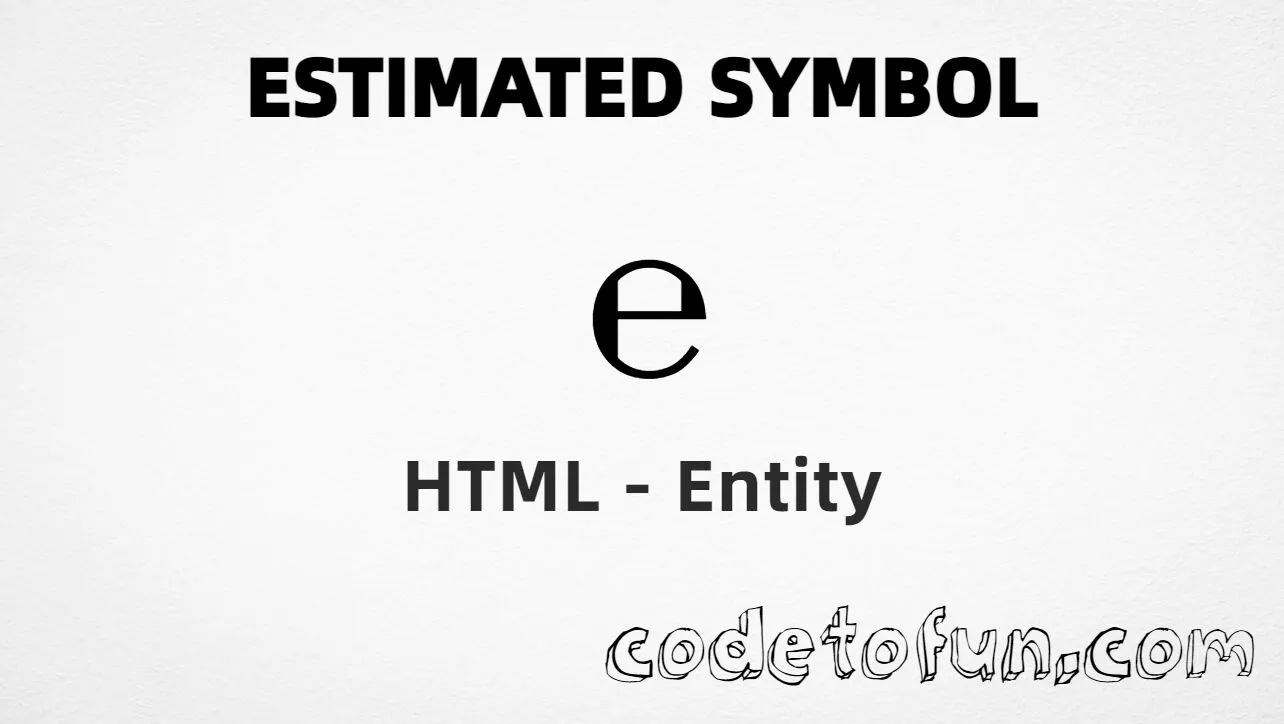
Estimated symbol (℮) is the Unicode character at U+212E in Letterlike Symbols. Official name: ESTIMATED SYMBOL. It is the packaging e-mark used to indicate estimated net quantity on labels.
Remember
Character     ℮
Unicode       U+212E
Hex entity    ℮
Decimal       ℮
CSS escape    \212E
Named entity  (none)
Not the same  e (letter) · ≙ (estimates) · € (euro)
Prefer ℮ or ℮ in HTML (no named form). You can also type ℮ in a UTF-8 document.
Built with Hex: ℮
Built with Decimal: ℮
Built with CSS: ℮
Typed: ℮
Label: Net wt. 500 g ℮
How It Works
1. Hex:℮ inserts code point U+212E → ℮.
2. Decimal: same code point as 8494 → ℮. Same visual as hex.
3. CSS: use \212E in content (not an HTML entity). #point::after appends ℮.
4. Typed: paste ℮ in a UTF-8 document, or use it on a label line after a quantity.
Pitfalls & Tips
Common mistakes when working with Estimated symbol.
Name
No named entity
There is no HTML5 named entity for U+212E. Use ℮ or ℮. Do not invent &estimate;.
e
Not the letter e
A plain e is not the estimated symbol. Use U+212E when you need the official e-mark glyph.
≙
Not math estimates
U+2259 (≙, ≙) is a math relation meaning “estimates” — not the packaging mark.
€
Not the euro sign
U+20AC (€) is currency. Estimated symbol marks quantity, not money.
CSS vs HTML
Do not mix escapes
\212E belongs in CSS strings. ℮ / ℮ belong in HTML.
a11y
Add accessible text
Screen readers may not announce ℮ clearly. Prefer nearby prose (for example “estimated quantity mark”) when the symbol carries meaning.
Semicolon
End references
Always finish entities with ; — write ℮, not ℮.
Compatibility
Browser Support
Estimated symbol (U+212E) and its entity forms (℮, ℮, CSS \\212E) are supported in all mainstream browsers. Visible glyphs depend on Letterlike Symbols font coverage.
✓ Universal support
Estimated Symbol (℮)
Encode with hex, decimal, CSS escape, or type the character — same code point everywhere encoding is supported.
100%Browser coverage
Google ChromeSupported
Yes
Microsoft EdgeSupported
Yes
Mozilla FirefoxSupported
Yes
Apple SafariSupported
Yes
OperaSupported
Yes
Internet ExplorerAll versions
Yes
U+212EFull support
Bottom line: Prefer ℮ in HTML (no named form). Use ℮ when decimal form is required, and \\212E only inside CSS content.
Remember
Key Takeaways
Unicode: estimated symbol is U+212E (decimal 8494) — glyph ℮.
HTML: no named entity — use ℮ / ℮ / type ℮.
CSS: use \212E inside content for generated text.
Meaning: ℮ ≠ letter e ≠ estimates ≙ ≠ euro €.
One line:U+212E → ℮ / ℮ / CSS \212E (no named form).
Frequently Asked Questions
Use ℮ (hex), ℮ (decimal), type ℮ directly in UTF-8, or the CSS escape \212E in content. There is no named HTML entity for U+212E.
U+212E (ESTIMATED SYMBOL). Hex 212E, decimal 8494. It belongs to the Letterlike Symbols block (U+2100–U+214F).
No. HTML5 does not define a named entity for U+212E. Prefer ℮ or ℮.
Use it for the packaging e-mark (estimated net quantity on labels). Prefer estimates (U+2259) for the math “estimates” relation, and euro (U+20AC) for currency.
HTML numeric entities (℮ or ℮) go in markup. The CSS escape \212E goes in stylesheet strings (usually content on ::before/::after).
No. U+212E is ℮ (estimated symbol / e-mark). The letter e is U+0065. U+2259 is ≙ (estimates).
🤔
Did you know?
Estimated symbol is Unicode U+212E (decimal 8494) — glyph ℮ (ESTIMATED SYMBOL) in Letterlike Symbols. There is no HTML5 named entity; use ℮ or ℮. It is the packaging e-mark for estimated net quantity. Do not confuse it with the letter e, euro (€), or estimates (≙).