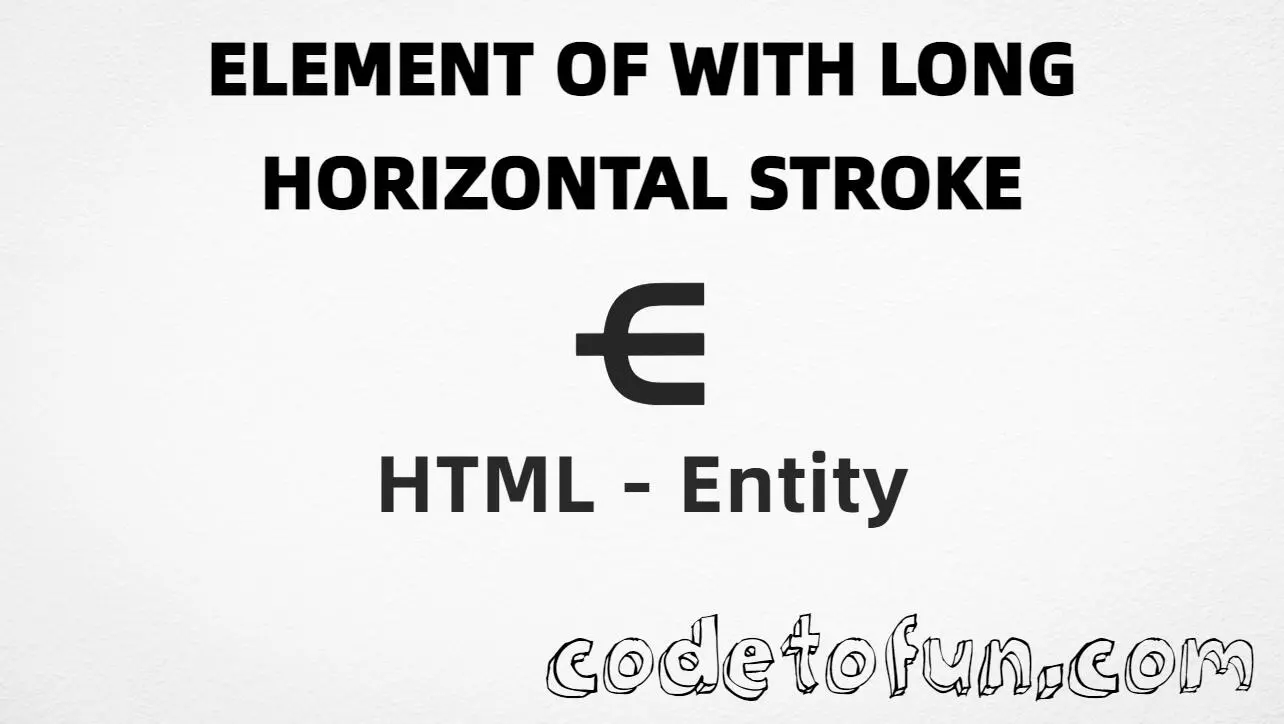
HTML Entity for Element Of With Long Horizontal Stroke (⋲)
Beginner
5 min read
Updated: Sep 2026
1 example
Unicode U+22F2
Definition
What Is Element Of With Long Horizontal Stroke?
Element of with long horizontal stroke (⋲) is the Unicode character at U+22F2 in Mathematical Operators. Official name: ELEMENT OF WITH LONG HORIZONTAL STROKE. It is a membership operator with a long horizontal stroke — useful in formal set theory and logic.
Remember
Character     ⋲
Unicode       U+22F2
Named entity  ⋲
Hex entity    ⋲
Decimal       ⋲
CSS escape    \22F2
Not the same  ∈ (isin) · ⋵ (isindot) · ∉ (notin)
Prefer ⋲ in HTML markup. You can also use ⋲ / ⋲, or type ⋲ in a UTF-8 document.
Element of with long horizontal stroke rendered alone, in a membership statement, and compared with related operators.
Glyph⋲
Large glyph⋲
Membershipx ⋲ S
Compared⋲ ∈ ⋵ ∉
With entitiesNamed: ⋲ | Hex: ⋲ | Decimal: ⋲
Code
Complete HTML Example
One page that shows Element Of With Long Horizontal Stroke with named, hex, decimal, CSS escape, and a typed character. Use View Output or open the live editor.
Named + Hex + Decimal + CSS + Typed
Five ways to display ⋲ in HTML and CSS.
html
<!DOCTYPE html>
<html lang="en">
<head>
<meta charset="UTF-8">
<title>Element Of With Long Horizontal Stroke (U+22F2) in HTML</title>
<style>
#point::after {
content: "\22F2";
}
</style>
</head>
<body>
<p>Built with Named: ⋲</p>
<p>Built with Hex: ⋲</p>
<p>Built with Decimal: ⋲</p>
<p id="point">Built with CSS: </p>
<p>Typed: ⋲</p>
<p>Membership: x ⋲ S</p>
</body>
</html>
Built with Named: ⋲
Built with Hex: ⋲
Built with Decimal: ⋲
Built with CSS: ⋲
Typed: ⋲
Membership: x ⋲ S
How It Works
1. Named:⋲ is the preferred HTML5 name for U+22F2 → ⋲.
2. Hex:⋲ inserts the same code point. Same visual as named.
3. Decimal: same code point as 8946 → ⋲.
4. CSS: use \22F2 in content (not an HTML entity). #point::after appends ⋲.
5. Typed: paste ⋲ in a UTF-8 document, or write membership like x ⋲ S.
Pitfalls & Tips
Common mistakes when working with Element Of With Long Horizontal Stroke.
Name
Prefer ⋲
⋲ is the readable named form for U+22F2. Numeric forms still work when you need them.
∈
Not plain ∈
U+2208 is the ordinary element-of symbol. U+22F2 adds a long horizontal stroke.
⋵
Not ⋵
U+22F5 has a dot above. This character has a long horizontal stroke.
CSS vs HTML
Do not mix escapes
\22F2 belongs in CSS strings. ⋲ / ⋲ / ⋲ belong in HTML.
Fonts
Math font coverage
Some fonts omit less-common Mathematical Operators. Prefer a font with solid math coverage.
a11y
Add accessible text
Screen readers may not expand ⋲ clearly. Prefer full phrases nearby (for example “x is an element of S”) when the meaning matters.
Semicolon
End references
Always finish entities with ; — write ⋲, not &disin.
Compatibility
Browser Support
Element of with long horizontal stroke (U+22F2) and its entity forms (⋲, ⋲, ⋲, CSS \\22F2) are supported in all mainstream browsers. Visible glyphs depend on Mathematical Operators font coverage.
✓ Universal support
Element Of With Long Horizontal Stroke (⋲)
Encode with named, hex, decimal, CSS escape, or type the character — same code point everywhere encoding is supported.
100%Browser coverage
Google ChromeSupported
Yes
Microsoft EdgeSupported
Yes
Mozilla FirefoxSupported
Yes
Apple SafariSupported
Yes
OperaSupported
Yes
Internet ExplorerAll versions
Yes
U+22F2 / ⋲Full support
Bottom line: Prefer ⋲ in HTML. Use ⋲ / ⋲ when numeric form is required, and \\22F2 only inside CSS content.
Remember
Key Takeaways
Unicode: element of with long horizontal stroke is U+22F2 (decimal 8946) — glyph ⋲.
Use ⋲ (named), ⋲ (hex), ⋲ (decimal), type ⋲ directly in UTF-8, or the CSS escape \22F2 in content.
U+22F2 (ELEMENT OF WITH LONG HORIZONTAL STROKE). Hex 22F2, decimal 8946. It belongs to the Mathematical Operators block (U+2200–U+22FF).
Yes. ⋲ is the HTML5 named entity for U+22F2 and is usually the most readable choice in set-theory markup.
Use it when you need the long-stroke membership operator in formal math or logic. Prefer ∈ (U+2208) for ordinary “element of,” and ⋵ when you need the dotted form.
HTML entities (⋲, ⋲, or ⋲) go in markup. The CSS escape \22F2 goes in stylesheet strings (usually content on ::before/::after).
No. U+22F2 is ⋲ (element of with long horizontal stroke). U+2208 is ∈ (plain element of). U+22F5 is ⋵ (element of with dot above).
🤔
Did you know?
Element of with long horizontal stroke is Unicode U+22F2 (decimal 8946) — glyph ⋲ (ELEMENT OF WITH LONG HORIZONTAL STROKE) in Mathematical Operators. HTML5 names it ⋲. The plain membership symbol is ∈ (∈, U+2208).