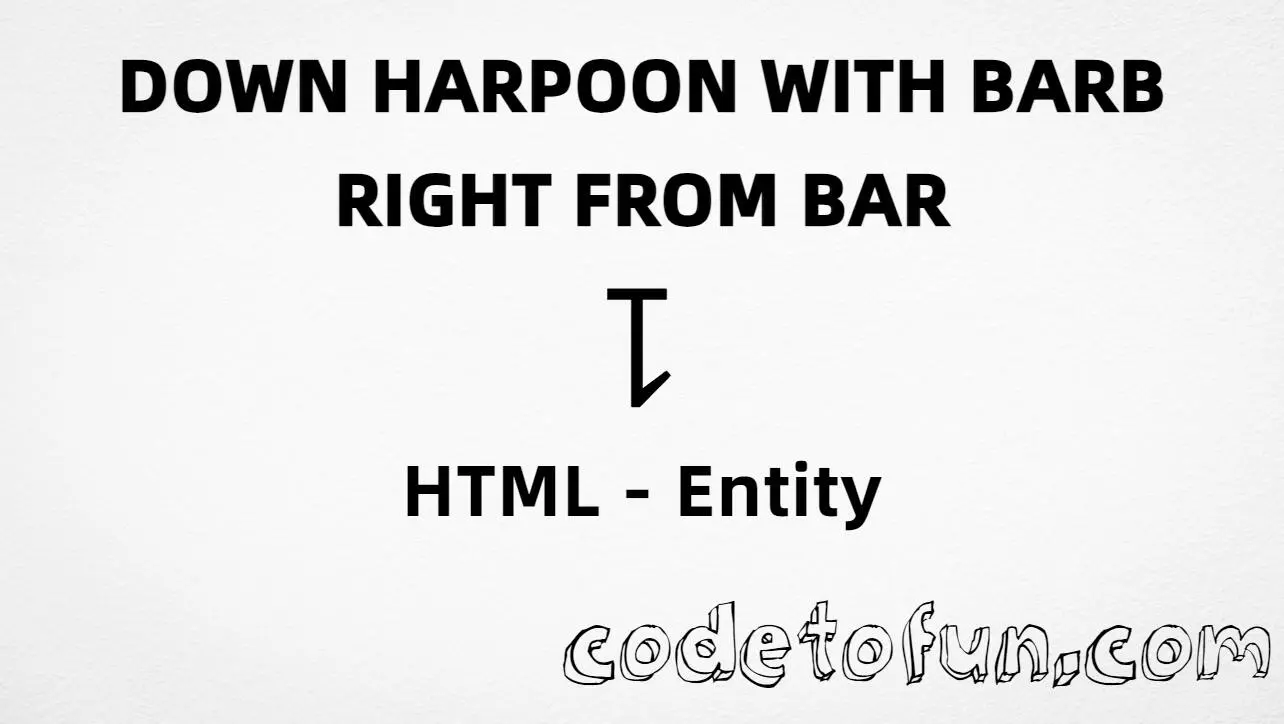
HTML Entity for Down Harpoon With Barb Right From Bar (⥝)
Beginner
5 min read
Updated: Sep 2026
1 example
Unicode U+295D
Definition
What Is Down Harpoon With Barb Right From Bar?
Down harpoon with barb right from bar (⥝) is the Unicode character at U+295D in Supplemental Arrows-B. Official name: DOWNWARDS HARPOON WITH BARB RIGHT FROM BAR. It is a down harpoon (barb right) that starts from a horizontal bar — useful in math and technical notation.
Remember
Character     ⥝
Unicode       U+295D
Named entity  ⥝
Hex entity    ⥝
Decimal       ⥝
CSS escape    \295D
Not the same  ⇂ (⇂) · ⥕ (⥕) · ⥡
Prefer ⥝ in HTML markup. You can also type ⥝ in UTF-8, or use numeric forms when needed.
From-bar harpoon rendered alone, in notation, and compared with related marks.
Glyph⥝
Large glyph⥝
NotationA ⥝ B
Compared⥝ ⥕ ⇂ ⥡
With entitiesNamed: ⥝ | Hex: ⥝ | Decimal: ⥝
Code
Complete HTML Example
One page that shows this mark with named, hex, decimal, CSS escape, and a typed character. Use View Output or open the live editor.
Named + Hex + Decimal + CSS + Typed
Five ways to display ⥝ in HTML and CSS.
html
<!DOCTYPE html>
<html lang="en">
<head>
<meta charset="UTF-8">
<title>Down Harpoon Right From Bar (U+295D) in HTML</title>
<style>
#point::after {
content: "\295D";
}
</style>
</head>
<body>
<p>Built with Named: ⥝</p>
<p>Built with Hex: ⥝</p>
<p>Built with Decimal: ⥝</p>
<p id="point">Built with CSS: </p>
<p>Typed: ⥝</p>
<p>Label: From bar ⥝</p>
</body>
</html>
Built with Named: ⥝
Built with Hex: ⥝
Built with Decimal: ⥝
Built with CSS: ⥝
Typed: ⥝
Label: From bar ⥝
How It Works
1. Named:⥝ is the preferred HTML5 name for U+295D → ⥝.
2. Hex / decimal:⥝ and ⥝ insert the same code point.
3. CSS: use \295D in content (not an HTML entity). #point::after appends ⥝.
4. Typed: paste ⥝ in a UTF-8 document, or pair it with a label like From bar ⥝.
Pitfalls & Tips
Common mistakes when working with Down Harpoon With Barb Right From Bar.
From vs to
Not ⥕
⥕ is to-bar (U+2955). ⥝ is from-bar (U+295D).
⇂
Not ⇂
⇂ is the plain down harpoon with barb right (U+21C2) — no bar attachment.
Name
Prefer the named form
HTML5 provides ⥝. Prefer it over numeric codes when you can.
CSS vs HTML
Do not mix escapes
\295D belongs in CSS strings. ⥝ / ⥝ belong in HTML.
Fonts
Math font coverage
Some fonts omit Supplemental Arrows-B glyphs. Prefer a font with solid math/arrow coverage.
a11y
Add accessible text
A lone harpoon-from-bar can be unclear to screen readers. Pair it with visible text or an aria-label.
Semicolon
End references
Always finish entities with ; — write ⥝, not &RightDownTeeVector.
Compatibility
Browser Support
Down harpoon with barb right from bar (U+295D) and its entity forms (⥝, ⥝, ⥝, CSS \\295D) are supported in all mainstream browsers. Visible glyphs depend on Supplemental Arrows-B font coverage.
✓ Universal support
Down Harpoon Right From Bar (⥝)
Encode with named, hex, decimal, CSS escape, or type the character — same code point everywhere encoding is supported.
100%Browser coverage
Google ChromeSupported
Yes
Microsoft EdgeSupported
Yes
Mozilla FirefoxSupported
Yes
Apple SafariSupported
Yes
OperaSupported
Yes
Internet ExplorerAll versions
Yes
U+295D / ⥝Full support
Bottom line: Prefer ⥝ in HTML. Use ⥝ / ⥝ when numeric form is required, and \\295D only inside CSS content.
Remember
Key Takeaways
Unicode: from-bar harpoon is U+295D (decimal 10589) — glyph ⥝.
One line:U+295D → ⥝ / ⥝ / CSS \295D.
Frequently Asked Questions
Use ⥝ (named), ⥝ (hex), ⥝ (decimal), type ⥝ directly in UTF-8, or the CSS escape \295D in content. Prefer ⥝ in normal HTML.
U+295D (DOWNWARDS HARPOON WITH BARB RIGHT FROM BAR). Hex 295D, decimal 10589. It belongs to the Supplemental Arrows-B block (U+2900–U+297F).
Yes. Use ⥝. Numeric forms ⥝ and ⥝ also work. The to-bar sibling uses ⥕ (U+2955).
Use it when the harpoon starts from a horizontal bar (from-bar). Prefer ⥕ when the harpoon ends at a bar (to-bar), and ⇂ for a plain down harpoon with barb right.
HTML entities (⥝, ⥝, or ⥝) go in markup. The CSS escape \295D goes in stylesheet strings (usually content on ::before/::after).
No. ⥝ is U+295D (from bar). ⇂ is ⇂ (U+21C2, no bar). ⥕ is U+2955 (to bar).
🤔
Did you know?
Down harpoon with barb right from bar is Unicode U+295D (decimal 10589) — glyph ⥝ (DOWNWARDS HARPOON WITH BARB RIGHT FROM BAR) in Supplemental Arrows-B. HTML5 names it ⥝. The to-bar form is ⥕ (⥕). Plain barb-right harpoon is ⇂ (⇂).