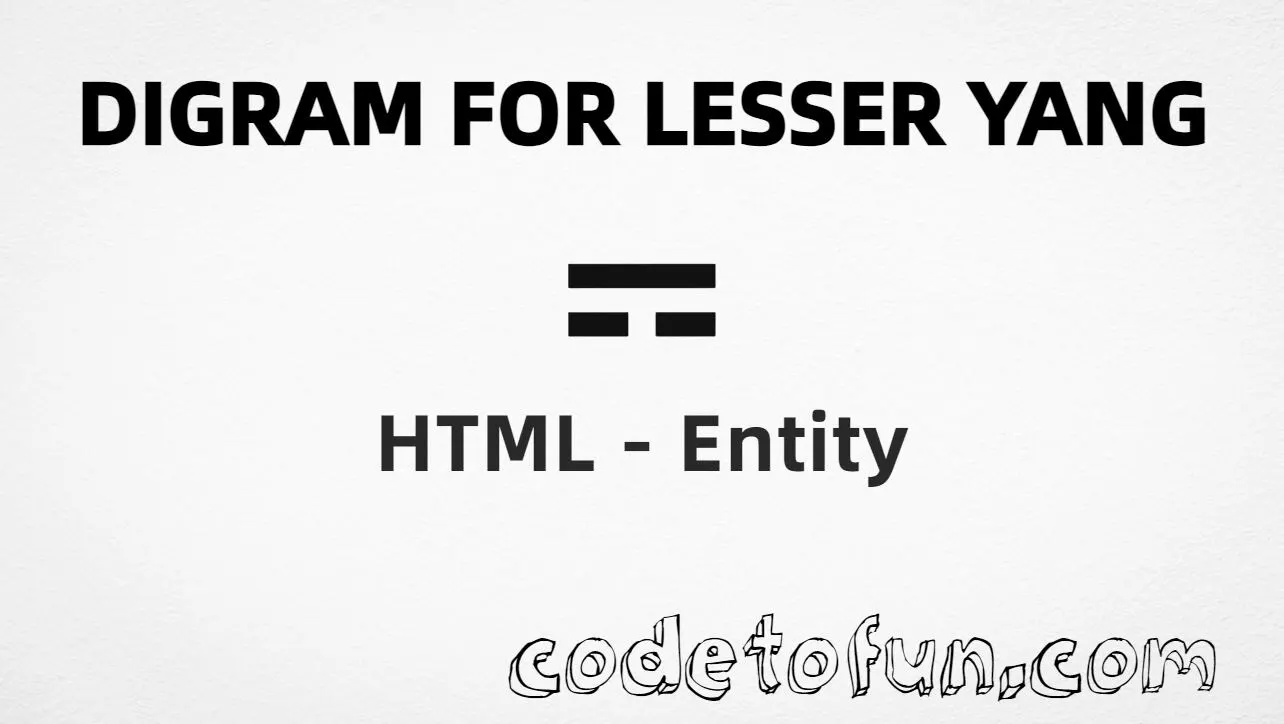
Digram for lesser yin (⚎) is the Unicode character at U+268E in the Miscellaneous Symbols block. Official name: DIGRAM FOR LESSER YIN. It is a two-line (digram) symbol used in I Ching / Yijing and related notation.
Remember
Character     ⚎
Unicode       U+268E
Named entity  (none)
Hex entity    ⚎
Decimal       ⚎
CSS escape    \268E
Series        ⚌ ⚍ ⚎ ⚏
Prefer ⚎ or ⚎ in HTML markup (no named form). You can also type ⚎ in UTF-8 when the document encoding supports it.
Glyph + text or aria-label (e.g. “lesser yin digram”)
Generated text via ::before / ::after
content: "\268E"
See it
Live Preview
Digram for lesser yin rendered in common teaching contexts.
SymbolLesser yin: ⚎
Large glyph⚎
Four digrams⚌ ⚍ ⚎ ⚏
Compared⚍ ⚎ ⚏
With entitiesHex: ⚎ | Decimal: ⚎
Code
Complete HTML Example
One page that shows Digram Lesser Yin with hex, decimal, CSS escape, a typed character, and the four-digram series. Use View Output or open the live editor.
Hex + Decimal + CSS + Typed + Series
Four ways to produce ⚎, plus digrams U+268C–U+268F for context.
Digram using Hex Code: ⚎
Digram using HTML Code: ⚎
Digram using CSS Entity: ⚎
Typed directly: ⚎
Four digrams: ⚌ ⚍ ⚎ ⚏
How It Works
1. Hex:U+268E → ⚎ in HTML. Preferred when there is no named entity.
2. Decimal: same code point as 9870 → ⚎. Same glyph as hex.
3. CSS: use \268E in content (not an HTML entity). #point::after appends that ⚎ after the paragraph text.
4. Typed: paste ⚎ in UTF-8 when the page is encoded as UTF-8.
5. Series / a11y: digrams U+268C–U+268F are consecutive. The series line uses aria-label so screen readers get a clear name for the group.
Pitfalls & Tips
Common mistakes when working with Digram Lesser Yin.
Name
No named entity
There is no &digramlesseryin; or similar. Use ⚎ or ⚎.
A11y
Name the symbol
A lone ⚎ may not announce clearly. Add nearby text or aria-label.
Trigram
Not a trigram
Trigrams (three lines, e.g. U+2630–U+2637) are different characters. This page is the two-line digram U+268E.
CSS vs HTML
Do not mix escapes
\268E belongs in CSS strings. ⚎ / ⚎ belong in HTML.
Fonts
Symbol font coverage
Some fonts omit digrams. Prefer a font with Miscellaneous Symbols coverage for display.
Semicolon
End references
Always finish with ; — write ⚎, not ⚎.
Compatibility
Browser Support
Digram for lesser yin (U+268E) and its entity forms (⚎, ⚎, CSS \\268E) are supported in all mainstream browsers. Visible glyphs depend on symbol font coverage.
✓ Universal support
Digram Lesser Yin (⚎)
Encode with hex, decimal, CSS escape, or type the character — same code point everywhere encoding is supported.
100%Browser coverage
Google ChromeSupported
Yes
Microsoft EdgeSupported
Yes
Mozilla FirefoxSupported
Yes
Apple SafariSupported
Yes
OperaSupported
Yes
Internet ExplorerAll versions
Yes
U+268E / entitiesFull support
Bottom line: Prefer ⚎ in HTML (no named form). Use ⚎ when decimal form is required, and \\268E only inside CSS content.
Remember
Key Takeaways
Unicode: digram for lesser yin is U+268E (decimal 9870) — glyph ⚎.
HTML: no named entity — use ⚎ / ⚎ / type ⚎.
CSS: use \268E inside content for generated text.
Series: digrams are U+268C–U+268F (⚌ … ⚏).
One line:U+268E → ⚎ / ⚎ / CSS \268E / type ⚎ (no named entity).
Frequently Asked Questions
Use ⚎ (hex), ⚎ (decimal), type ⚎ directly in UTF-8, or the CSS escape \268E in content. There is no named HTML entity for U+268E.
U+268E (DIGRAM FOR LESSER YIN). Hex 268E, decimal 9870. It belongs to the Miscellaneous Symbols block (U+2600–U+26FF).
No. Use numeric forms ⚎ or ⚎, or type the character in a UTF-8 document.
Use it for I Ching / Yijing teaching materials, Taoist texts, and educational pages that show digram (two-line) lesser yin notation.
HTML entities (⚎ or ⚎) go in markup. The CSS escape \268E goes in stylesheet strings (usually content on ::before/::after).
The four digrams are U+268C through U+268F: greater yang ⚌, lesser yang ⚍, lesser yin ⚎, greater yin ⚏.
🤔
Did you know?
Digram for lesser yin is Unicode U+268E (decimal 9870) — glyph ⚎ in the Miscellaneous Symbols block. There is no HTML5 named entity; use ⚎ or ⚎. The four digrams are consecutive: U+268C–U+268F.