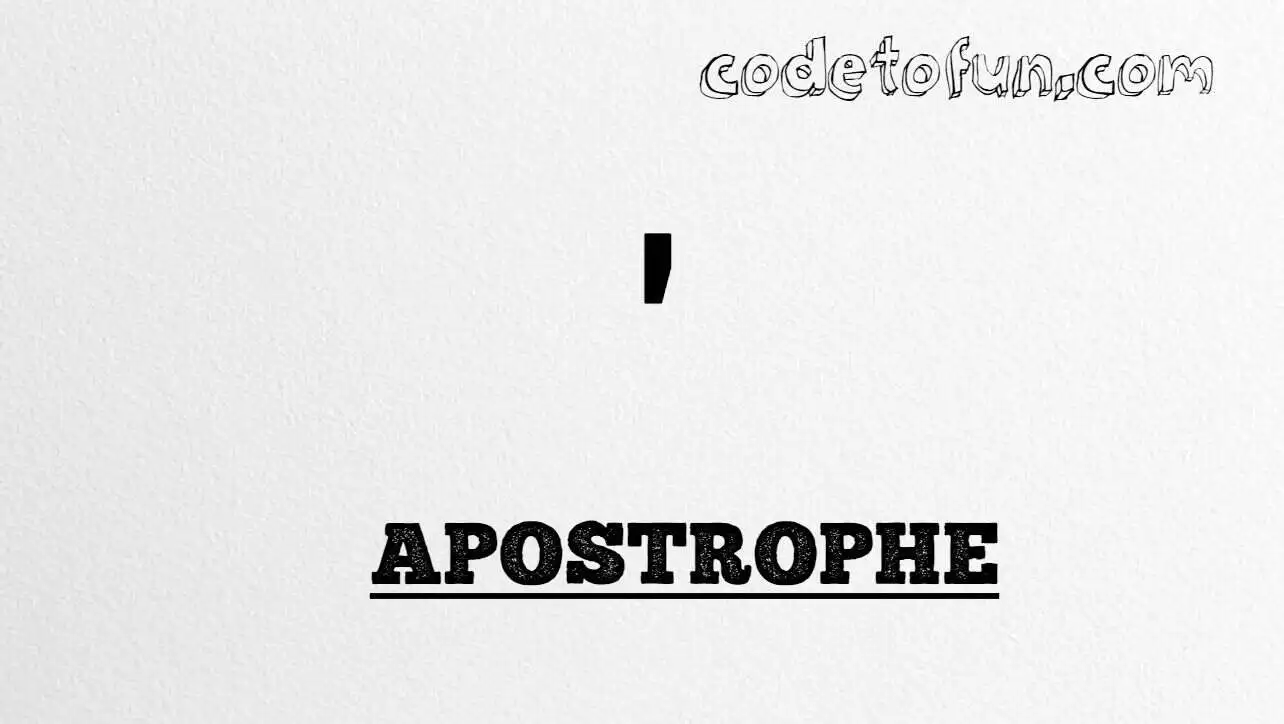
Apostrophe (') is Unicode U+0027 — the straight ASCII single quote. You use it in contractions (don't), possessives (Sam's), and as the delimiter for single-quoted attributes. HTML provides the named entity '.
Remember
Character     '
Unicode       U+0027
Hex entity    '
Decimal       '
Named entity  '
CSS escape    \0027
Rule          Escape inside single-quoted attributes
Not the same  ’ U+2019 (typographic)
Prefer typing ' in normal UTF-8 text and in double-quoted attributes. Use ' (or ') when the value itself is wrapped in single quotes.
Reference
Quick Reference
One table for every form you will actually use.
Form
Code
Where it goes
Direct character
'
Body text; double-quoted attributes
Named entity
'
HTML markup (esp. single-quoted attrs)
Hex entity
'
HTML markup
Decimal entity
'
HTML markup (widely portable)
CSS escape
\0027
Stylesheet content
Typographic ’
’
Polished prose — different character
When to Use Which
Situation
Use
Normal paragraph text
Type ' (or typographic ’)
Attribute in double quotes: title="Don't"
Literal ' is fine
Attribute in single quotes: title='Don't'
' or '
Generated / ASCII-only markup
' or '
CSS ::before / ::after
content: "\0027"
See it
Live Preview
Apostrophe rendered from character references and in common phrases.
Contractionsdon't · it's · we're
Large glyph'
vs. typographicASCII: ' (U+0027) | Curly: ’ (U+2019)
MonospaceO'Brien · McDonald's
All formsNamed: ' | Hex: ' | Decimal: '
Code
Complete HTML Example
One page that shows apostrophe with hex, decimal, named entity, CSS escape, and a real phrase. Use View Output or open the live editor.
Hex + Decimal + Named + CSS + Phrase
Five practical ways to produce ' — including a contraction in body text.
html
<!DOCTYPE html>
<html lang="en">
<head>
<meta charset="UTF-8">
<title>Apostrophe (') in HTML</title>
<style>
#point::after {
content: "\0027";
}
</style>
</head>
<body>
<p>Apostrophe using Hex Code: '</p>
<p>Apostrophe using HTML Code: '</p>
<p>Apostrophe using Named Entity: '</p>
<p id="point">Apostrophe using CSS Entity: </p>
<p>In a phrase: It's fine.</p>
</body>
</html>
Apostrophe (U+0027) and its entity forms (', ', ', CSS \\0027) are supported in all mainstream browsers.
✓ Universal support
Apostrophe (')
Type ', or encode with named, hex, decimal, or CSS escape — same character everywhere.
100%Browser coverage
Google ChromeSupported
Yes
Microsoft EdgeSupported
Yes
Mozilla FirefoxSupported
Yes
Apple SafariSupported
Yes
OperaSupported
Yes
Internet ExplorerAll versions
Yes
U+0027 / entitiesFull support
Bottom line: Type ' in body text and double-quoted attributes. Prefer ' or ' inside single-quoted attributes, and \\0027 only inside CSS content.
Remember
Key Takeaways
Unicode: apostrophe is U+0027 (decimal 39).
HTML: prefer ' or ' when escaping.
CSS: use \0027 inside content for generated text.
Rule: escape ' inside single-quoted attributes.
One line:U+0027 → type ', or encode as ' / ' / ' / CSS \0027.
Frequently Asked Questions
Use ' (named), ' (decimal), ' (hex), or the CSS escape \0027 in the content property. All render '. You can also type ' directly in UTF-8 text and in double-quoted attributes.
U+0027 (hex 0027, decimal 39). Unicode names it Apostrophe. It belongs to the Basic Latin (ASCII) block. It is not the same as the typographic right single quotation mark U+2019 (’).
Always escape when the apostrophe appears inside an attribute value wrapped in single quotes — for example title='Don't'. In normal body text and in double-quoted attributes, a literal ' is usually fine.
Yes. ' is defined in HTML5 and XML. Older HTML4 did not list it, so ' was the portable numeric form; today ' is fine in modern HTML.
HTML entities (', ', or ') go in markup. The CSS escape \0027 is used in stylesheets (usually in the content property of ::before/::after). Both render '.
Use U+0027 for code, data, and ASCII-safe markup. Prefer ’ (U+2019) for polished typography in body copy when your fonts and editors support it.
🤔
Did you know?
Apostrophe is Unicode U+0027 (decimal 39) — the straight ASCII single quote. HTML provides '. Escape it inside single-quoted attributes so the quote does not end the value early. For typography, many sites prefer the curly mark ’ (U+2019) instead of '.