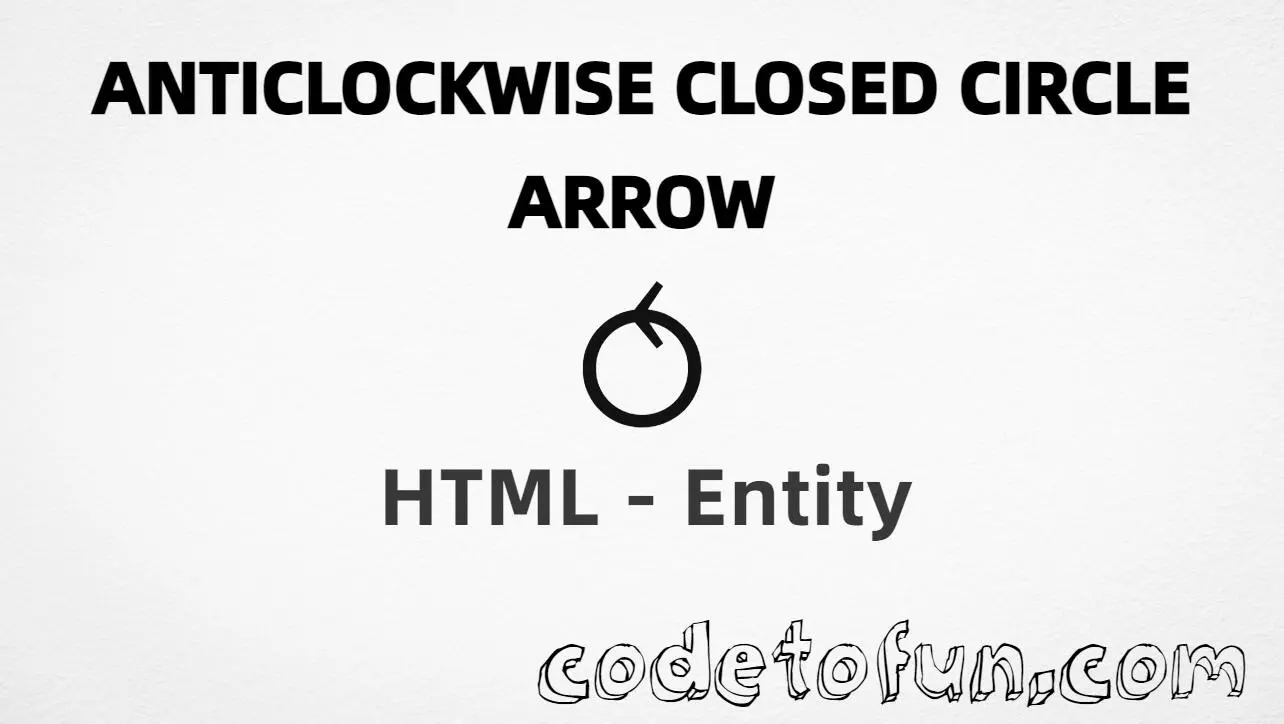
HTML Entity for Anticlockwise Closed Circle Arrow (⥀)
Beginner
6 min read
Updated: Sep 2026
1 example
Unicode U+2940
Definition
What Is the Anticlockwise Closed Circle Arrow Entity?
Anticlockwise closed circle arrow (⥀) is Unicode U+2940 in Supplemental Arrows-B. It shows a full closed circle turning anticlockwise — useful for rotation, rewind, or circular-flow labels. HTML5 has no named entity for it.
Remember
Character     ⟲
Unicode       U+2940
Hex entity    ⥀
Decimal       ⥀
CSS escape    \2940
Named entity  (none)
Related       ⟳ U+2941 · ↺ U+21BA · ↶ U+21B6
All numeric forms produce the same glyph: ⥀. Prefer typing ⟲ in UTF-8 when you can; use entities for CSS content, generated markup, or when encoding must be explicit.
Closed circle using Hex Code: ⥀
Closed circle using HTML Code: ⥀
Closed circle using CSS Entity: ⥀
Typed directly: ⥀
How It Works
1. Hex:U+2940 → ⥀ in HTML. The browser turns it into ⥀.
2. Decimal: same code point as 10560 → ⥀. Same result as hex.
3. CSS: use \2940 in content (not an HTML entity). #point::after appends that ⥀ after the paragraph text.
4. Typed ⟲: best for normal UTF-8 text. All four lines show the same glyph.
Pitfalls & Tips
Common mistakes when working with the anticlockwise closed circle arrow (⟲) entity.
Named?
No named entity
HTML5 does not define a named entity for U+2940. Use numeric forms.
Family
Pick the right circle arrow
⟲ ≠ ↺ ≠ ↶ ≠ ⟳. Match closed vs open vs semicircle vs clockwise.
CSS vs HTML
Do not mix escapes
\2940 belongs in CSS. ⥀ / ⥀ belong in HTML.
Fonts
Supplemental Arrows coverage
Some UI fonts omit U+2940. Prefer fonts with Supplemental Arrows-B support.
A11y
Label the action
Pair ⟲ with text like “Rotate left” so meaning does not rely on the glyph alone.
Semicolon
End references
Always finish with ; — write ⥀, not ⥀.
Compatibility
Browser Support
Anticlockwise closed circle arrow (U+2940) and its numeric entity forms (⥀, ⥀, CSS \\2940) are supported in all mainstream browsers. Glyph availability depends on font support for Supplemental Arrows-B.
✓ Universal support
Anticlockwise Closed Circle Arrow (⟲)
Type ⟲, or encode with hex, decimal, or CSS escape — same glyph everywhere encoding is supported.
100%Browser coverage
Google ChromeSupported
Yes
Microsoft EdgeSupported
Yes
Mozilla FirefoxSupported
Yes
Apple SafariSupported
Yes
OperaSupported
Yes
Internet ExplorerAll versions
Yes
U+2940 / entitiesFull support
Bottom line: Use a typed ⟲ for normal UTF-8 text. Prefer ⥀ or ⥀ in HTML when encoding must be explicit, and \\2940 only inside CSS content.
Remember
Key Takeaways
Unicode: anticlockwise closed circle arrow is U+2940 (decimal 10560).
HTML: use ⥀ or ⥀ when you need an entity.
CSS: use \2940 inside content for generated text.
Watch out: ⟲ ≠ ↺ ≠ ↶ ≠ ⟳.
One line:U+2940 → type ⟲, or encode as ⥀ / ⥀ / CSS \2940.
Frequently Asked Questions
Use ⥀ (hex), ⥀ (decimal), or the CSS escape \2940 in the content property. All render ⟲. You can also paste ⟲ directly if your file is UTF-8. There is no named HTML entity for U+2940.
U+2940 (hex 2940, decimal 10560). Unicode names it Anticlockwise closed circle arrow. It belongs to Supplemental Arrows-B (U+2900–U+297F).
No. Use numeric references like ⥀ or ⥀.
Use ⟲ (U+2940) for a closed full-circle anticlockwise arrow. Use ↶ (U+21B6) for a top semicircle, and ↺ (U+21BA) for an open-circle anticlockwise arrow — they are different glyphs.
HTML entities (⥀ or ⥀) go in markup. The CSS escape \2940 is used in stylesheets (usually in the content property of ::before/::after). Both render ⟲.
Clockwise closed circle arrow is U+2941 (⟳). Use that page or ⥁ when the action is clockwise.
🤔
Did you know?
Anticlockwise closed circle arrow is Unicode U+2940 (decimal 10560) in Supplemental Arrows-B. The glyph ⟲ suggests a full circular anticlockwise turn. HTML5 has no named entity for it — use ⥀ or ⥀. It is not the same as open-circle ↺ (U+21BA) or semicircle ↶ (U+21B6).