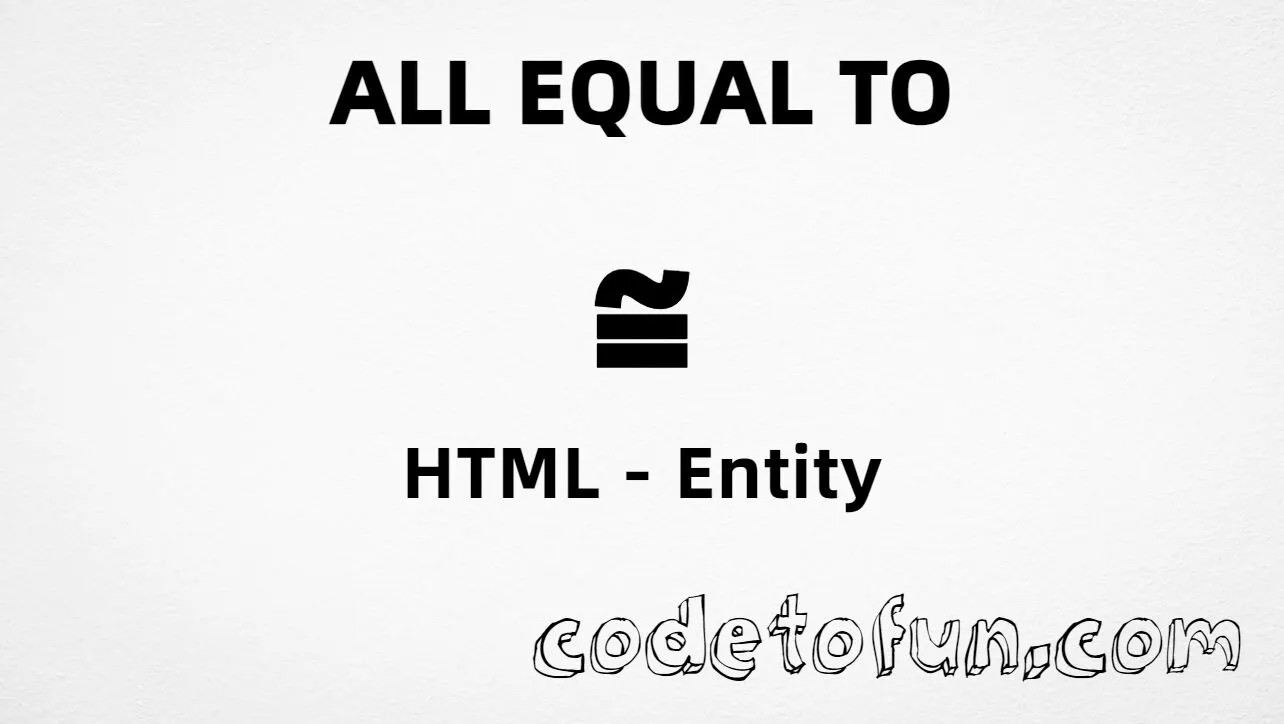
Combining almost equal to above (U+034C) is a combining mark in the Combining Diacritical Marks block. It stacks above the character that comes before it — it is not a standalone ≈ operator. Example: a + ͌ renders as a͌.
Remember
Character     combining almost equal above (after a base)
Unicode       U+034C
Hex entity    ͌
Decimal       ͌
CSS escape    \0034C
Named entity  (none)
Example       a͌ → a͌
Not the same  ≈ U+2248 (spacing operator)
Prefer a base letter first, then the mark. For charts and demos, authors often show the mark on a dotted circle (◌͌). For approximate equality between two numbers, use ≈ (U+2248) instead.
Mark using Hex Code: a͌
Mark using HTML Code: a͌
Mark using CSS Entity: a͌
Typed directly: a͌
How It Works
1. Hex: write the base letter, then ͌ → a͌ becomes a͌.
2. Decimal: same mark as 844 → a͌. Same result as hex.
3. CSS: put base + escape in one string: content: "a\0034C". Six hex digits keep the escape unambiguous. #point::after appends that sequence.
4. Typed: in UTF-8 type a then the combining mark. Order must stay base first, mark second.
Pitfalls & Tips
Common mistakes when working with almost equal to above.
Order
Base letter first
Write a͌, never put U+034C before the letter you want to mark.
≈
Not the spacing operator
U+034C is a diacritic. For π ≈ 3.14 use U+2248 / ≈.
Named?
No named entity
HTML5 does not define a named entity for U+034C. Use numeric forms only.
CSS
Prefer six-digit escapes
Use \0034C in CSS strings so the escape is not ambiguous next to other characters.
Fonts
Combining support varies
Some fonts stack poorly. Test with fonts meant for linguistic / phonetic work.
Semicolon
End references
Always finish with ; — write ͌, not ͌.
Compatibility
Browser Support
Almost equal to above (U+034C) and its numeric entity forms (͌, ͌, CSS \\0034C) are supported in all mainstream browsers. Stacking quality depends on font support for combining marks.
✓ Universal support
Almost Equal To Above (U+034C)
Encode with hex, decimal, or CSS escape after a base letter — same combining mark everywhere encoding is supported.
100%Browser coverage
Google ChromeSupported
Yes
Microsoft EdgeSupported
Yes
Mozilla FirefoxSupported
Yes
Apple SafariSupported
Yes
OperaSupported
Yes
Internet ExplorerAll versions
Yes
U+034C / entitiesFull support
Bottom line: Always place the mark after a base letter. Prefer ͌ or ͌ in HTML when encoding must be explicit, and \\0034C only inside CSS content strings.
Remember
Key Takeaways
Unicode: combining almost equal to above is U+034C (decimal 844).
HTML: base first, then ͌ or ͌ (e.g. a͌).
CSS: use "a\0034C" (or another base) inside content.
Role: U+034C is a diacritic; ≈ (U+2248) is a spacing operator.
One line:U+034C → after a base letter as ͌ / ͌ / CSS \0034C.
Frequently Asked Questions
Place ͌ (hex) or ͌ (decimal) immediately after a base letter — for example a͌. In CSS, use content: "a\0034C" (six-digit escape). There is no named HTML entity for U+034C.
U+034C (hex 034C, decimal 844). Official name: Combining almost equal to above. It belongs to the Combining Diacritical Marks block (U+0300–U+036F).
No. Use numeric references like ͌ or ͌ after a base letter. Do not confuse this with ≈ (≈, U+2248).
Use U+034C when your phonetic or mathematical standard needs this diacritic above a base symbol. Use ≈ for the standalone almost-equal binary operator between quantities.
HTML entities (͌ or ͌) go in markup after the base letter. The CSS escape \0034C goes in stylesheet strings (usually content on ::before/::after), typically as "a\0034C".
A six-digit CSS escape (\0034C) is unambiguous. Shorter forms can be misread if the next characters look like hex digits. Both can work when written carefully; six digits is safer for students.
🤔
Did you know?
Almost equal to above is Unicode U+034C (decimal 844). It is a combining mark — place it after a base letter (e.g. a͌). It is not the spacing ≈ operator (U+2248). HTML5 has no named entity for U+034C.