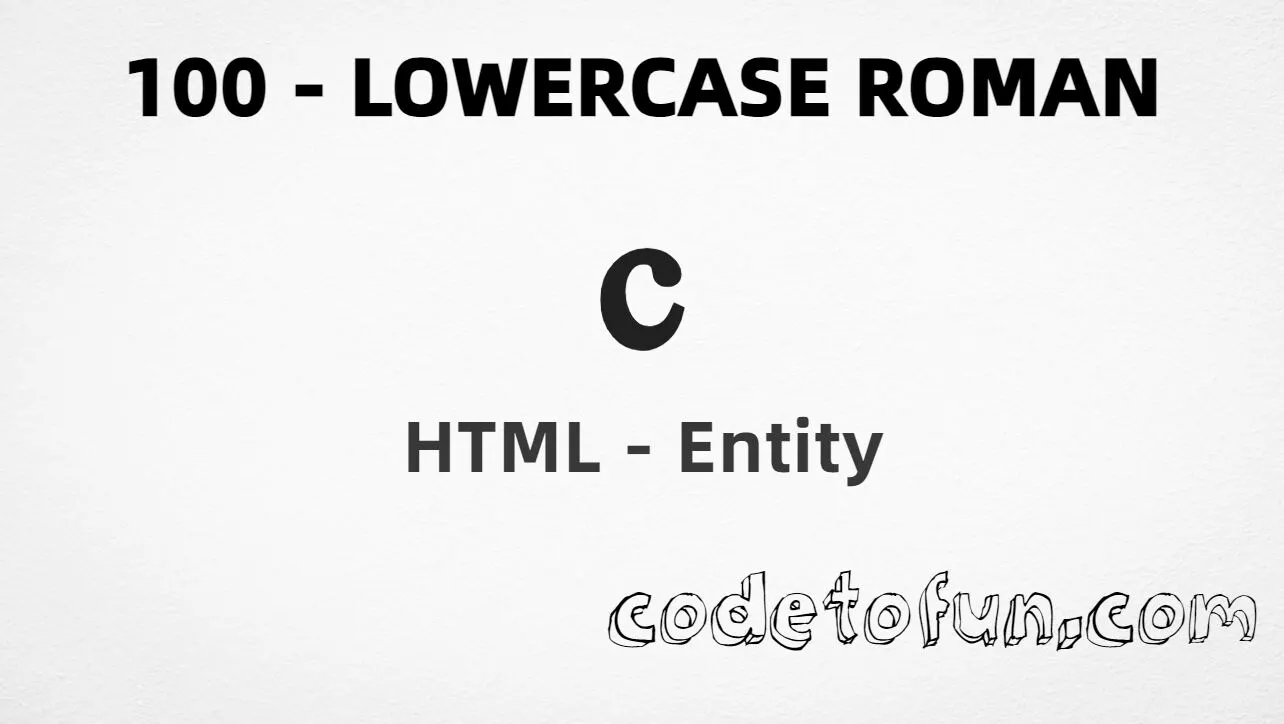
HTML Entity for Lowercase Roman Numeral One Hundred (ⅽ)
Beginner
6 min read
Updated: Sep 2026
1 example
Unicode U+217D
Definition
What Is the Lowercase Roman Numeral One Hundred Entity?
Lowercase Roman Numeral One Hundred (ⅽ) is the Unicode character at U+217D in the Number Forms block. It looks like a small roman c and is used for outlines, chapter labels, and formal numbering.
Remember
Character     ⅽ
Unicode       U+217D
Hex entity    ⅽ
Decimal       ⅽ
CSS escape    \217D
Named entity  (none)
All of these produce the same glyph: ⅽ. Prefer the Unicode character (or its entities) when you need a true roman numeral; type the letter c when you only need ordinary text.
Reference
Quick Reference
One table for every form you will actually use.
Form
Code
Where it goes
Direct character
ⅽ
HTML text (UTF-8)
Hex entity
ⅽ
HTML markup
Decimal entity
ⅽ
HTML markup
CSS escape
\217D
Stylesheet content
Named entity
—
Not defined in HTML5
When to use which
Situation
Use
Need the roman numeral glyph ⅽ
Type ⅽ, or ⅽ / ⅽ
Generated text via ::before / ::after
content: "\217D"
Uppercase roman numeral one hundred
Use Ⅽ (U+216D)
Ordinary letter c (not a numeral)
Type c (U+0063)
Looking for &romanc; or similar
Does not exist — use numeric form
See it
Live Preview
Lowercase Roman Numeral One Hundred rendered in common writing contexts.
Inline textⅽ. Appendix
Large glyphⅽ
Outlineⅼ Fifty ⅽ Hundred ⅾ Five hundred
Monospacesection ⅽ → appendix
With entitiesHex: ⅽ | Decimal: ⅽ
Code
Complete HTML Example
One page that shows Lowercase Roman Numeral One Hundred with the hex entity, decimal entity, CSS escape, and a typed character. Use View Output or open the live editor.
Hex + Decimal + CSS + Typed
All four ways to produce ⅽ in a single document.
html
<!DOCTYPE html>
<html lang="en">
<head>
<meta charset="UTF-8">
<title>Lowercase Roman Numeral One Hundred (ⅽ) in HTML</title>
<style>
#point::after {
content: "\217D";
}
</style>
</head>
<body>
<p>Lowercase Roman 100 using Hex Code: ⅽ</p>
<p>Lowercase Roman 100 using HTML Code: ⅽ</p>
<p id="point">Lowercase Roman 100 using CSS Entity: </p>
<p>Typed directly: ⅽ</p>
</body>
</html>
Lowercase Roman 100 using Hex Code: ⅽ
Lowercase Roman 100 using HTML Code: ⅽ
Lowercase Roman 100 using CSS Entity: ⅽ
Typed directly: ⅽ
How It Works
1. Hex:U+217D → ⅽ in HTML. The browser turns it into ⅽ.
2. Decimal: same code point as 8573 → ⅽ. Same result as hex.
3. CSS: use \217D in content (not an HTML entity). #point::after appends that ⅽ after the paragraph text.
4. Typed ⅽ: fine in UTF-8 pages. All four lines show the same roman numeral.
Pitfalls & Tips
Common mistakes when working with Lowercase Roman Numeral One Hundred entities.
Named?
No named entity
HTML5 does not define &romanc; or similar. Use numeric forms.
CSS vs HTML
Do not mix escapes
\217D belongs in CSS. ⅽ / ⅽ belong in HTML.
ⅽ vs c vs Ⅽ
Different characters
ⅽ is U+217D; letter c is U+0063; uppercase Ⅽ is U+216D.
Fonts
Check the glyph
Number Forms support varies by font. If ⅽ is missing, fall back to the letter c or another font.
Semicolon
End references
Always finish with ; — write ⅽ, not ⅽ.
Lists
CSS list-style
For auto-numbered roman lists, prefer list-style-type: lower-roman instead of hard-coding ⅽ.
Compatibility
Browser Support
Lowercase Roman Numeral One Hundred (U+217D) and its numeric entity forms (ⅽ, ⅽ, CSS \\217D) are supported in all mainstream browsers. Glyph shape depends on the font.
✓ Universal support
Lowercase Roman 100 (ⅽ)
Encode with hex, decimal, or CSS escape — or paste ⅽ in UTF-8 HTML.
100%Browser coverage
Google ChromeSupported
Yes
Microsoft EdgeSupported
Yes
Mozilla FirefoxSupported
Yes
Apple SafariSupported
Yes
OperaSupported
Yes
Internet ExplorerAll versions
Yes
U+217D / entitiesFull support
Bottom line: Use ⅽ or ⅽ for the Unicode glyph, and \\217D only inside CSS content. Prefer the letter c for ordinary text.
Remember
Key Takeaways
Unicode: Lowercase Roman Numeral One Hundred is U+217D (decimal 8573).
HTML: use ⅽ or ⅽ when you need an entity.
CSS: use \217D inside content for generated text.
Default: use ⅽ for roman outlines; type c for ordinary letters.
One line:U+217D → ⅽ / ⅽ / CSS \217D, or paste ⅽ.
Frequently Asked Questions
Use ⅽ (hex), ⅽ (decimal), or the CSS escape \217D in the content property. All render ⅽ. You can also paste ⅽ directly when your file is UTF-8.
U+217D (hex 217D, decimal 8573). It belongs to the Number Forms Unicode block.
No. HTML5 does not define a named entity for ⅽ. Use numeric references like ⅽ or ⅽ.
Use it for outline labels, chapter markers, and typography that needs a true roman numeral glyph. For ordinary text, the letter c is usually enough.
No. The Latin letter c is U+0063. Uppercase roman numeral one hundred is U+216D (Ⅽ). Lowercase roman numeral one hundred is U+217D (ⅽ) — a different character.
HTML entities (ⅽ or ⅽ) go in markup. The CSS escape \217D is used in stylesheets (usually in the content property of ::before/::after). Both render ⅽ.
🤔
Did you know?
Lowercase roman numeral one hundred is Unicode U+217D (decimal 8573). HTML5 has no named entity for it — use ⅽ or ⅽ. It is a different character from the letter c (U+0063) and from uppercase roman Ⅽ (U+216D).