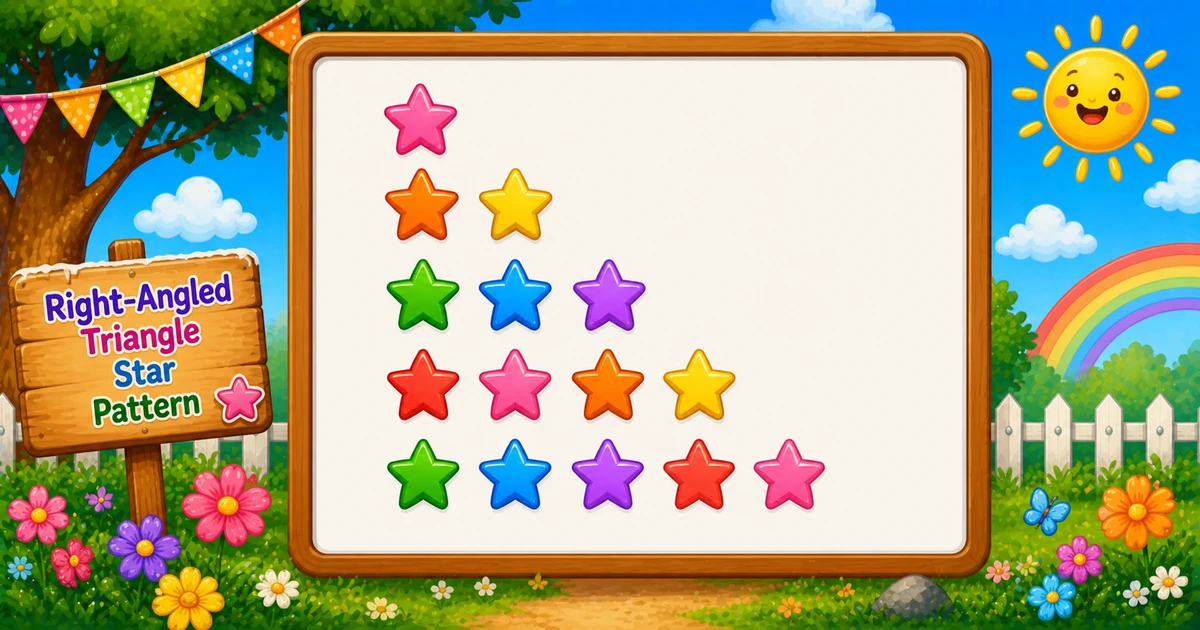
A right-angled triangle star pattern prints a left-aligned staircase of * characters: row i has exactly i stars.
Remember
Rule: on row i, print i stars

*
**
***
****
*****     ← 5 rows
In C++ you solve it with two nested for loops: the outer loop picks the row, the inner loop prints stars on that row, then cout << "\n" moves to the next line. Once this clicks, inverted triangles, pyramids, and hollow shapes become much easier.
Approach
How to Solve It
Two ways to emit the same shape — start with nested loops, then optionally shorten with string(i, '*').
Method
Idea
Best for
Nested loops
Outer = rows, inner = stars via cout << "*"
Learning, interviews, exams
string(i, '*')
Build a whole row in one call
Shorter demos once loops click
Pseudocode
Pseudocode
for i from 1 to rows:
    for j from 1 to i:
        print "*" (no newline)
    print newline
Change the row count and the triangle updates instantly — including the triangular star total.
Whole numbers from 1 to 20. Tap a chip or type a value — the preview redraws as you go.
Live result5 rows · 15 stars
*
**
***
****
*****
Trace
Worked Walkthrough — rows = 4
Trace each outer-loop value of i and count how many times the inner loop runs.
i
Inner j
Printed row
Stars
1
1..1
*
1
2
1..2
**
2
3
1..3
***
3
4
1..4
****
4
Total star prints: 1 + 2 + 3 + 4 = 10 = 4×5/2. That triangular sum is why time is O(n²).
Code
C++ Programs
Three complete programs: fixed rows, cin input, and a string(i, '*') shortcut. Use View Output to reveal sample results.
Example 1 — Fixed rows = 5
Hard-coded height — ideal for first demos and screenshots.
C++
#include <iostream>
using namespace std;

int main()
{
    int rows = 5;

    for (int i = 1; i <= rows; i++)
    {
        for (int j = 1; j <= i; j++)
        {
            cout << "*";
        }
        cout << "\n";
    }

    return 0;
}
Output
*
**
***
****
*****
How It Works
1. Set height.rows = 5 means the triangle has five lines.
2. Outer loop picks the row.i runs from 1 to rows.
3. Inner loop prints stars. For each i, j runs from 1 to i, so row i gets exactly i stars via cout << "*".
4. Break the line.cout << "\n" after the inner loop starts the next row.
When i = 1 you get *; when i = 2 you get **; and so on up to five stars.
Example 2 — User Input Version
Read the row count at runtime with cin. Check for failure in real apps (shown in the tip below).
C++
#include <iostream>
using namespace std;

int main()
{
    int rows;

    cout << "Enter the number of rows: ";
    cin >> rows;

    for (int i = 1; i <= rows; i++)
    {
        for (int j = 1; j <= i; j++)
        {
            cout << "*";
        }
        cout << "\n";
    }

    return 0;
}
Output (when user enters 7)
Enter the number of rows: 7
*
**
***
****
*****
******
*******
How It Works
1. Prompt and read. Ask for a row count, then store it with cin >> rows.
2. Same nested-loop core. Only the source of rows changes — the print logic matches Example 1.
3. Safer input tip. Unchecked cin leaves rows unset on bad input. Prefer:
Safer input
if (!(cin >> rows) || rows < 1)
{
    cout << "Enter a positive whole number.\n";
    return 1;
}
Example 3 — string(i, '*')
Build each row in one call — same shape, no explicit inner star loop.
C++
#include <iostream>
#include <string>
using namespace std;

int main()
{
    int rows = 5;

    for (int i = 1; i <= rows; i++)
    {
        cout << string(i, '*') << "\n";
    }

    return 0;
}
Output
*
**
***
****
*****
How It Works
1. One outer loop. Still walk i from 1 to rows.
2. Build the row.string(i, '*') creates a string of length i filled with stars.
3. Print and advance. Stream that string, then "\n" to end the line.
Learn the two-loop version first (Examples 1–2) so you can explain both bounds in an interview; treat this as a polish shortcut afterward.
Edge Cases & Pitfalls
Check these before calling the solution done.
\n inside
Column of stars
If cout << "\n" is inside the inner loop, each star lands on its own line. Print stars without a newline; end the row only after the inner loop.
j <= rows
Rectangle, not triangle
Inner bound must be j <= i. j <= rows prints a filled rectangle.
No newline
One endless line
Omitting the row break glues every star onto a single line.
rows = 1
Single star
Output is just * on one line — a good sanity check.
rows ≤ 0
Empty output
Outer loop never runs. Validate and re-prompt for interactive programs.
cin
Check for failure
If cin >> rows fails, rows may be unset — test !(cin >> rows) before looping.
Analysis
Time and Space Complexity
Program
Time
Extra space
Nested loops (Examples 1–2)
O(rows²)
O(1)
string(i, '*') (Example 3)
O(rows²)
O(rows) per temporary row string
Total stars printed = 1 + 2 + … + n = n(n+1)/2, which is still quadratic in n.
Remember
Key Takeaways
Rule: row i prints exactly i stars.
Two loops: outer = rows, inner = stars with cout << "*".
Break the row: stream "\n" only after the inner loop.
Complexity:O(n²) time from the triangular star count; O(1) extra space for nested loops.
One line: for each row i, print i stars with cout, then a newline.
Frequently Asked Questions
The outer loop runs i from 1 to rows. For each row i, the inner loop runs j from 1 to i and prints a star with cout. Row 1 prints 1 star, row 2 prints 2 stars, and so on.
You need one loop for which row you are on and another for how many characters belong on that row. Nested for loops express that directly.
cout << "*" stays on the same line. cout << "\n" ends the current line. Stars use cout << "*"; the row break uses cout << "\n" after the inner loop.
Reverse the outer loop so i runs from rows down to 1, for example for (i = rows; i >= 1; i--). The first line then has rows stars. See Program 2.
O(n²) where n is the number of rows. Total star output calls equal 1+2+…+n = n(n+1)/2.
Yes. cout << string(i, '*') << "\n" prints a full row in one call. Nested loops are better for learning; the string constructor is a handy shortcut later.
After cin >> rows, check failure: if (!(cin >> rows)) handle bad input. Unchecked cin leaves rows unset on failure.
The outer loop never runs, so nothing is printed. Validate and prompt again if you want a clear user message.
🤔
Did you know?
Row i prints exactly i stars. Total stars for n rows is the triangular number n(n+1)/2 — the same count that makes this pattern O(n²).