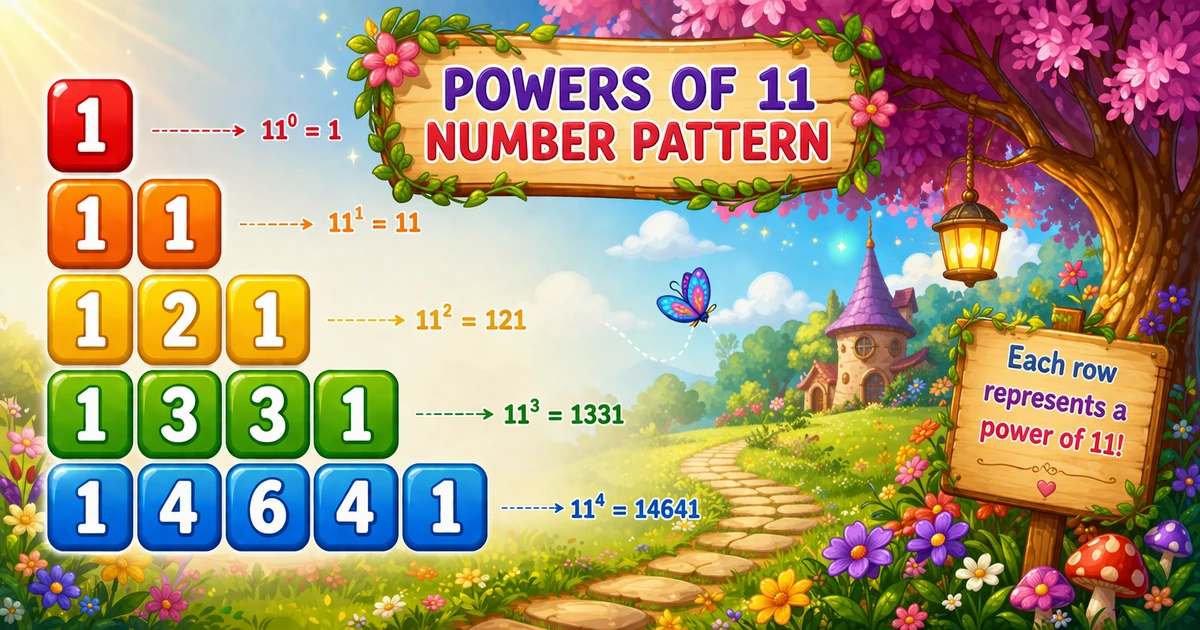
A powers-of-11 sequence prints one growing number per row: start at 1, then multiply by 11 for each next line. With n = 5 you get 1, 11, 121, 1331, 14641.
Remember
Rule: res starts at 1; each row print, then res *= 11

1
11
121
1331
14641     ← n = 5
Unlike Program 47 (2D concentric diamond), this pattern needs only one loop and a running variable — no nested grids.
Approach
How to Solve It
Keep a running value res. Each iteration prints the current value and multiplies by 11 for the next row.
Method
Idea
Best for
If / else first row
Set res = 1 on row 1; else res *= 11, then print
Matching older textbook demos
Print then multiply
cout << res << "\n"; res *= 11;
Cleaner loop — preferred once you see it
Pseudocode
Pseudocode
res = 1
for i from 1 to n:
    print res
    print newline
    res = res * 11
Cheat sheet
Goal
Pattern
Start value
int res = 1; (use long long for larger n)
Loop rows
for (i = 1; i <= n; i++)
Print row
cout << res << "\n";
Next value
res *= 11;
Classic if form
if (i == 1) res = i; else res *= 11; then print
Printing Numbers vs Starting a New Line
API
Effect
Use for
cout << res
Stays on the same line
The number itself
cout << "\n"
Ends the current line
After each value (one number per row)
Same idea as C# Write / WriteLine. Here each row is a single value, so cout << res << "\n" combines both. Unlike 2D patterns, you do not print many cells before the newline.
Try it
Live Preview
Change the row count n and the powers-of-11 sequence updates instantly.
Use n from 1 to 10. Tap a chip or type a value — the preview redraws as you go.
Live resultn = 5 · 5 lines
1
11
121
1331
14641
Trace
Worked Walkthrough
Trace res for n = 5 using print-then-multiply.
Row i
res before print
Printed
After res *= 11
1
1
1
11
2
11
11
121
3
121
121
1331
4
1331
1331
14641
5
14641
14641
161051
The last multiply after row 5 is unused when the loop ends — that is fine. Row 6 would print 161051 if you raised n.
Code
C++ Programs
Three complete programs: fixed n = 5 with if/else, cin input, and the cleaner print-then-multiply form. Use View Output to reveal sample results.
Example 1 — Fixed n = 5
Hard-coded five rows with the classic first-row if check.
C++
#include <iostream>
using namespace std;

int main()
{
    int i, res = 1;

    for (i = 1; i <= 5; i++)
    {
        if (i == 1)
            res = i;
        else
            res = res * 11;
        cout << res << "\n";
    }

    return 0;
}
Output
1
11
121
1331
14641
How It Works
1. First row sets the seed. When i == 1, res = 1 and the program prints it.
2. Later rows multiply. Each next iteration does res = res * 11 before printing.
3. One value per line.cout << res << "\n" ends the row after each number.
Example 2 — User Input n
Read the row count at runtime and use the same if/else update.
C++
#include <iostream>
using namespace std;

int main()
{
    int n, i, res = 1;

    cout << "Enter number of rows: ";
    cin >> n;

    for (i = 1; i <= n; i++)
    {
        if (i == 1)
            res = i;
        else
            res = res * 11;
        cout << res << "\n";
    }

    return 0;
}
Output (when user enters 4)
Enter number of rows: 4
1
11
121
1331
How It Works
1. Same multiply logic. Only the source of n changes from a literal to cin.
2. Entering 4 stops early. You get four lines ending at 1331.
3. Validate in real apps. Prefer checking cin failure and requiring n >= 1 (tip below).
Safer input tip
if (!(cin >> n) || n < 1)
{
    cout << "Please enter a positive integer.\n";
    return 1;
}
Example 3 — Print Then Multiply
No special-case if — print res first, then update with res *= 11.
C++
#include <iostream>
using namespace std;

int main()
{
    int i;
    int res = 1;

    for (i = 1; i <= 5; i++)
    {
        cout << res << "\n";
        res *= 11;
    }

    return 0;
}
Output
1
11
121
1331
14641
How It Works
1. Seed is already correct.res starts at 1, so the first print needs no if.
2. Update after print.res *= 11 prepares the next row without changing what you just printed.
3. Same output, clearer body. Prefer this form in new code; Example 1 matches older textbook style.
Edge Cases & Pitfalls
Check these before calling the solution done.
Overflow
int overflows around row 10
Switch to long long (or bigger) when n grows. Values multiply by 11 every row.
Order
Multiply before print by mistake
If you multiply first with res = 1, row 1 becomes 11. Print first (Example 3) or use the if/else form carefully.
Pascal myth
Digits stop matching Pascal after carries
161051 is still 11^5, but digit carries mean it no longer mirrors Pascal row coefficients.
Bad cin
Validate input
Check cin >> n and require n >= 1 before the loop.
Analysis
Time and Space Complexity
Program
Time
Extra space
Single loop (Examples 1–3)
O(n)
O(1)
One print and one multiply per row — linear in n. Only a few integers of extra memory (use a wider type if values grow).
Remember
Key Takeaways
Rule: start at 1, print, then res *= 11 each row.
One loop: no nested grids — one value per line.
Prefer print-then-multiply: cleaner than a first-row if.
Complexity:O(n) time; O(1) extra space — watch overflow.
One line: for each of n rows, print res, then multiply it by 11.
Frequently Asked Questions
It starts with res = 1 and, for each next row, multiplies res by 11. This produces 1, 11, 121, 1331, 14641 for the first 5 lines.
Yes — increase the loop limit or read n from user input. For many rows, use long long because values grow quickly.
11^n shows binomial coefficients only while there are no carry-overs in base-10. Once carries occur, digits no longer match the triangle.
Program 47 prints a 2D concentric number diamond with nested loops. Program 48 prints a 1D growing sequence with one loop.
Yes — int overflows around row 10. Use long long for larger n.
Printing the number stays on the same line until you add a newline. Here each row is one value, so print res then "\n" (or combine: cout << res << "\n").
O(n) for n rows because the program computes and prints one value per row.
Yes — print res first, then multiply: cout << res << "\n"; res *= 11; — see Example 3.
🤔
Did you know?
Start with res = 1, print it, then update with res *= 11 each row. For five rows you get 1, 11, 121, 1331, 14641 — one value per line, O(n) time.